Upload Records
___________________________________________________________________________________________________________________________
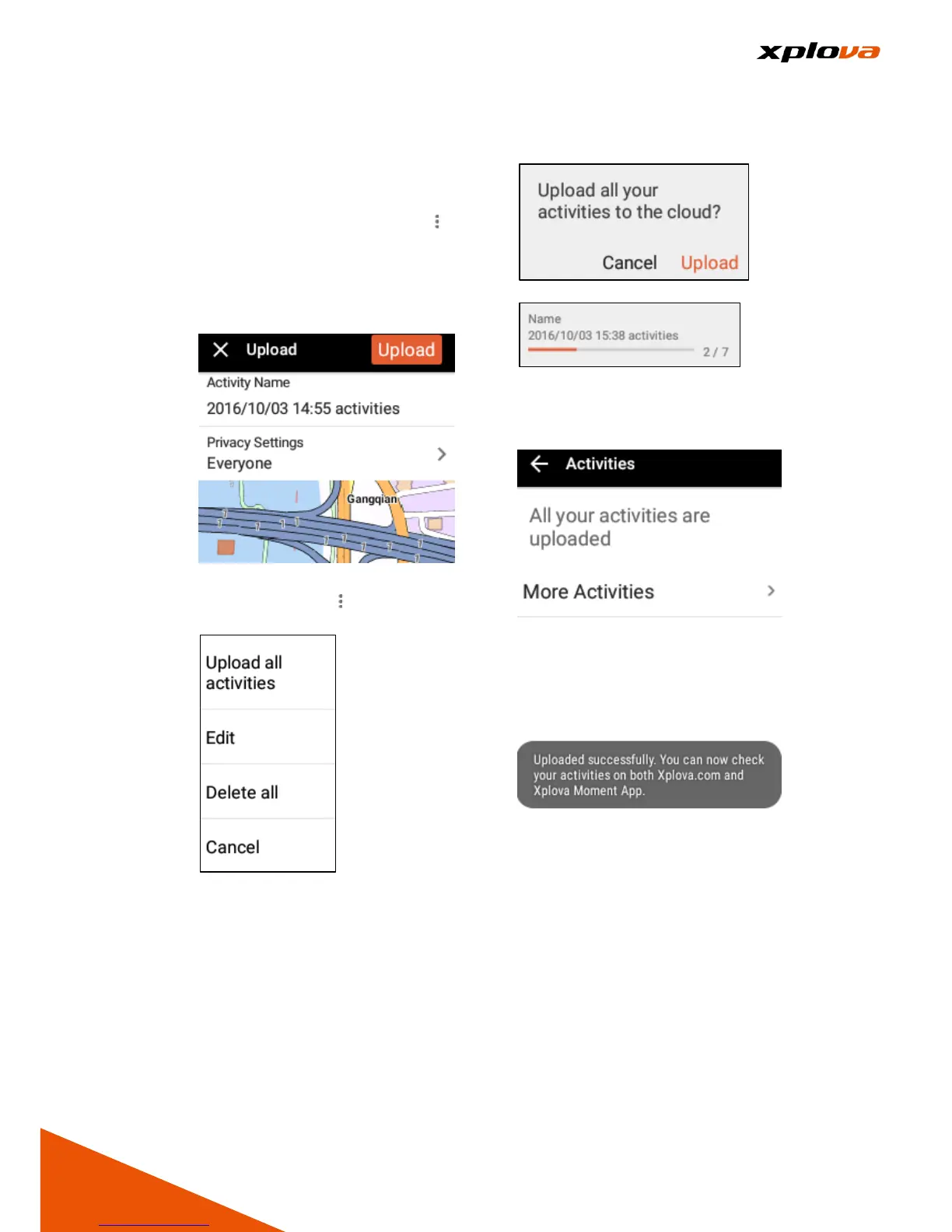
■Upload Single Record: In the
Activities list, select the record
you want to upload. Then tap [ ] >
[Upload Records]. After entering
the name and configuring the
privacy settings, tap [Upload] to
upload the selected file.
■Upload All Records: In the
Activities list, tap [ ] > [Upload all
activities].
A confirmation message will
appear, and then tap [Upload] to
continue. The system will upload
all records to the Cloud platform.
After completion, the Upload
Successful prompt message will
be displayed.



 To Next Page