the on-screen instructions on X5 to
start measuring FTP Value.
Bike Settings
Please refer to [Bike Settings] in the
"First Ride for the New Users ".
Device Settings
Please refer to [Device Setting] in the
Device Mode.
My Map
Please refer to [Map Download] in
the "First Ride for the New Users ".
Wireless Sensors
You can configure the Heart Rate
Belt and other Sensors settings.
Please refer to [Add Peripheral
Wireless Device] in the "First Ride for
the New Users ".
Internet Connections
You can configure the internet
connection, including Wi-Fi setting
and 3G setting. Please refer to
[Network Settings] in the "First Ride
for the New Users ".
Altitude Calibration
Please refer to [Calibrate Altitude] in
the "First Ride for the New Users ".
System Settings
___________________________________________________________________________________________________________________________
GPS
Please refer to [GPS Settings] in
"First Ride for the New Users ".
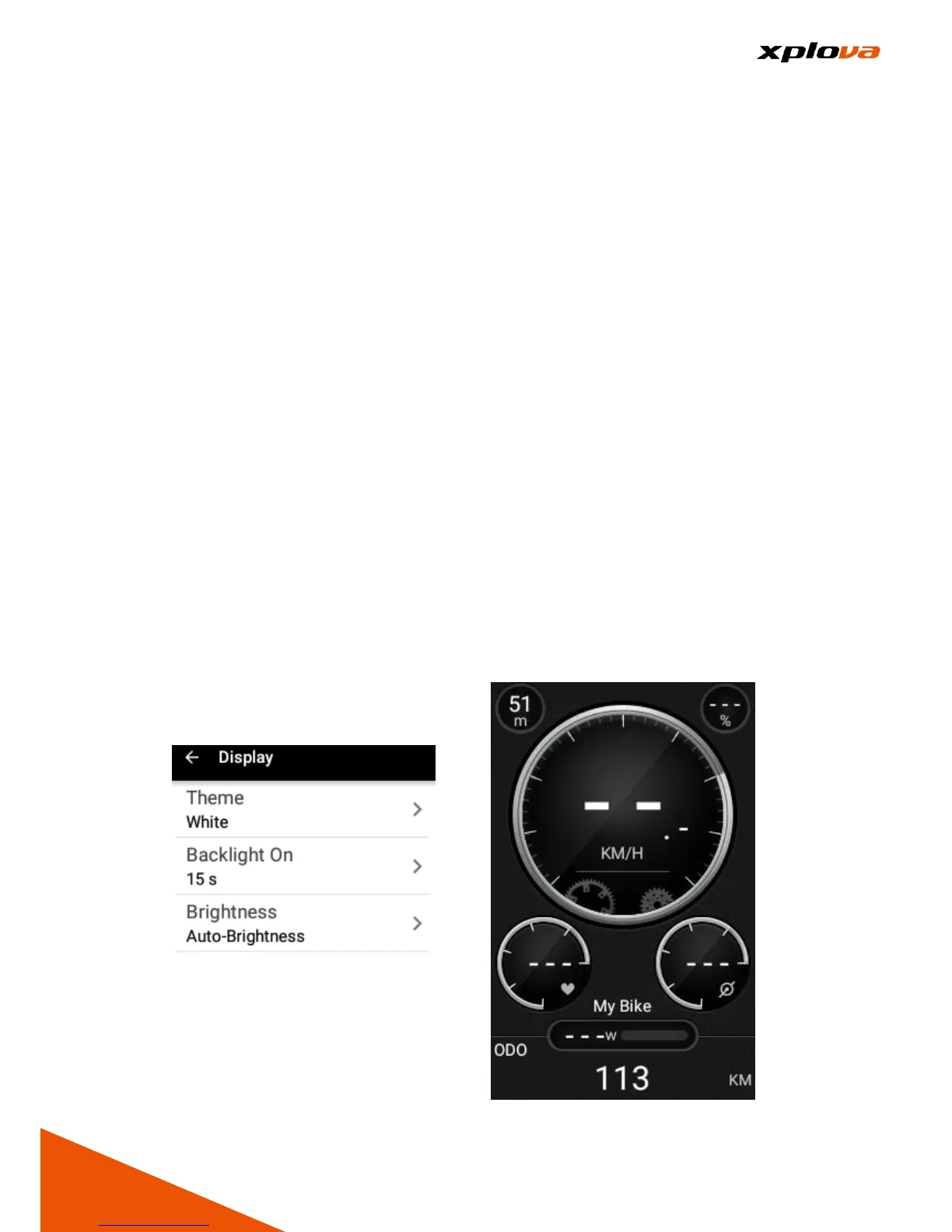
Display
You can adjust the theme, backlight
time, and backlight brightness.
Theme
Adjust the theme colors of the
display.
■Auto: Automatically switch the color
tone of the display based on the
detected Sunrise and Sunset time
after the GPS is positioned.
■Black: Use Black as the background
color for the Operation Interface. It is
recommended using this setting at
night. Please refer to the Schematic
diagram.



 To Next Page