VESDA ECO Detector by Xtralis Product Guide
17898_05 Configuration 37
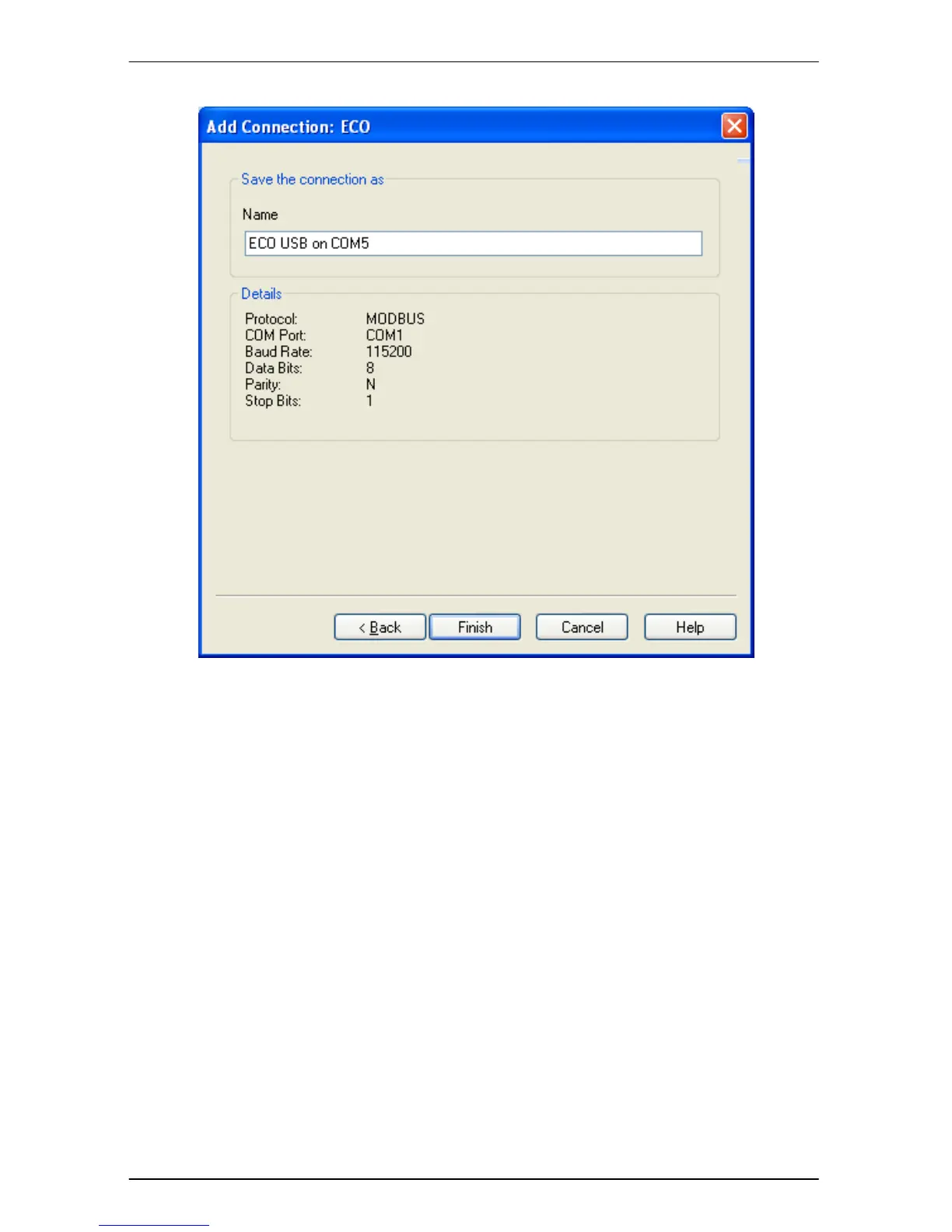
Figure 19 Save Connection Dialog
Edit the ‘Name’ field to give the connection a user friendly, easy to remember
name.
Click the ‘Finish’ button to save the connection. The Wizard dialog will close and
the ‘Connection Manager’ dialog is re-displayed, this time showing the added
connection.
To make a connection the default, highlight the required connection and then click
the ‘Set as Default’ button. (Recommended)
To make Xtralis VSC automatically use the default connection whenever the user
opens a connection, check the ‘Automatically connect to default’ check box.


 To Next Page