15
2 Overview and Controls
This section provides information about front panel and rear panel. When you install this series DVR
for the first time, please refer to this part first.
2.1 Front Panel
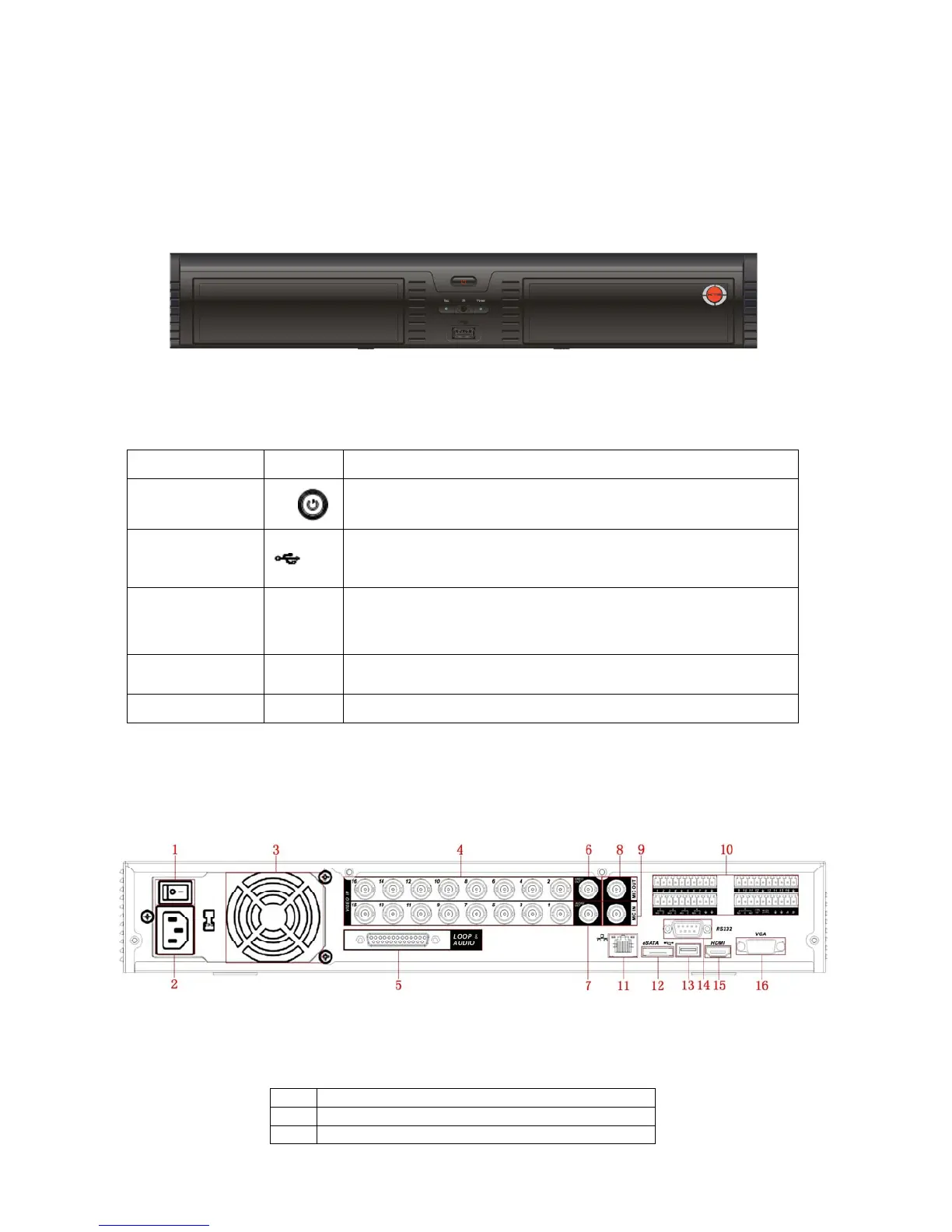
The front panel is shown as in Figure 2-1.
Figure 2-1
Please refer to the following sheet for front panel button information.
Name Icon Function
Power button
Power button, press this button for three seconds to boot up
or shut down DVR.
USB port
To connect USB storage device, USB mouse.
Power
indication
light
Power Power indication light.
Record light Rec
System is recording or not. It becomes on when system is
recording.
IR Receiver IR It is to receive the signal from the remote control.
2.2 Rear Panel
This series DVR rear panel is shown as below. See Figure 2-2.
Figure 2-2
Please refer to the following sheet for detail information.
1 Power button
2 Power input port
3 Fan



 To Next Page