55
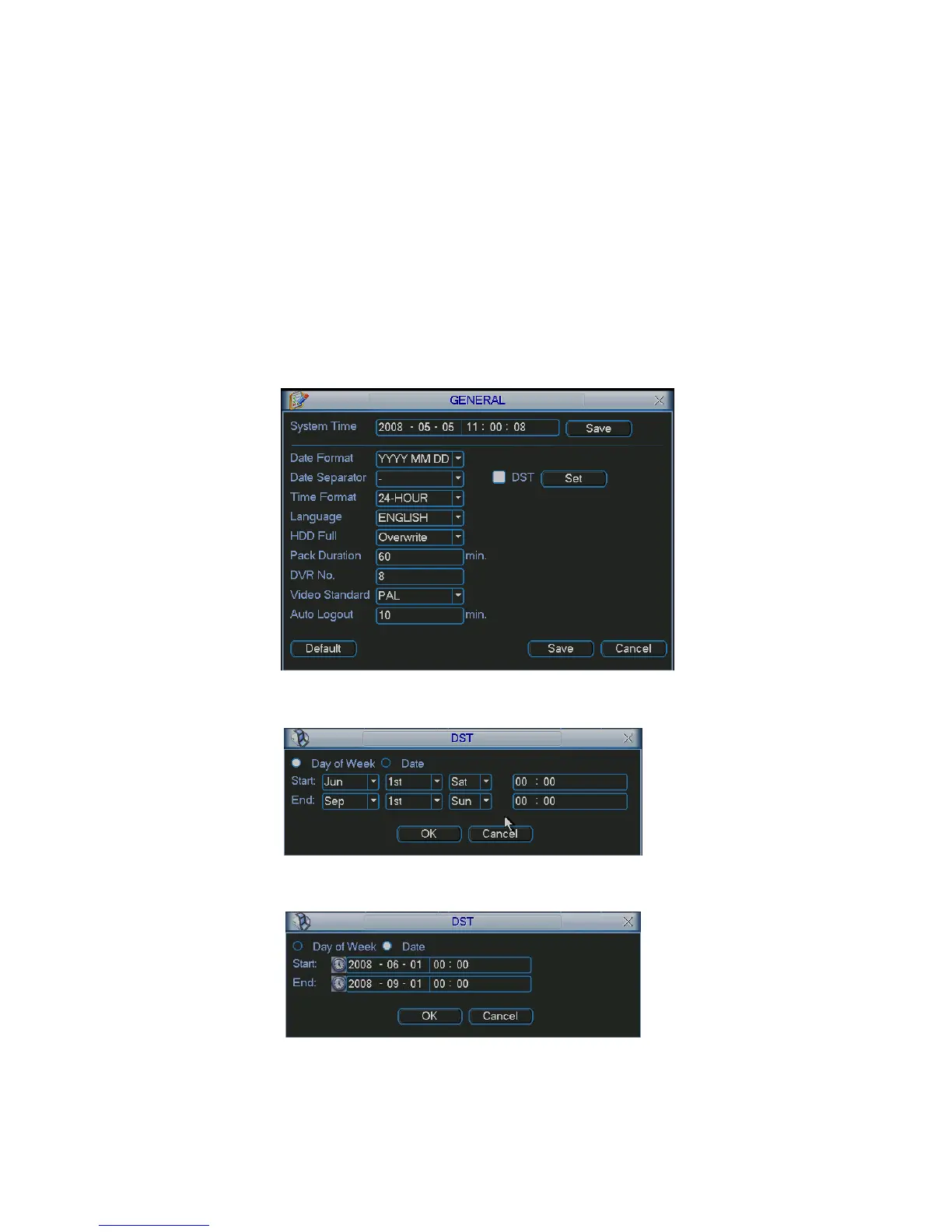
the next HDD is no empty, then system stops recording, If the current HDD is full and then next
HDD is not empty, then system overwrites the previous files.
z Pack duration: Here is for you to specify record duration. The value ranges from 60 to 120
minutes. Default value is 60 minutes.
z DVR No: When you are using one remote control (not included in the accessory bag) to control
several DVRs, you can give a name to each DVR for your management.
z Video standard: There are two formats: NTSC and PAL.
z Auto logout: Here is for you to set auto logout interval once login user remains inactive for a
specified time. Value ranges from 0 to 60 minutes.
Note:
Since system time is very important, do not modify time casually unless there is a must!
Before your time modification, please stop record operation first!
After completing all the setups please click save button, system goes back to the previous menu.
Figure 5-3
Figure 5-4
Figure 5-5
5.3.2 Encode



 To Next Page