37
Figure 4-13
Playback or search in the redundant disk.
There are two ways for you to playback or search in the redundant disk.
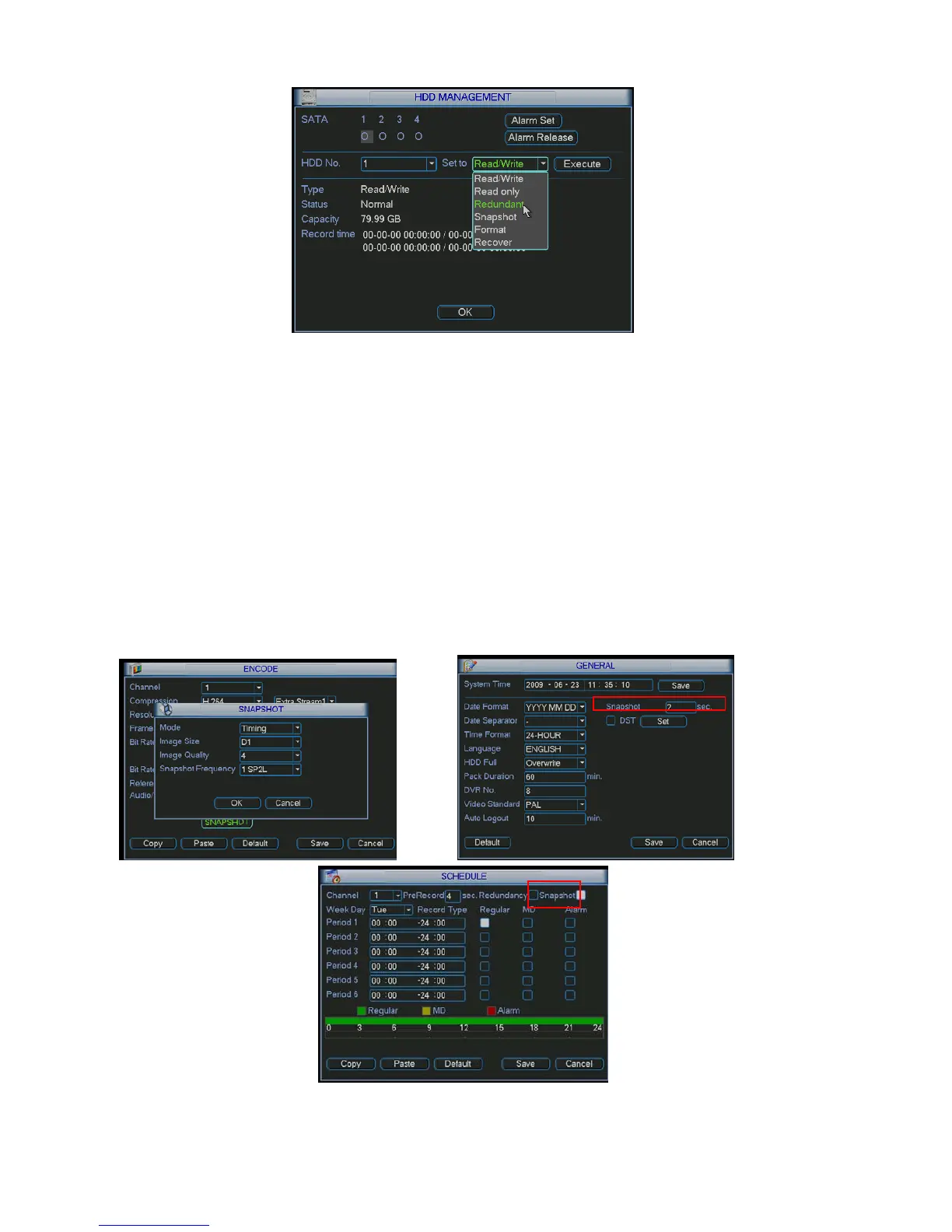
z Set redundant disk(s) as read-only disk or read-write disk (Main menu->Advanced->HDD
management). See
311HFigure 4-13.System needs to reboot to get setup activated. Now you can
search or playback file in redundant disk.
z Dismantle the disk and play it in another PC.
4.4.2 Snapshot
4.4.2.1 Schedule Snapshot
In Encode interface, click snapshot button to input snapshot mode, size, quality and frequency.
In General interface please input upload interval.
In Schedule interface, please enable snapshot function.
Please refer to the following figure for detail information. See Figure 4-14.
Figure 4-14



 To Next Page