16
4 Video input
5 Audio input/matrix video output/loop video
output
6 Video CVBS output
7 Audio output
8 Bidirectional talk input port
9 Bidirectional talk output port
10 Alarm input/alarm output/RS485 port
11 Network port
12 eSATA port
13 USB port
14 RS232 port
15 HDMI port
16 Video VGA output
When connect the Ethernet port, please use straight cable to connect the PC and use the crossover
cable to connect to the switcher or router.
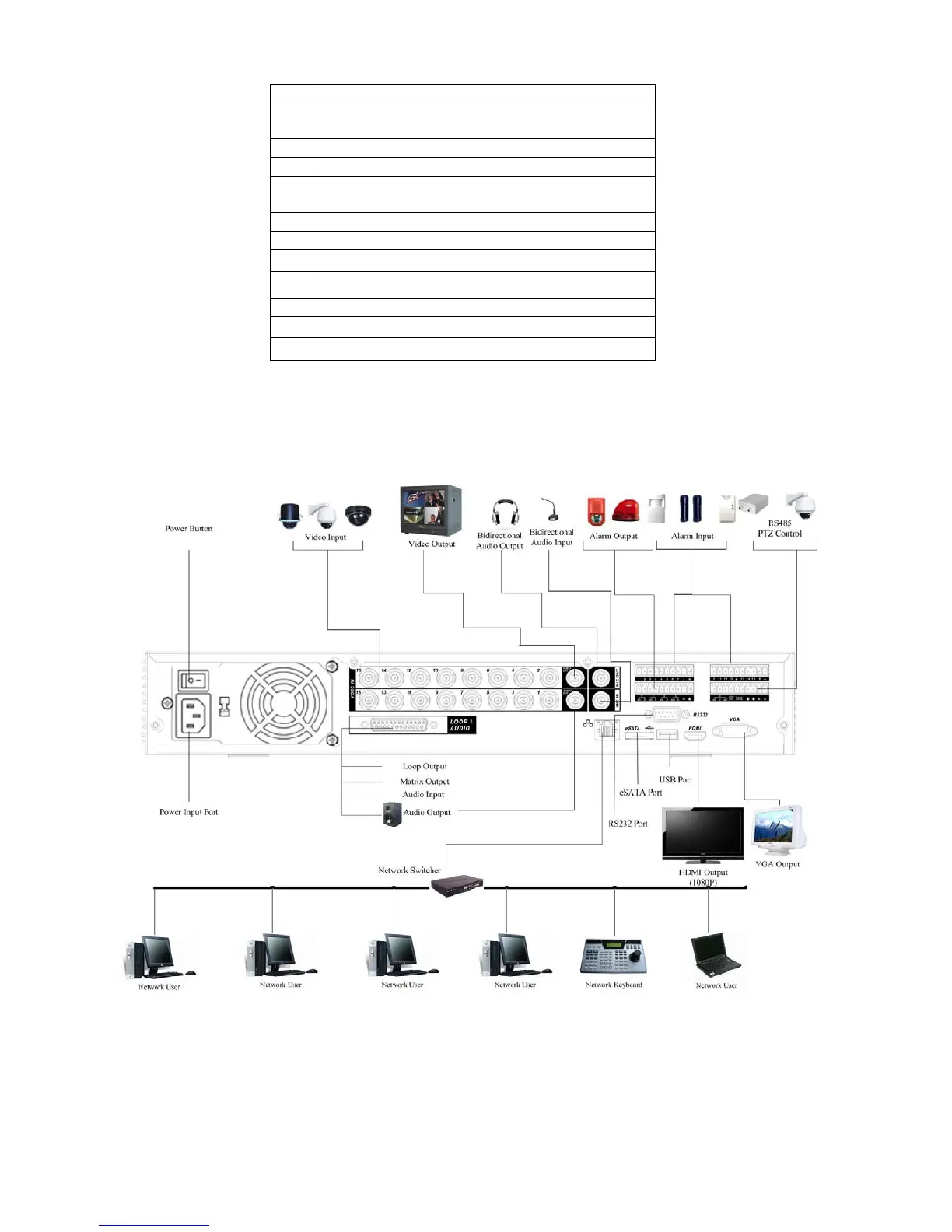
2.3 Connection Sample
Please refer to X281H281H281HFigure 2-3 for connection sample.
Figure 2-3
2.4 Remote Control
The remote control interface is shown as in X282H282H282HFigure 2-4X.



 To Next Page