41
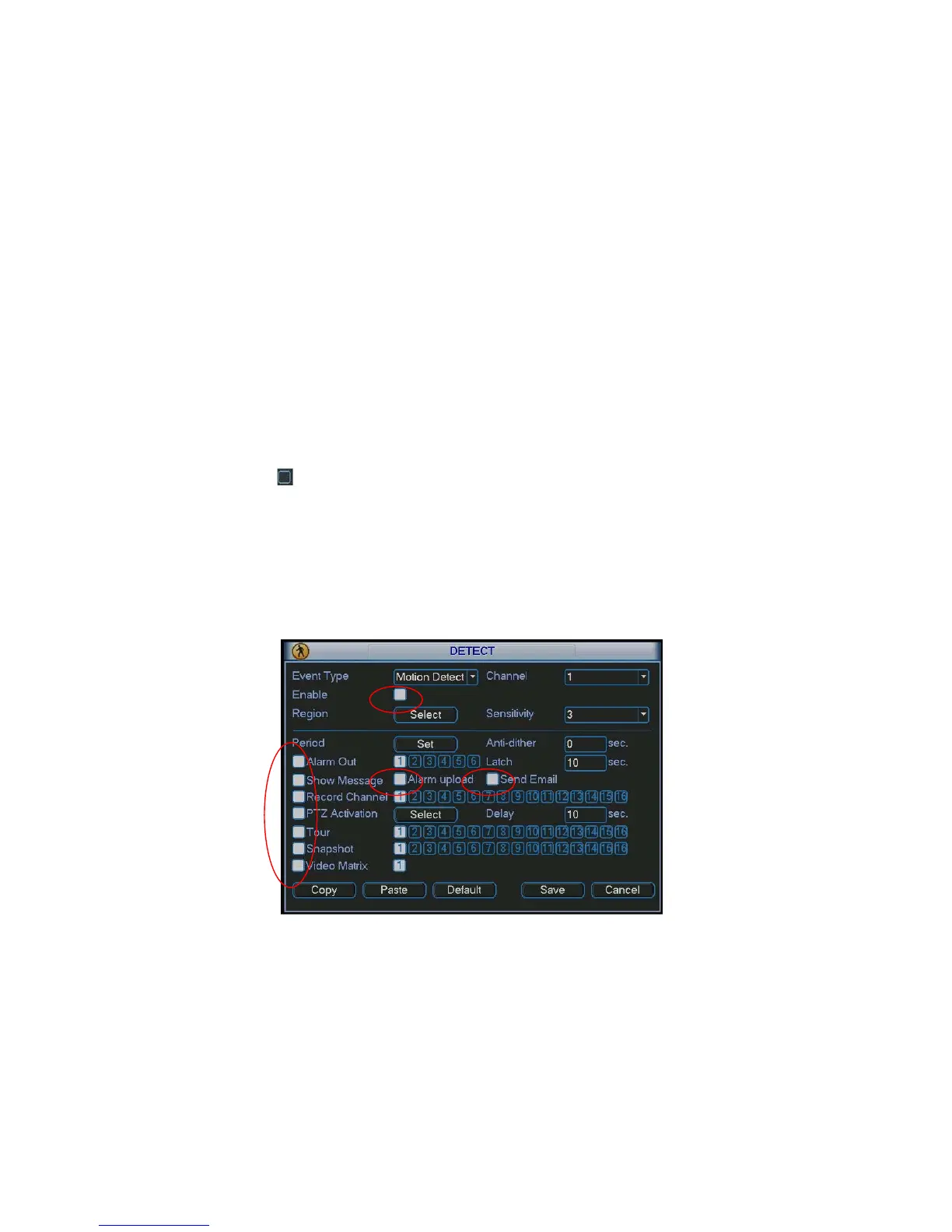
z Show message: System can pop up a message to alarm you in the local host screen if you
enabled this function.
z Alarm upload: System can upload the alarm signal to the network (including alarm centre) if
you enabled current function.
z Send email: System can send out email to alert you when alarm occurs.
z PTZ activation: Here you can set PTZ movement when alarm occurs. Such as go to preset, tour
&pattern when there is an alarm. Click “select” button, you can see an interface is shown as in
X305H305H305HFigure 4-21X.
z Period: Click set button, you can see an interface is shown as in
X306H306H306HFigure 4-22X. Here you can set
for business day and non-business day. In
X307H307H307H312HFigure 4-19X, click set button, you can see an interface
is shown as in
X308H308H308HFigure 4-23X. Here you can set your own setup for business day and non-business
day.
z Anti-dither: Here you can set anti-dither time.
z Alarm output: when alarm occurred, system enables peripheral alarm devices.
z Tour: Here you can enable tour function when alarm occurs. System one-window tour. Please
go to chapter 5.3.9 Display for tour interval setup.
Please highlight icon
to select the corresponding function. After all the setups please click save
button, system goes back to the previous menu.
Note:
In motion detection mode, you can not use copy/paste to set channel setup since the video in each
channel may not be the same.
In
X309H309H309H313HFigure 4-17X, you can left click mouse and then drag it to set a region for motion detection. Click Fn
to switch between arm/withdraw motion detection. After setting, click enter button to exit.
Figure 4-19



 To Next Page