58
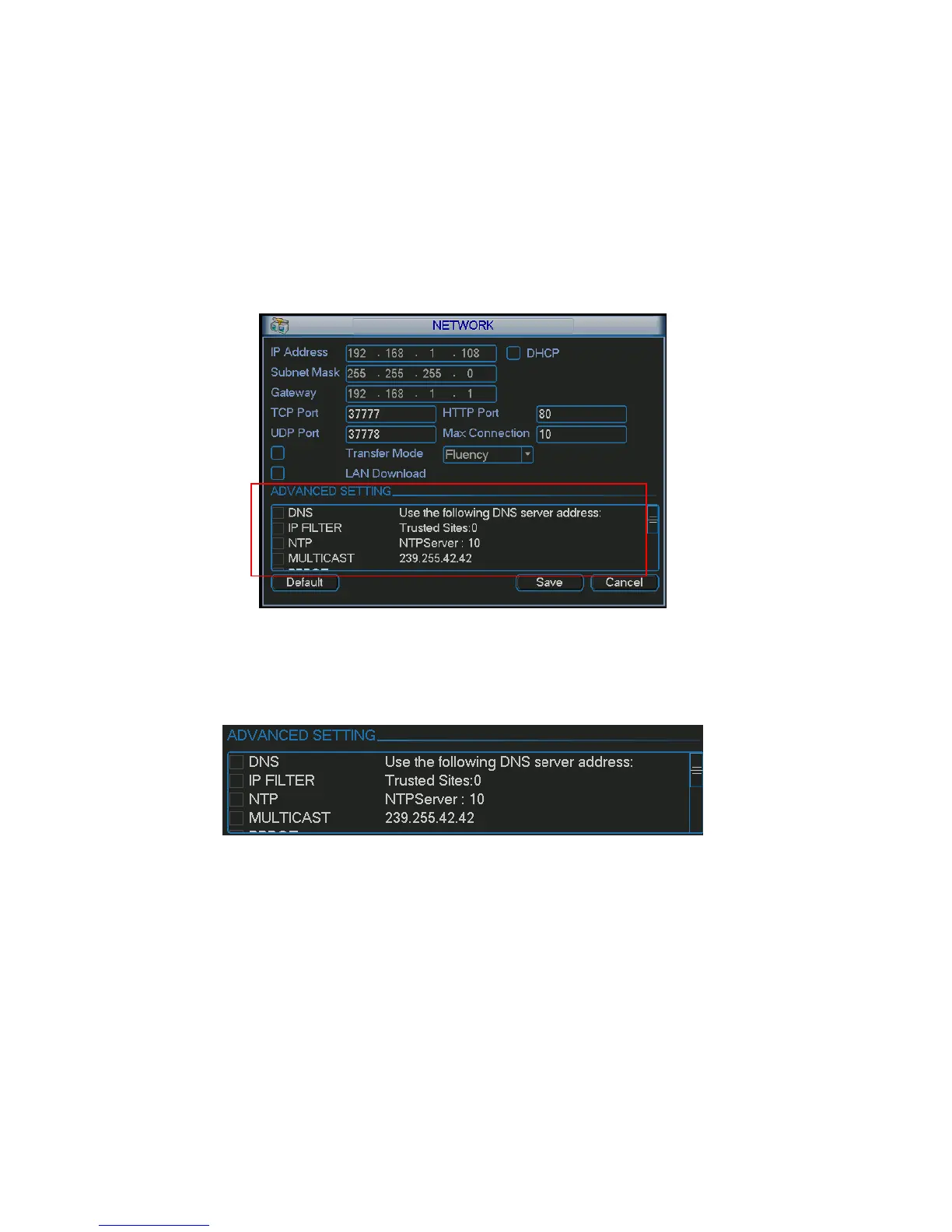
IP/Subnet mask/Gateway display as zero. You need to disable DHCP function to view current IP
information. Besides, when PPPoE is operating, you can not modify IP/Subnet mask /Gateway.
z TCP port: Default value is 37777.
z UDP port: Default value is 37778.
z HTTP port: Default value is 80.
z Max connection: system support maximal 10 users. 0 means there is no connection limit.
z Transfer mode: Here you can select the priority between fluency/video qualities.
z LAN download: System can process the downloaded data first if you enable this function. The
download speed is 1.5X or 2.0X of the normal speed.
After completing all the setups please click save button, system goes back to the previous menu.
Figure 5-9
5.3.5.1 Advanced Setup
Advanced setup interface is shown as in X365H365H365H328HFigure 5-10X. Please draw a circle to enable corresponding
function and then double click current item to go to setup interface.
Figure 5-10
5.3.5.2 IP Filter
IP filter interface is shown as in X366H366H366H329HFigure 5-11X. You can add IP in the following list. The list supports
max 64 IP addresses.
Please note after you enabled this function, only the IP listed below can access current DVR.
If you disable this function, all IP addresses can access current DVR.



 To Next Page