95
Parameter Function
Copy It is a shortcut menu button. You can copy current channel setup to
one or more channels. The interface is shown as in
X455H455H455H397HFigure 7-28X.
Save You can click save button after you complete setup for one channel, or
you can complete the whole setups and then click save button.
Refresh Click this button to get device latest configuration information.
Click copy interface, the interface is shown as in X456H456H456H398HFigure 7-28X.
If you have completed the setup for channel 1, you can click 3 to copy current setup to channel 3. Or
you can click 2, 3, and 4 to copy current setup to channel 2, channel 3 and channel 4.
Figure 7-28
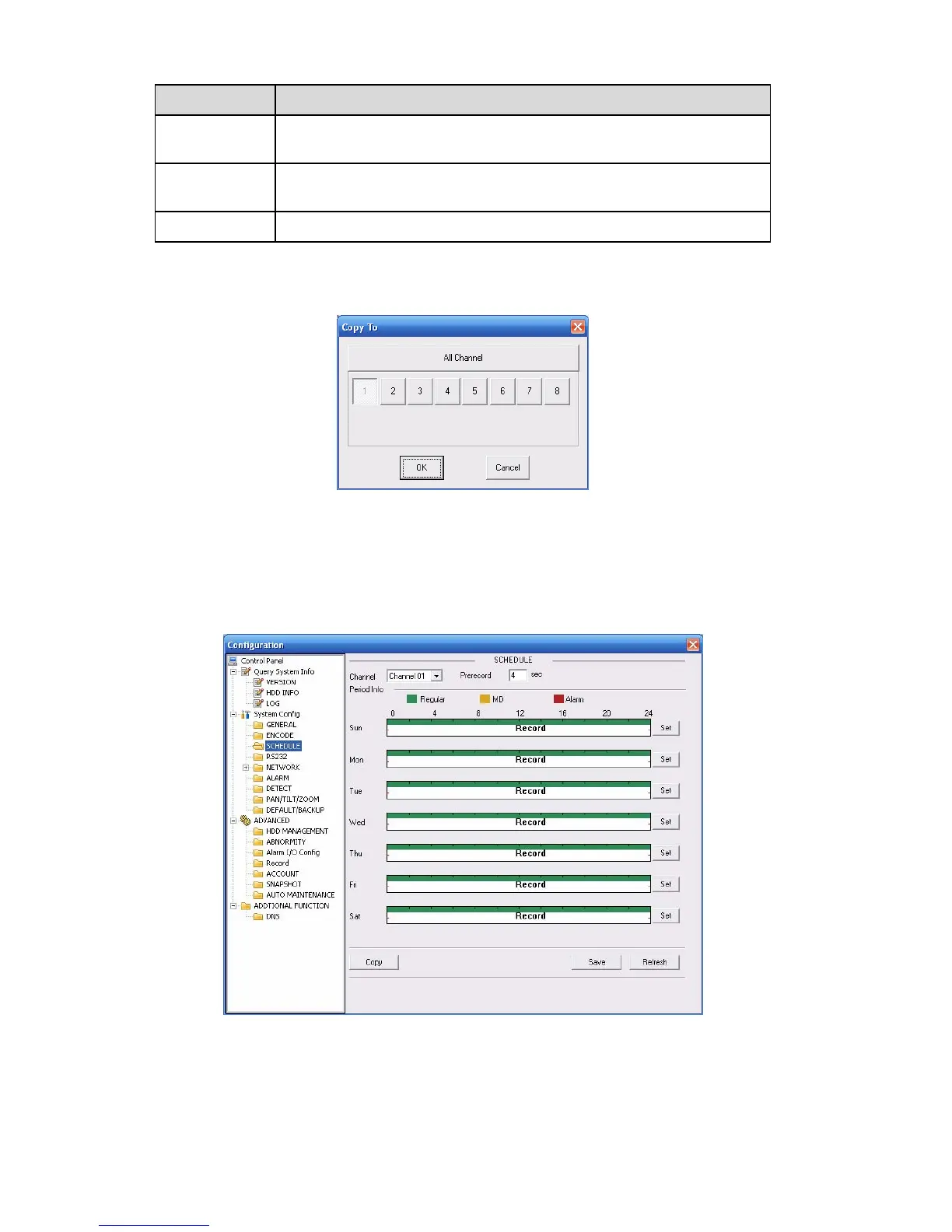
7.3.2.3 Schedule
Here you can set different periods for various days. There are max six periods in one day. See
X457H457H457H399HFigure 7-29X
Figure 7-29


 To Next Page
 Loading...
