97
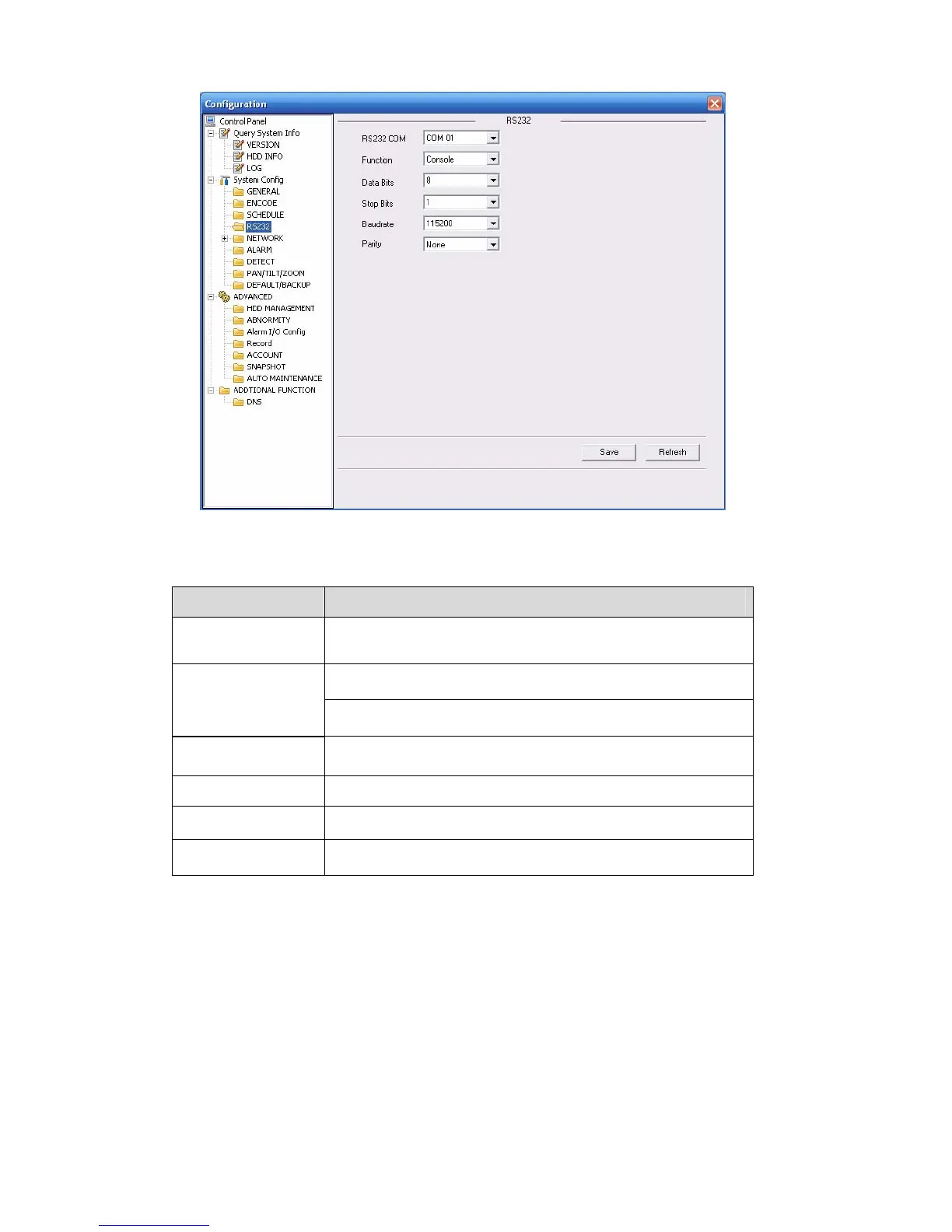
Figure 7-31
Please refer to the following sheet for detailed information.
Parameter Function
RS232 There are two options: COM 01 and keyboard.
Console is to upgrade the program or debug via COM or
mini terminal software.
Function
Keyboard: COM control protocol. You can use keyboard to
control DVR via COM.
Data Bit
The value ranges from 5 to 8.
Stop Bit
There are three options: 1/2.
Baud Bit You can select corresponding baud bit here.
Parity
There are four options: none/odd/even.
System default setup is:
z Function: Console.
z Data bit: 8
z Stop bit: 1
z Baud bit: 115200
z Parity: None.
7.3.2.5 Network
Network interface is shown as in X462H462H462H404HFigure 7-32X.


 To Next Page
 Loading...
