5.20 Final set-up and test
To test the set-up and ensure that the adjustable frequency drive is running, follow these
steps.
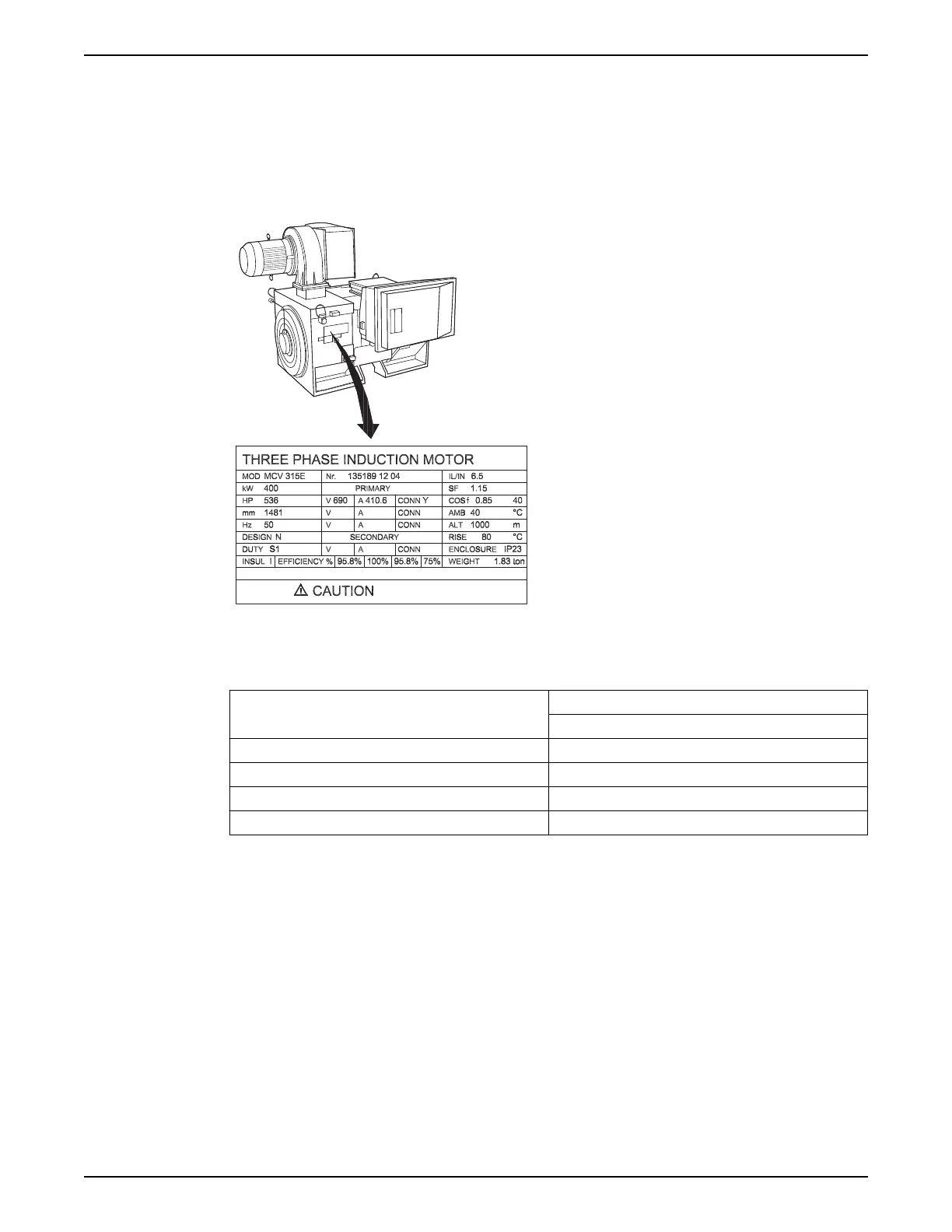
Step 1. Locate the motor nameplate
• The motor is either star- (Y) or delta-connected (Δ). This information is located on the
motor nameplate data.
Figure 87: Test set-up
Step 2. Enter the motor nameplate data in this parameter list.
1. Par. 1–20 Motor Power [kW]
Par 1–21 Motor Power [HP]
2. Par 1–22 Motor Voltage
3. Par. 1–23 Motor Frequency
4. Par. 1–24 Motor Current
5. Par. 1–25 Motor Nominal Speed
To access this list, first press [QUICK MENU] key, then select “Q2 Quick Set-up”.
Step 3. Activate the Automatic Motor Adaptation (AMA)
Performing an AMA will ensure optimum performance. The AMA measures the values
from the motor model equivalent diagram.
1. Connect terminal 37 to terminal 12 (if terminal 37 is available).
2. Connect terminal 27 to terminal 12 or set par. 5-12 Terminal 27 Digital Input to 'No
function' (par. 5-12 Terminal 27 Digital Input [0])
3. Activate the AMA par. 1-29 Automatic Motor Adaptation (AMA).
4. Choose between complete or reduced AMA. If a sine-wave filter is mounted, run only
the reduced AMA, or remove the sine-wave filter during the AMA procedure.
5. Press the [OK] key. The display shows “Press [Hand on] to start”.
6. Press the [Hand on] key. A progress bar indicates if the AMA is in progress.
Stop the AMA during operation
5 Electrical Installation
Aquavar
®
Intelligent Pump Controller - 150 HP to 600 HP INSTRUCTION MANUAL 83







 To Next Page