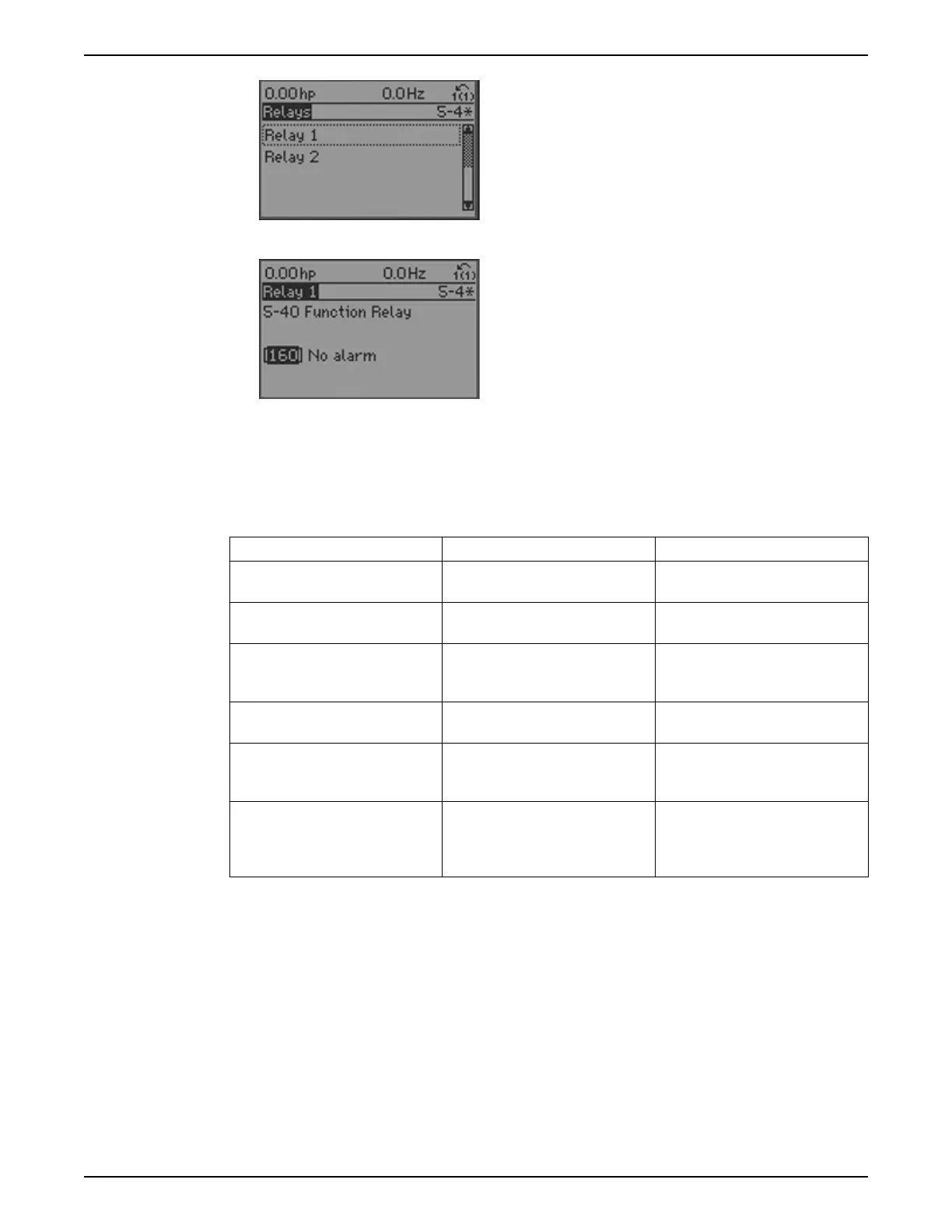
– To edit Relay 1, use the up and down arrows to
highlight Relay 1 and press [OK] to select Relay 1.
– Press [OK] again to enable editing of Relay 1.
– Use the up and down arrows to select the desired
relay function.
– Press [OK] to save the selection.
– Use the up and down arrows to select the 5-41
On Delay, Relay or 5-42 Off Delay, Relay. Repeat
the steps above to edit these parameters.
– Press [BACK] to return to the Relays screen and
repeat the above steps to edit the function for
Relay 2.
– Press [Main Menu] to return to the Main Menu.
Quick menu
The Quick Menu mode contains various sub-menus that allow quick and easy access to
common parameters. There are 6 sub-menus under Quick Menus. The 6 sub-menus are
shown in the table below.
Table 21: Quick Menus
Sub-menu Sub-menu Group Name Description
Q1 My Personal Menu Contains parameters commonly used
to configure pump applications.
Q2 Quick Setup Contains parameters commonly used
to configure the controller.
Q3 Function Setups Provides quick access to parameters
commonly required for HVAC
applications.
Q4 Start-Up Genie Guides the user to configure the
controller for various applications.
Q5 Changes Made Shows the last 10 changed
parameters, changes since factory
defaults and input assignments.
Q6 Loggings Displays graph line readouts of the
LCP parameters. To change displayed
LCP parameters use parameters 0–20
to 0–24.
My personal menu
My Personal Menu (Q1) has been configured at the factory to contain 20 parameters
commonly used in pumping applications. Use My Personal Menu to change parameters
while the system is running, such as changing Setpoint. The parameters found in My
Personal Menu are shown below.
6 Operation
88 Aquavar
®
Intelligent Pump Controller - 150 HP to 600 HP INSTRUCTION MANUAL







 To Next Page