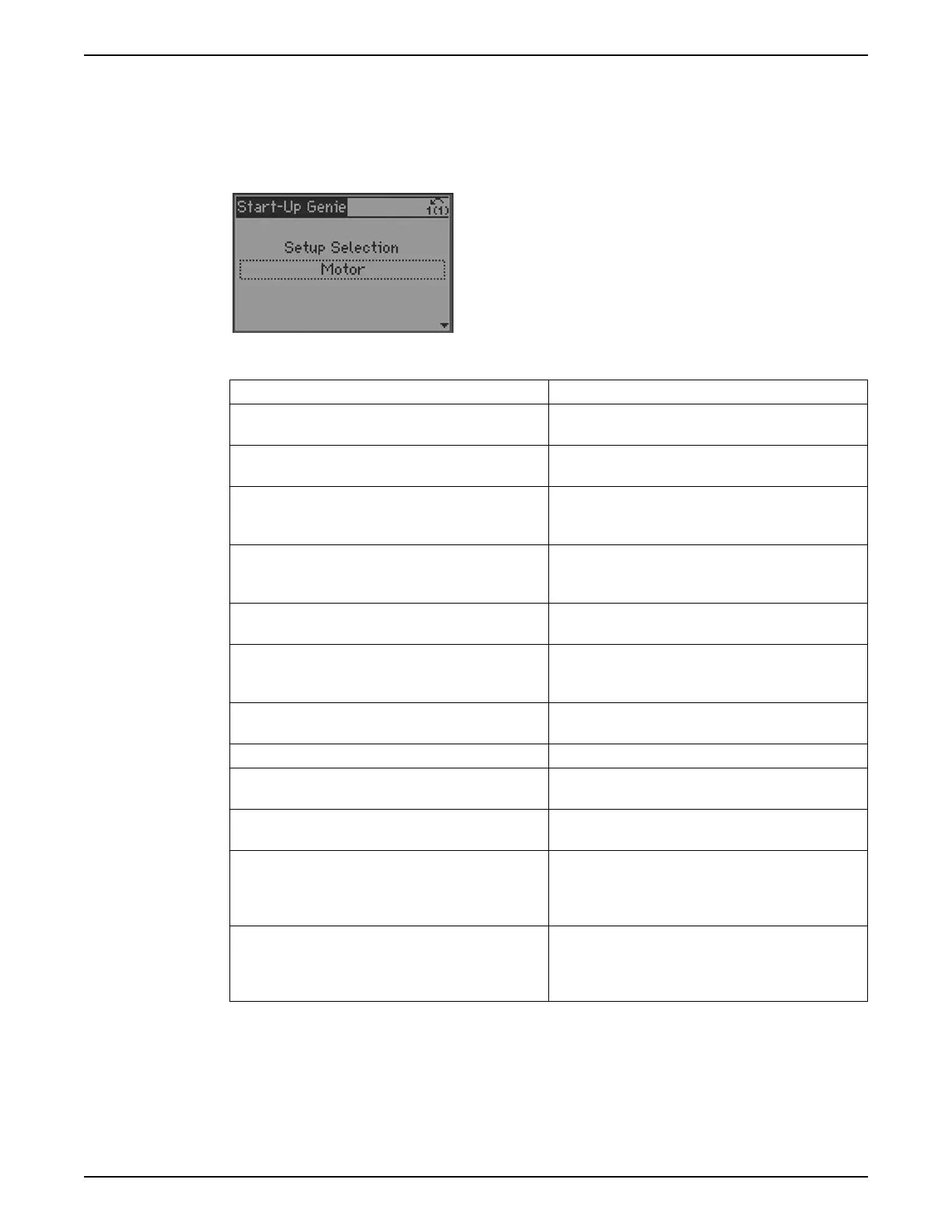
Next use the down arrow to proceed to the next section.
If this is the first time the Genie has run, the Genie will guide the user through the setup of
the motor parameters. If the Genie has run previously, the user can choose the desired
Setup Selection to configure a specific function in the controller. Use the up and down
arrows to highlight the desired setup and press [OK] to enter the setup. The choices for
the Setup Selection menu are described in the table below.
Table 22: Setups with the Genie
Setup Description
Motor This setup allows configuration of the motor parameters.
These settings are found on the motor nameplate.
Application The Application setup allows the user to configure the
motor type, operating mode, units and ramps.
Feedback This setup allows configuration of up to 3 feedback
sources. The feedbacks can be taken in to the controller
through analog inputs or communications.
Setpoint This setup allows configuration of up to 2 setpoints. If
multiple setpoints are used, the setpoint is selected by
using DI 33.
Constant Slave This setup configures the controller to operate up to 2
external fixed speed pumps using the 2 on board relays.
Flow Compensation This setup configures the Flow Compensation function
which can automatically adjust the system setpoint to
offset the affect of friction loss in the system.
Pump Protection This setup configures Sleep Mode, Flow Check, No Water/
Loss of Prime and Pump Protect functions.
Digital Input This setup allows configuration of the digital inputs.
Relay and Analog Output This setup allows configuration of the relay and analog
outputs.
Communication This setup configures the on board fieldbus
communications.
Copy to LCP This setup allows all the controller parameters to be
copied to the LCP. This is helpful for saving the drive state
or to quickly configure another controller with the same
settings.
Copy from LCP This setup allows all the controller parameters to be
copied from the LCP. This is helpful for reverting the drive
to a previous state or to quickly configure another
controller with the same settings.
Motor setup
The motor data required to complete the Motor Setup can be found on the motor
nameplate. The Start-Up Genie will prompt the user for Motor Power (HP), Motor Nominal
Voltage, Motor Nominal Frequency (Hz), Motor Nominal Speed (RPM), Motor Current
(FLA), Current Limit (%) and Motor Type. Set the Current Limit as a percentage of the
Motor Current (FLA). For example, if the Motor Current (FLA) indicated on the motor
nameplate is 10A and the Motor Service Factor Current (SFA) is 11.5A, enter 115% for
6 Operation
94 Aquavar
®
Intelligent Pump Controller - 150 HP to 600 HP INSTRUCTION MANUAL







 To Next Page