en – Original instructions
34
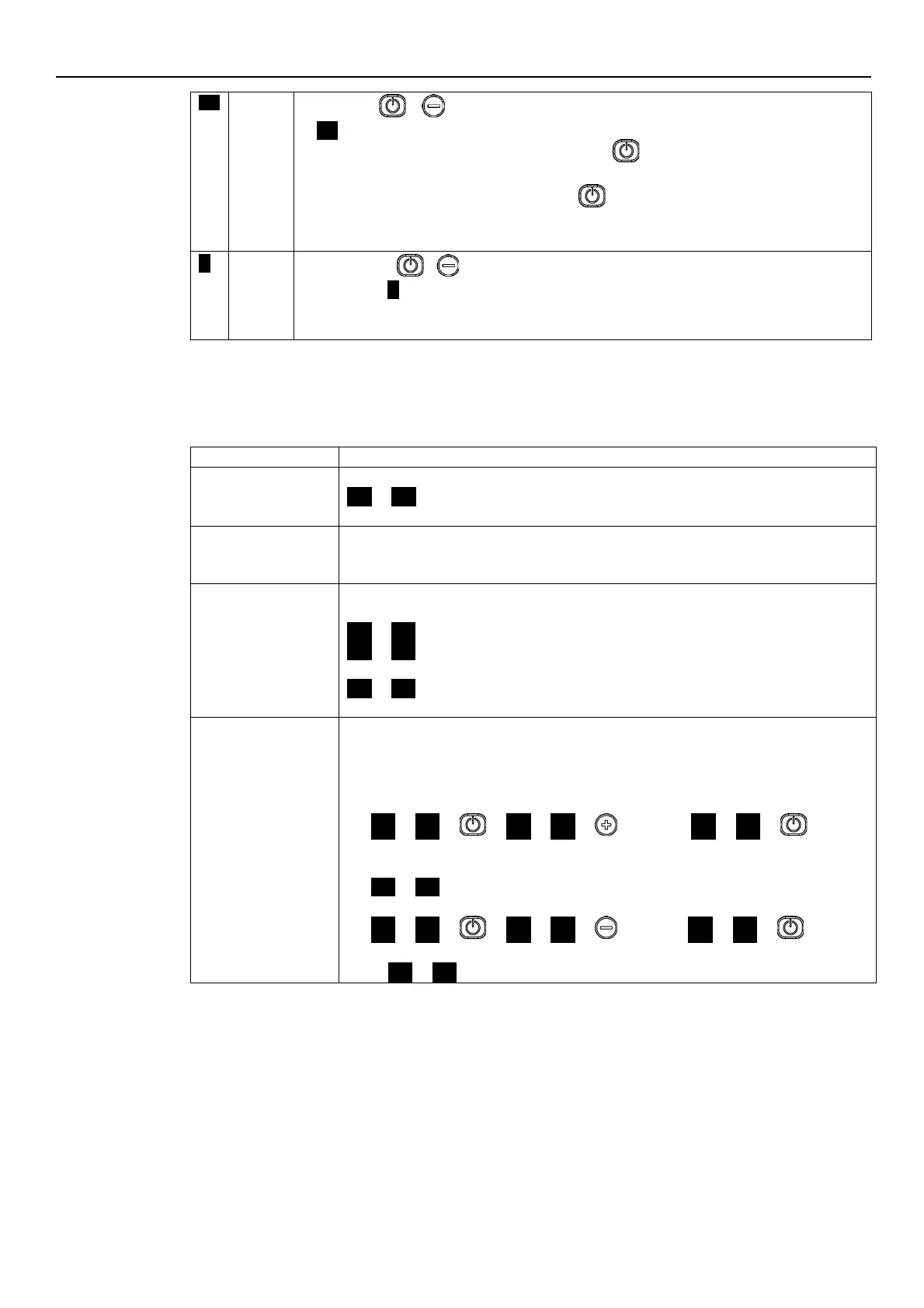
To lock press + for 3 seconds; the lock will be confirmed by the temporary appearance
of
-0-
It appears if a button is pressed (with the exception of ) after a locking procedure had been
completed.
Note: the function connected with START/STOP is always disabled. At startup the buttons
are locked, if they were locked at the previous switch off
To unlock press + , for three seconds; the unlock will be confirmed by the temporary
appearance of ( )
Note: At startup the buttons are unlocked, if they were unlocked at the previous switch off
6.4.2 Parameters menu visualization
The parameter menu gives the possibility to:
• select all the parameters (see Par. 6.5)
• access Parameter View / Editing (see Par. 6.2).
If after switching ON, parameter Menu View is accessed with P23 = ON, P20 flashes
P20
→
P20
.
Enter the password to display and change the parameters.
If with P23 = ON no button is pressed for over 10 minutes from the last parameter Menu
View, both the view and the editing of the parameters are disabled.
Enter the password again to display and change the parameters.
With P23 = OFF, or after entering the password (P20), it is possible to both display and edit
the parameters. When accessing the Parameter Menu, the display shows:
P01
→
P01
P02
→
P02
...
P69
→
P69
The flashing parameter, indicating the selection possibility.
Editing/Visualization
The value of a parameter may be changed using the buttons, or the Modbus and BACnet
communication protocols.
When returning to the Parameter Menu, the displayed parameter index is increased
automatically. For further information see Par. 6.5.
•
Example A (P20) from 000 to 066:
P20
→
P20
→
→
000
→
000
→
… until …
→
066
→
066
→
sets the
desired value
→
P21
→
P21
•
Example 2 (P26) from 360 to 300:
P26
→
P26
→
→
360
→
360
→
… until…
→
300
→
300
→
sets the
desired value
→
→
P26
→
P26




 To Next Page