en – Original instructions
46
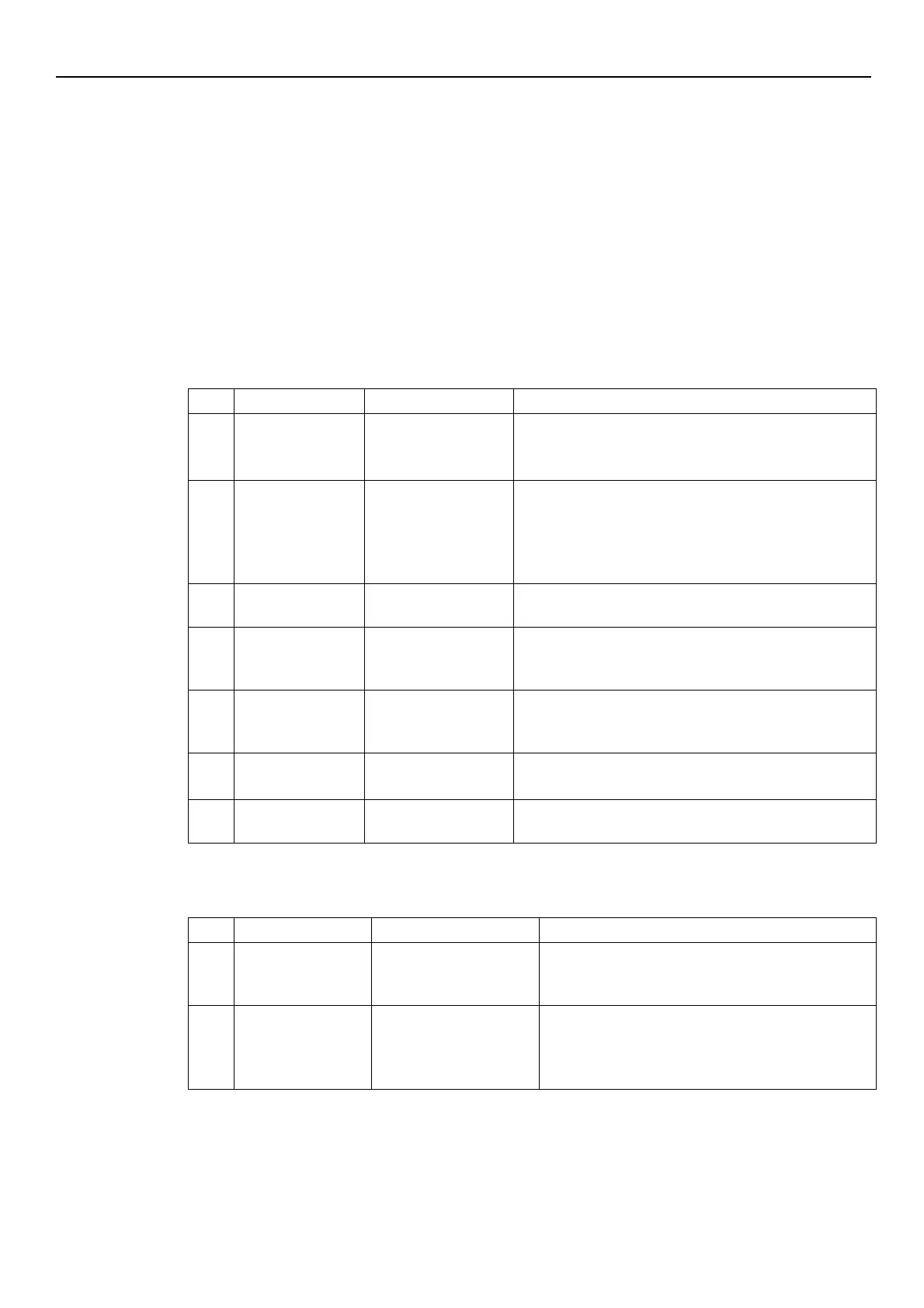
8 Troubleshooting
In case of alarm or error, the display shows and ID code and the STATUS LED turns on (also see
Par. 6.3.2).
In case of several alarms and/or errors, the display shows the main one.
Alarms and errors:
• are saved with date and time
• can be reset by switching the unit off for at least 1 minute.
Errors cause the triggering of the status relay on the following terminal box pins:
• single-phase version: pins 4 and 5
• three-phase version: pins 24 and 25
8.1 Alarm codes
•
Lower the room temperature
•
Lower the water temperature
alarm
corrupted
1.
Reset the default parameters using parameter P68
2.
Wait 10 s
3.
Restart the pump
If the problem continues, contact Xylem or the Authorised
Lack of water
detection (if P48= ALR)
Check the water level inside the tank
failure
damaged
Stop the pump for 5 minutes and then restart it again; if the
problem continues, contact Xylem or the Authorised
Stop the pump for 5 minutes and then restart it again; if the
problem continues, contact Xylem or the Authorised
connection alarm
connection
•
Check the condition of the connection cables
•
Check that there are no address discrepancies
Loss of multi-pump
connection
Loss of multi-pump
connection
Check the condition of the connection cables
8.2 Error codes
communication
lost
Stop the pump for 5 minutes and then restart it again; if
the problem continues, contact Xylem or the Authorised
error
•
Excessive motor
current
•
Current absorbed by
Stop the pump for 5 minutes and then restart it again; if
the problem continues, contact Xylem or the Authorised
Distributor




 To Next Page