en – Original instructions
36
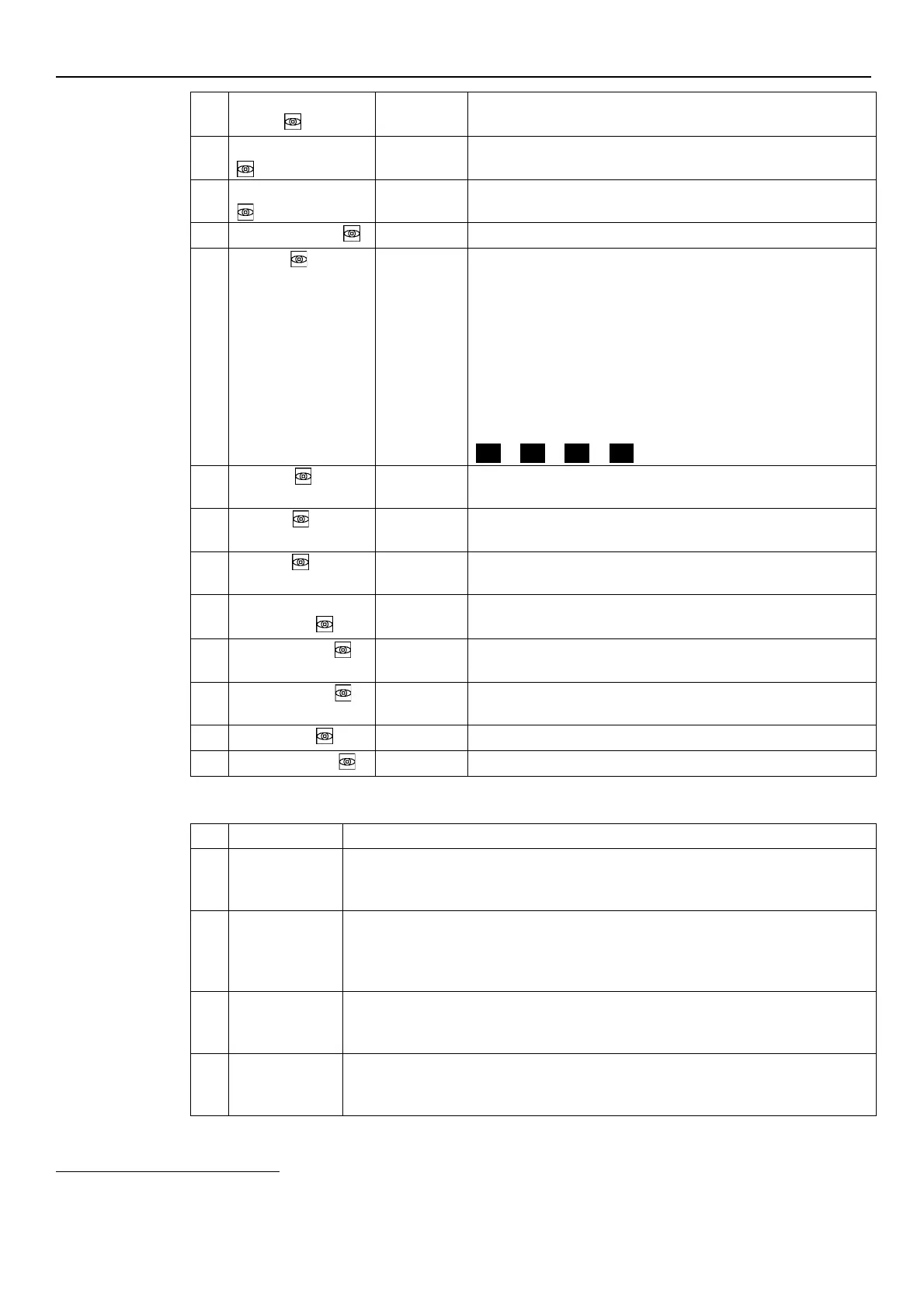
Total months of connection to the electric mains, to add to P06.
Total hours of connection to the electric mains, to add to P05.
This parameter shows the total operating time months, to be added
to P08.
This parameter shows the total operating time hours, to be added to P07.
This parameter stores the last error occurred in chronological order.
The information displayed switches through the values:
•
(Exx): xx indicates the error code
•
(Hyy): yy is the value of hours referred to P05-P06 when the
error Exx happened
•
(Dww): ww is the value of days referred to P05-P06 when the
error Exx happened
•
(Uzz): zz is the value of weeks referred to P05-P06 when the
error Exx happened
Example of visualisation:
Saves the penultimate error in chronological occurred.
Other characteristics: like P09.
3rd error
Saves the third from the last error in chronological occurred.
Other characteristics: like P09.
Saves the fourth from the last error in chronological occurred.
Other characteristics: like P09.
Temperature of the power module.
Inverter Current
This parameter shows the actual current supplied by the frequency
converter.
This parameter shows the actual estimated input voltage of the
frequency converter.
This parameter shows the actual motor rotational speed.
This parameter shows the Control Board software version.
6.5.2 Settings Parameters
entering [0÷999]
The user can enter here the system password, which gives access to all system parameters:
this value is compared with the one stored in P22.
When a correct password is entered, the system remains unlocked for 10 minutes.
[MIN÷MAX
*
]
It deactivates the internal controller of the unit and forces the actual Control Mode (ACT):
the motor starts and the value of P21 becomes the temporary ACT setpoint. It can be
changed by just entering a new value on P21 without confirming it; otherwise, it causes
immediate exit from temporary control.
password
This is the system password, and must be the same as the password entered in P20.
Default: 66.
[OFF, ON]
By using this function, the user can lock or unlock parameter setting in the main menu.
When ON, enter the P20 password to change the parameters.
*
Depending on the type of pump used




 To Next Page