4-6
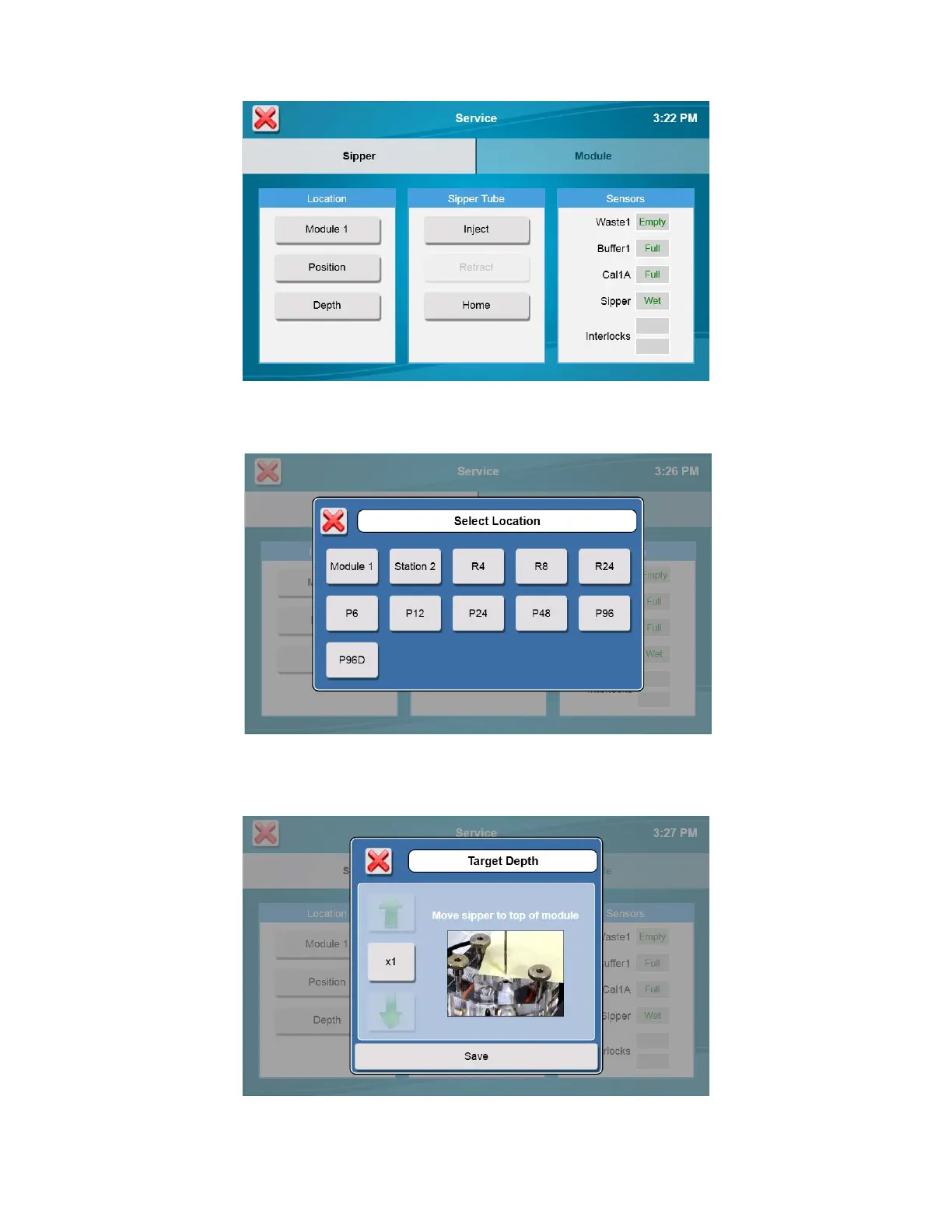
8. Once the sipper enters the sample module without hitting the cone, touch [Depth] to set the sipper depth. The
Select Location screen will appear.
9. Select [Module 1]. The tip of the sipper should be right at the top of the module. Use the arrow buttons to lower or
raise the sipper until the tip of the sipper is even with the top of the module.
10. Touch [Save] at the bottom of the adjustment window.
11. Check the sipper alignment at the Cal 1A and Drain 1 locations and adjust the position if necessary.




 To Next Page