Page 32 FT-950 OPERATING MANUAL
OPERATION ON 60-METER
(
5 MHZ
)
BAND
(
U.S.
VERSION ONLY
)
The FT-950 includes the capability for transmission and reception on the five spot frequencies assigned to the Amateur
Service in the United States. To operate on the 5 MHz band:
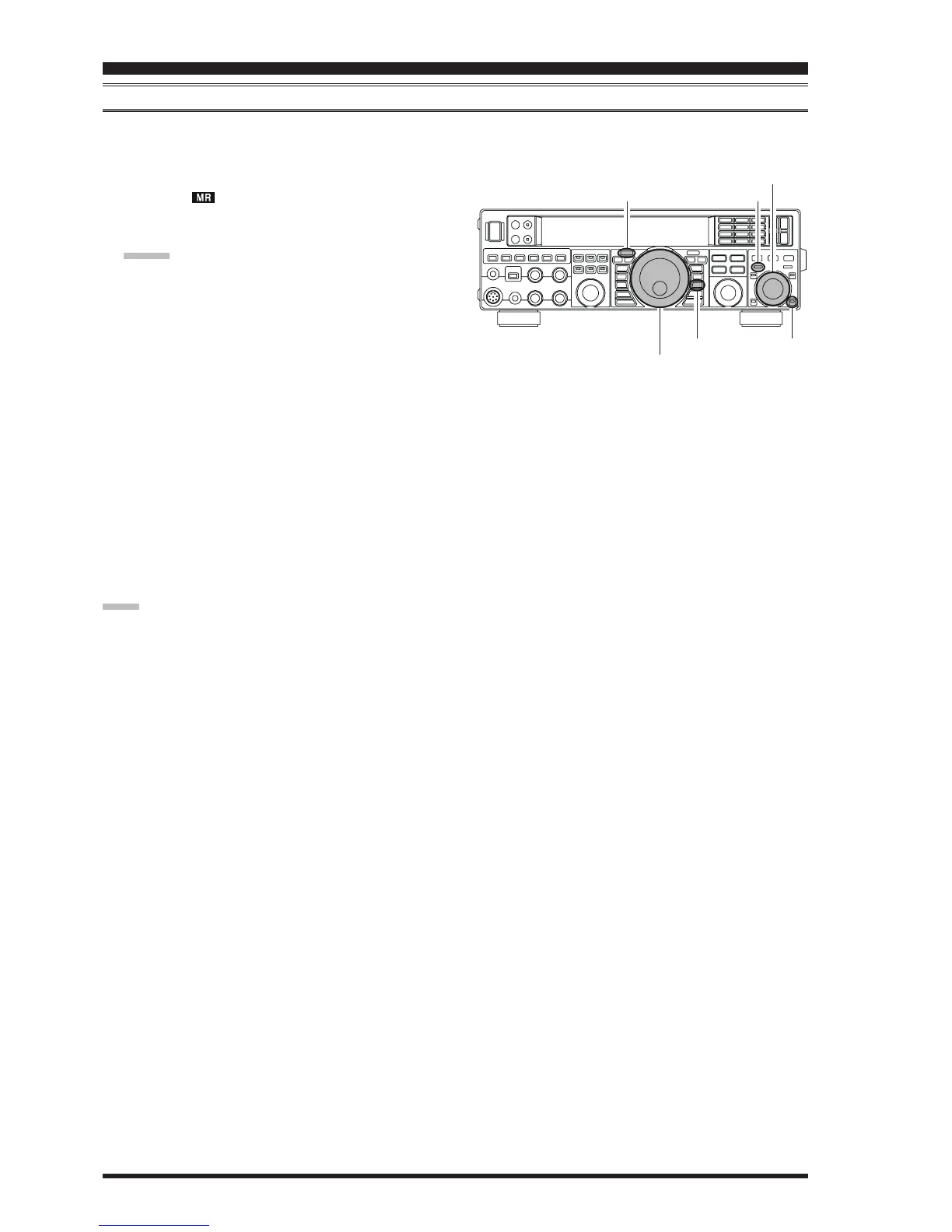
1. Press the
[
V/M
]
button once to enter the “Memory”
mode; the “ ” icon will appear in the display and a
memory channel number will appear on the Multi-Dis-
play Window in the display.
ADVICE:
If you can not enter the “Memory” mode, check to see
if the transceiver is in VFO-B mode (the green
[(
VFO-
B
)
RX
]
Indicator/Switch is illuminated). If so, press the
[(
VFO-A
)
RX
]
Indicator/Switch to return operation to
VFO-A. Now, press the
[
V/M
]
button to enter the
“Memory” mode.
2. Press the
[
MCH
]
button located on the bottom right of
the
[
CLAR/VFO-B
]
knob. The LED imbedded in the
button will glow orange to signify that rotation of the
[
CLAR/VFO-B
]
knob will allow selection of the
memory channel.
3. Memory channels “
US1US1
US1US1
US1” through “
US5US5
US5US5
US5” are pre-pro-
grammed, at the factory, with the permitted frequen-
cies in the 5 MHz band, and the USB mode is auto-
matically selected on these channels.
4. To exit from 60-meter operation and return to the VFO
mode, just press the
[
V/M
]
button.
NOTE:
The frequencies and operating mode for 5 MHz band op-
eration are fixed, and may not be changed.
BASIC OPERATION:RECEIVING ON AMATEUR BANDS
[
CLAR/VFO-B
]
Knob
[
VFO-B
(
RX
)]
Button
[
MCH
]
Button
[
V/M
]
Button
[
VFO-A
(
RX
)]
Button
Main Tuning Dial Knob













 To Next Page