Page 34 FT-950 OPERATING MANUAL
BASIC OPERATION:RECEIVING ON AMATEUR BANDS
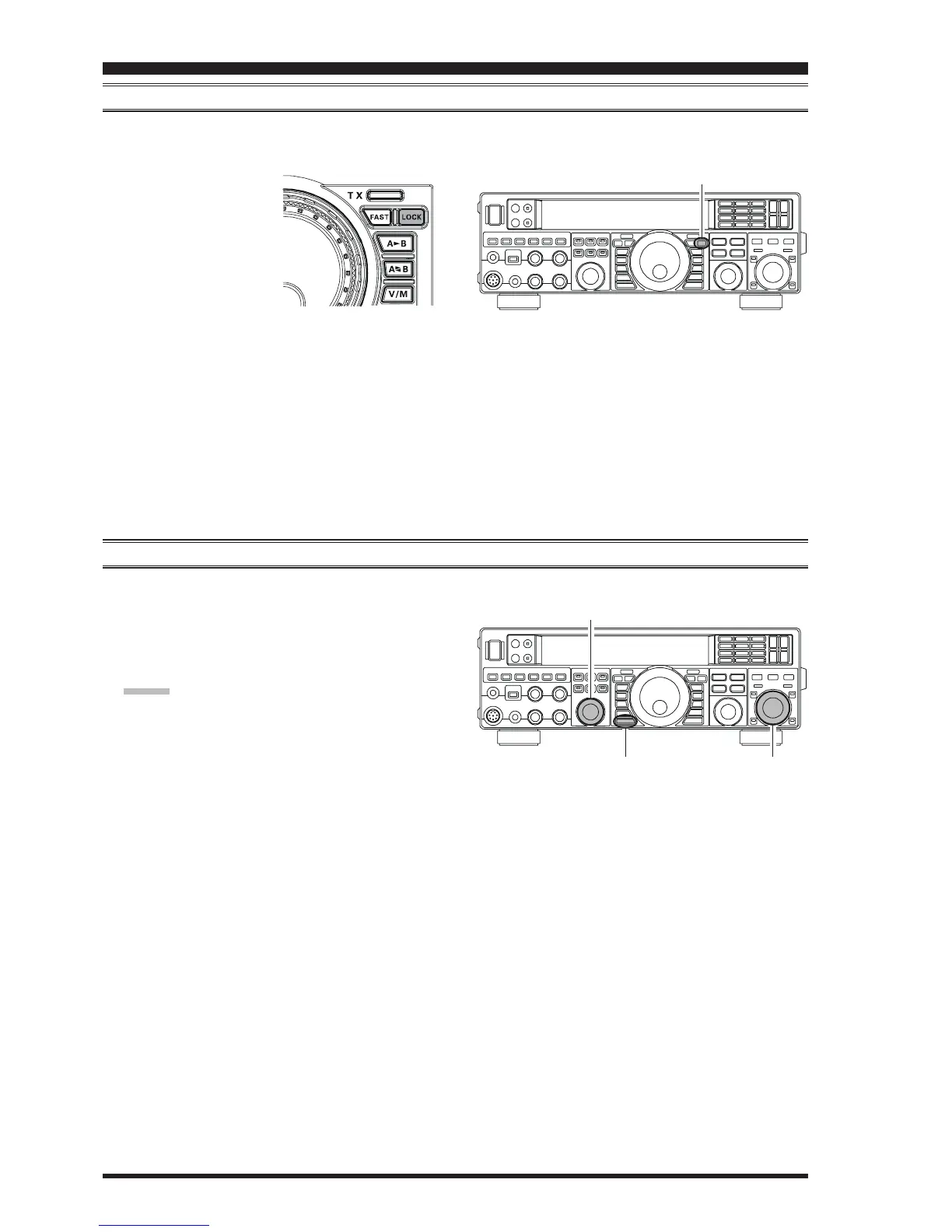
LOCK
You may lock the setting of the Main Tuning Dial knob (for VFO-A frequency tuning) and the
[
CLAR/VFO-B
]
knob (for
VFO-B frequency tuning), to prevent accidental frequency change.
To lock the Main Tuning Dial
knob and the
[
CLAR/VFO-B
]
knob, press the
[
LOCK
]
but-
ton that is located to the right
of the Main Tuning Dial knob.
To unlock the Dial setting, and
restore normal tuning, press
the
[
LOCK
]
button once
more.
DIMMER
The illumination level of the display may be adjusted via Menu item “
005 DISP DIM VFD005 DISP DIM VFD
005 DISP DIM VFD005 DISP DIM VFD
005 DISP DIM VFD”.
To adjust the illumination level:
1. Press the
[
MENU
]
button to enter the Menu mode.
2. Rotate the
[
SELECT
]
knob to select Menu item “
005005
005005
005
DISP DIM VFDDISP DIM VFD
DISP DIM VFDDISP DIM VFD
DISP DIM VFD”.
ADVICE:
Press the
[
SELECT
]
knob momentarily to toggle the
Menu item display between “
005 DISP005 DISP
005 DISP005 DISP
005 DISP” and “
DIMDIM
DIMDIM
DIM
VFDVFD
VFDVFD
VFD”.
3. Rotate the
[
CLAR/VFO-B
]
knob to select the desired
illumination level.
4. Press and hold in the
[
MENU
]
button for one second
to save the new setting and exit to normal operation.
[
CLAR/VFO-B
]
Knob
[
MENU
]
Button
[
SELECT
]
Knob
[
LOCK
]
Button













 To Next Page