Page 44 FT-950 OPERATING MANUAL
IPO
(
INTERCEPT POINT OPTIMIZATION
)
The IPO feature allows the operator to optimize the characteristics of the receiver front end, depending on the current noise
level and the strength of incoming signals.
INTERFERENCE REJECTION
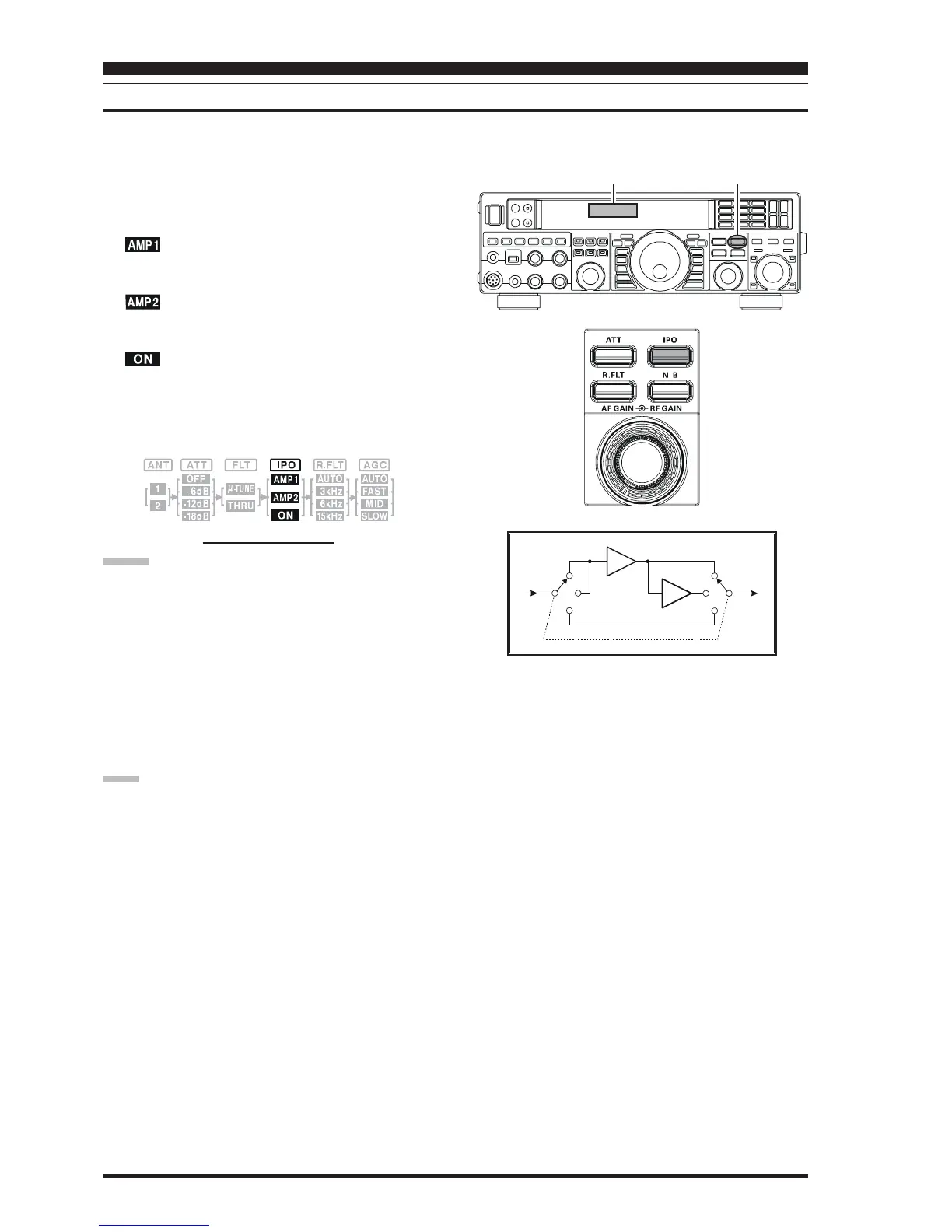
Press the
[
IPO
]
button several times to set the desired char-
acteristic of the receiver front end, according to the chart
below.
: Amplifies the incoming signals, using a low
distortion RF preamplifier (gain: approx. 10
dB).
: Amplifies the incoming signals, using a 2-stage
low-distortion RF preamplifier (total gain:
approx. 17 dB).
: Bypasses the RF preamplifier, yielding direct
feed to the first mixer.
The selected receiver RF preamplifier will be indicated in
the IPO column of the Block Diagram Display on the dis-
play.
ADVICE:
The IPO selection will be memorized independently
on each VFO stack of VFO-A and VFO-B.
On the 10 MHz and lower bands, it generally is not
necessary to use any preamplifier at all; selecting the
“IPO ON” position as described above will increase
the strong-signal-handling capability of the receiver,
and generally will result in more pleasant reception due
to reduced noise. If you can hear band noise with the
preamplifiers disengaged, then a preamplifier is gen-
erally not needed.
NOTE:
The IPO feature is always on “IPO ON” (No RF pream-
plifier) between 30 kHz and 1.7 MHz.
BLOCK DIAGRAM DISPLAY
Block Diagram Display
[
IPO
]
Button
AMP1
AMP
AMP
AMP2
ON













 To Next Page