Page 43FT-950 OPERATING MANUAL
ADVICE:
The μ-Tune filters are the most advanced, selective RF preselector filters ever incorporated into an Amateur Radio
transceiver. The RF selectivity provided by μ-Tune can be of tremendous value in ensuring quiet, intermod-free recep-
tion even in the most crowded bands on a contest weekend. The μ-Tune filters provide RF selectivity on the order of a
few dozen kHz at -6 dB, at the expense of a few dB of system gain on bands where noise figure is seldom an issue. You
will notice that the S-meter deflection, when μ-Tune is engaged, is slightly less than when it is out of the circuit; this is
normal. If your antenna system gain is so low that you cannot hear the band noise when μ-Tune is engaged (highly
unlikely), just switch it out, to eliminate the slight insertion loss.
As you tune around on an amateur band with μ-Tune engaged, the microprocessor automatically commands the stepper
motor driving the toroid core stack to center the filter on your current operating frequency. You may, however, use the
[
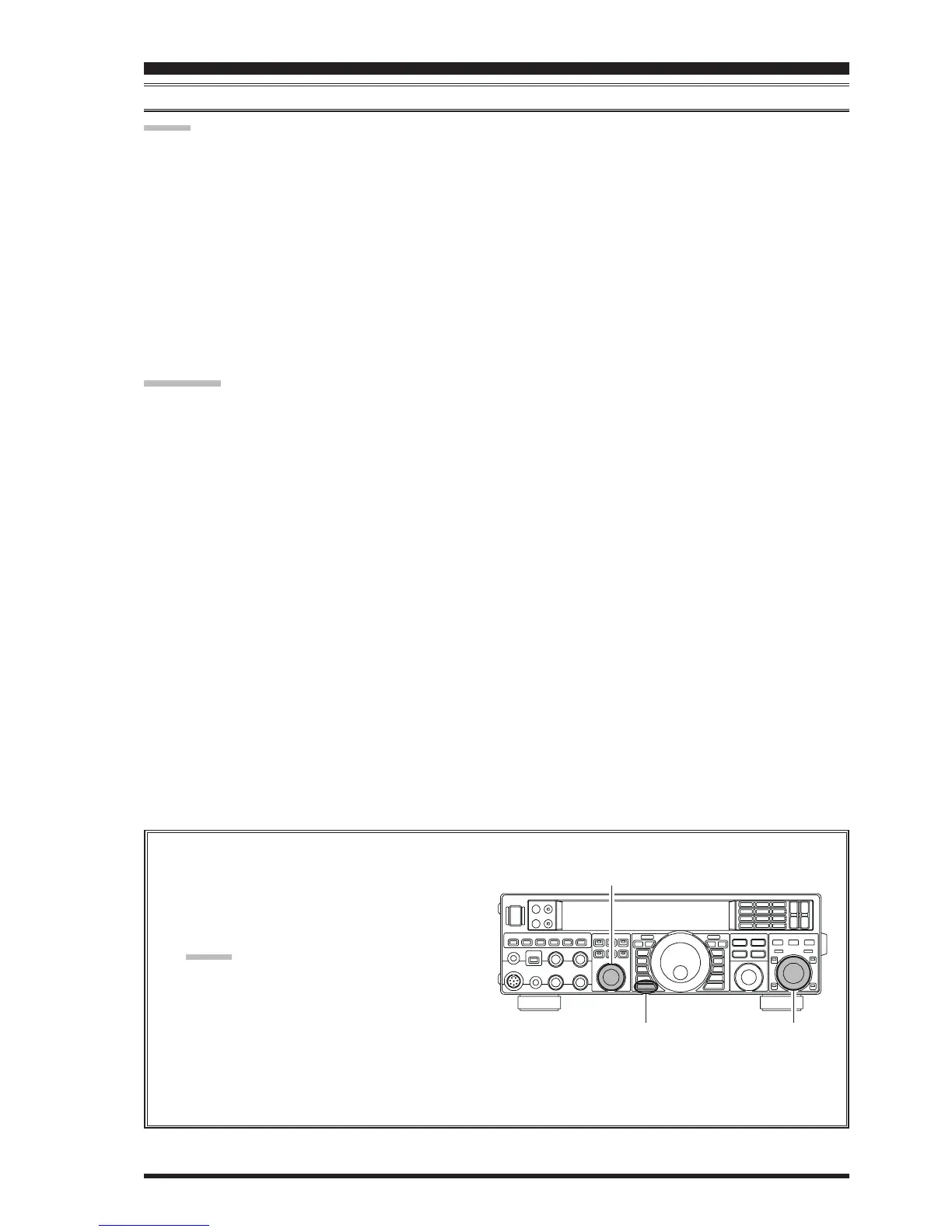
SELECT
(
μ-TUNE
)]
knob to skew the filter response to one side or the other from your operating frequency, to deal
with heavy interference on one side. To re-center the μ-Tune filter on your operating frequency, and eliminate any
offset, press the
[
CLEAR
]
button.
QUICK NOTE:
The permeability-tuning concept utilized in the μ-Tune circuit dates back many decades, as it was incorporated in such
classic transceivers as the FT-101, the FT-901 series, the FTDX400, and similar models. The μ-Tuning Kit uses the same
circuit as our flag ship model the FTDX9000, which is the highest development of this circuit concept ever employed in an
Amateur transceiver.
INTERFERENCE REJECTION
μ-TUNE FILTER
(
REQUIRES THE OPTIONAL RF μTUNING KIT
)
Changing the Tuning Offset Indicator
1. Press the
[
MENU
]
button to engage the Menu
mode.
2. Rotate the
[
SELECT
]
knob to select Menu item
“
006 DISP BARSEL006 DISP BARSEL
006 DISP BARSEL006 DISP BARSEL
006 DISP BARSEL”.
ADVICE:
Press the
[
SELECT
]
knob to toggle the Menu item
display between “
006 DISP006 DISP
006 DISP006 DISP
006 DISP” and “
BARSELBARSEL
BARSELBARSEL
BARSEL”.
3. Rotate the
[
CLAR/VFO-B
]
knob to select “
u-tnu-tn
u-tnu-tn
u-tn
(μ-Tune)” (replacing the default “
C-tnC-tn
C-tnC-tn
C-tn (CW TUN-
ING)” selection).
4. Press and hold in the
[
MENU
]
button for one sec-
ond to lock in the new setting and exit to normal
operation.
[
CLAR/VFO-B
]
Knob
[
MENU
]
Button
[
SELECT
]
Knob













 To Next Page