Page 41FT-950 OPERATING MANUAL
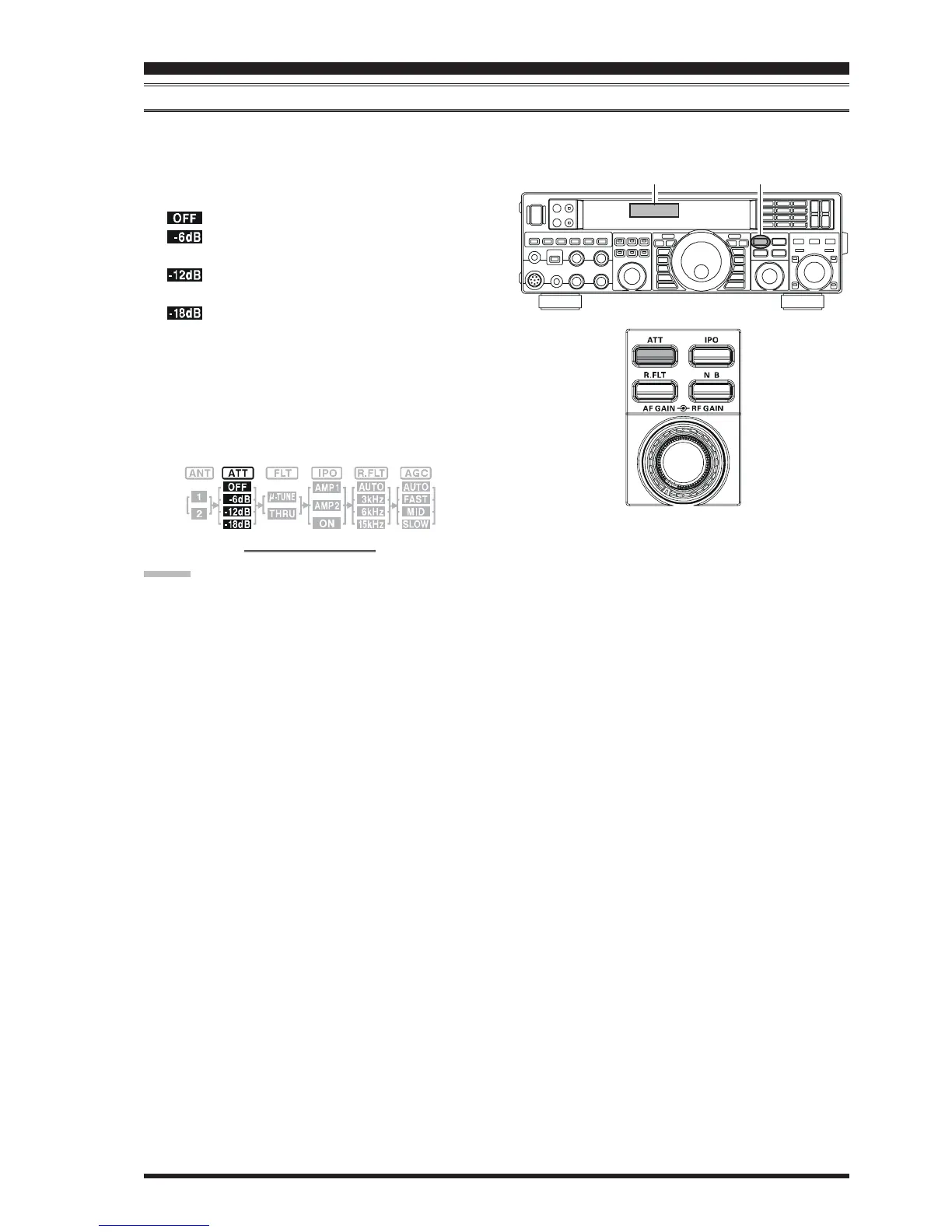
ATT
When extremely strong local signals or high noise, still degrades reception, you can use the
[
ATT
]
button to insert 6, 12, or
18-dB of RF attenuation in front of the RF amplifier.
1. Press the
[
ATT
]
button several times to set the desired
attenuation level, per the chart below.
: Attenuator is Off
: The incoming signal power is reduced by 6
dB (Signal voltage reduced by 1/2)
: The incoming signal power is reduced by 12
dB (Signal voltage reduced to 1/4)
: The incoming signal power is reduced by 18
dB (Signal voltage reduced to 1/8th)
The selected attenuation level will be indicated in the
ATT column of the Block Diagram Display on the dis-
play.
2. To restore full signal strength through the Attenuator
circuit area, press the
[
ATT
]
button to restore the ATT
display to the “OFF” position.
Block Diagram Display
ADVICE:
The attenuator selection will be memorized independently on each VFO stack of the VFO-A and VFO-B.
If background noise causes the S-meter to deflect on clear frequencies, press the
[
ATT
]
button until the S-meter drops
to about “S-1”. This setting optimizes the trade-offs between sensitivity, noise, and interference immunity. Also, once
you have tuned in a station you want to work, you may want to reduce sensitivity further (add more attenuation) by
pressing the
[
ATT
]
button to a higher setting. This reduces the strength of all signals (and noise) and can make reception
more comfortable, important especially during long QSOs. When looking for weak signals on a quiet band, you will
want maximum sensitivity, so the IPO should be disabled and the
[
ATT
]
button should be set to “OFF.” This situation is
typical during quiet times on frequencies above 21 MHz, and when using a small or negative-gain receiving antenna on
other bands.
INTERFERENCE REJECTION
[
ATT
]
Button
BLOCK DIAGRAM DISPLAY













 To Next Page