Page 7FT-950 OPERATING MANUAL
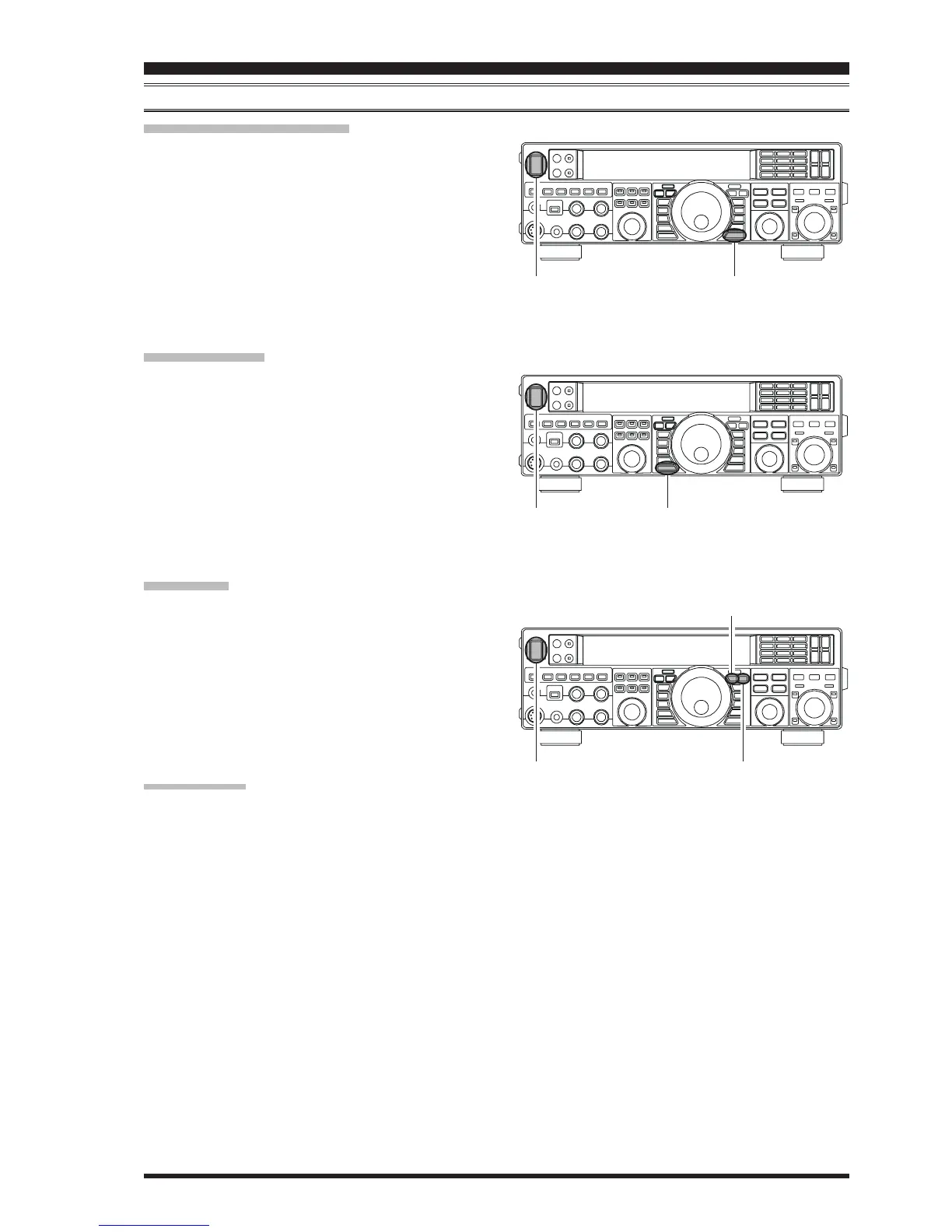
RESETTING THE MICROPROCESSOR
RESETTING MEMORIES
(
ONLY
)
Use this procedure to reset (clear) the previously stored
Memory channels, without affecting any configuration
changes you may have made to the Menu settings.
1. Press the front panel’s
[
POWER
]
switch to turn the
transceiver off.
2. Press and hold in the
[
A
XX
XX
X
M
]
button; while holding it
in, press and hold in the front panel’s
[
POWER
]
switch
to turn the transceiver on. Once the transceiver comes
on, you may release the buttons.
MENU RESETTING
Use this procedure to restore the Menu settings to their
factory defaults, without affecting the memories you have
programmed.
1. Press the front panel
[
POWER
]
switch to turn the trans-
ceiver off.
2. Press and hold in the
[
MENU
]
button; while holding it
in, press and hold in the front panel
[
POWER
]
switch
to turn the transceiver on. Once the transceiver comes
on, you may release the buttons.
FULL RESET
Use this procedure to restore all Menu and Memory set-
tings to their original factory defaults. All Memories will
be cleared by this procedure.
1. Press the front panel
[
POWER
]
switch to turn the trans-
ceiver off.
2. Press and hold the
[
FAST
]
and
[
LOCK
]
buttons; while
holding them in, press and hold in the front panel
[
POWER
]
switch to turn the transceiver on. Once the
transceiver comes on, you may release the buttons.
IMPORTANT NOTE:
When the optional μTuning Kit is connected to the FT-
950, disconnect all the cables from the μTuning Kit be-
fore performing the Full Reset.
[
POWER
]
button
[
A
XX
XX
X
M
]
button
BEFORE YOU BEGIN
[
LOCK
]
button
[
FAST
]
button
[
POWER
]
button
[
MENU
]
button
[
POWER
]
button














 To Next Page