Page 72 FT-950 OPERATING MANUAL
Full Break-in (QSK) Operation
As shipped from the factory, the FT-950 TX/RX system for CW is configured for “Semi-break-in” operation.
However, using Menu item “
043 A1A BK-IN043 A1A BK-IN
043 A1A BK-IN043 A1A BK-IN
043 A1A BK-IN,” you may change this setup for full break-in (QSK) operation, whereby
the switching is quick enough to hear incoming signals in the spaces between the dots and dashes of your transmis-
sion.
USING THE BUILT-IN ELECTRONIC KEYER
CW MODE OPERATION
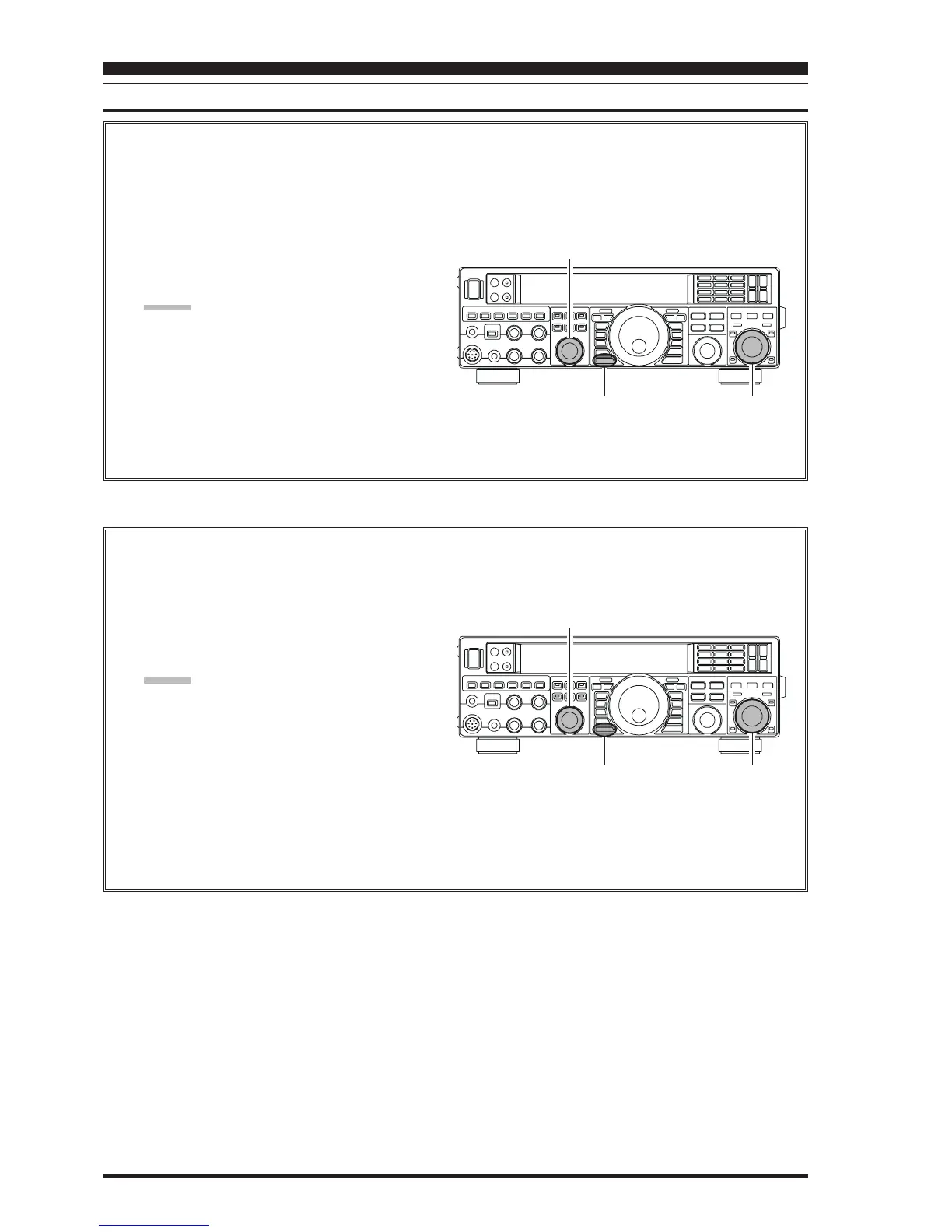
1. Press the
[
MENU
]
button to engage the Menu.
2. Rotate the
[
SELECT
]
knob to select Menu item
“
043 A1A BK-IN043 A1A BK-IN
043 A1A BK-IN043 A1A BK-IN
043 A1A BK-IN”.
ADVICE:
Press the
[
SELECT
]
knob momentarily to toggle
the Menu item display between “
043 A1A043 A1A
043 A1A043 A1A
043 A1A” and
“
BK-INBK-IN
BK-INBK-IN
BK-IN”.
3. Rotate the
[
CLAR/VFO-B
]
knob to set this Menu
item to “
FuLLFuLL
FuLLFuLL
FuLL”.
4. When your adjustments are complete, press and
hold in the
[
MENU
]
button for one second to save
the new setting and exit to normal operation.
A number of interesting and useful features are available during Electronic Keyer operation.
1. Press the
[
MENU
]
button to enter the Menu mode.
2. Rotate the
[
SELECT
]
knob to select Menu item
“
046 A1A WEIGHT046 A1A WEIGHT
046 A1A WEIGHT046 A1A WEIGHT
046 A1A WEIGHT”.
ADVICE:
Press the
[
SELECT
]
knob momentarily to toggle
the Menu item display between “
046 A1A046 A1A
046 A1A046 A1A
046 A1A” and
“
WEIGHTWEIGHT
WEIGHTWEIGHT
WEIGHT”.
3. Rotate the
[
CLAR/VFO-B
]
knob to set the weight
to the desired value. The available adjustment range
is for a Dot/Dash ratio of 2.5 ~ 4.5 (default value:
3.0).
4. When you are finished, press and hold in the
[
MENU
]
button for one second to save the new
setting and exit to normal operation.
[
CLAR/VFO-B
]
Knob
[
MENU
]
Button
[
SELECT
]
Knob
Setting the Keyer Weight (Dot/Dash) Ratio
This Menu item may be used to adjust the dot/dash ratio for the built-in Electronic Keyer. The default weighting is
3:1 (a dash is three times longer than a dot).
[
CLAR/VFO-B
]
Knob
[
MENU
]
Button
[
SELECT
]
Knob













 To Next Page