Page 50 FT-950 OPERATING MANUAL
INTERFERENCE REJECTION
NARROW
(
NAR
)
ONE-TOUCH IF FILTER SELECTION
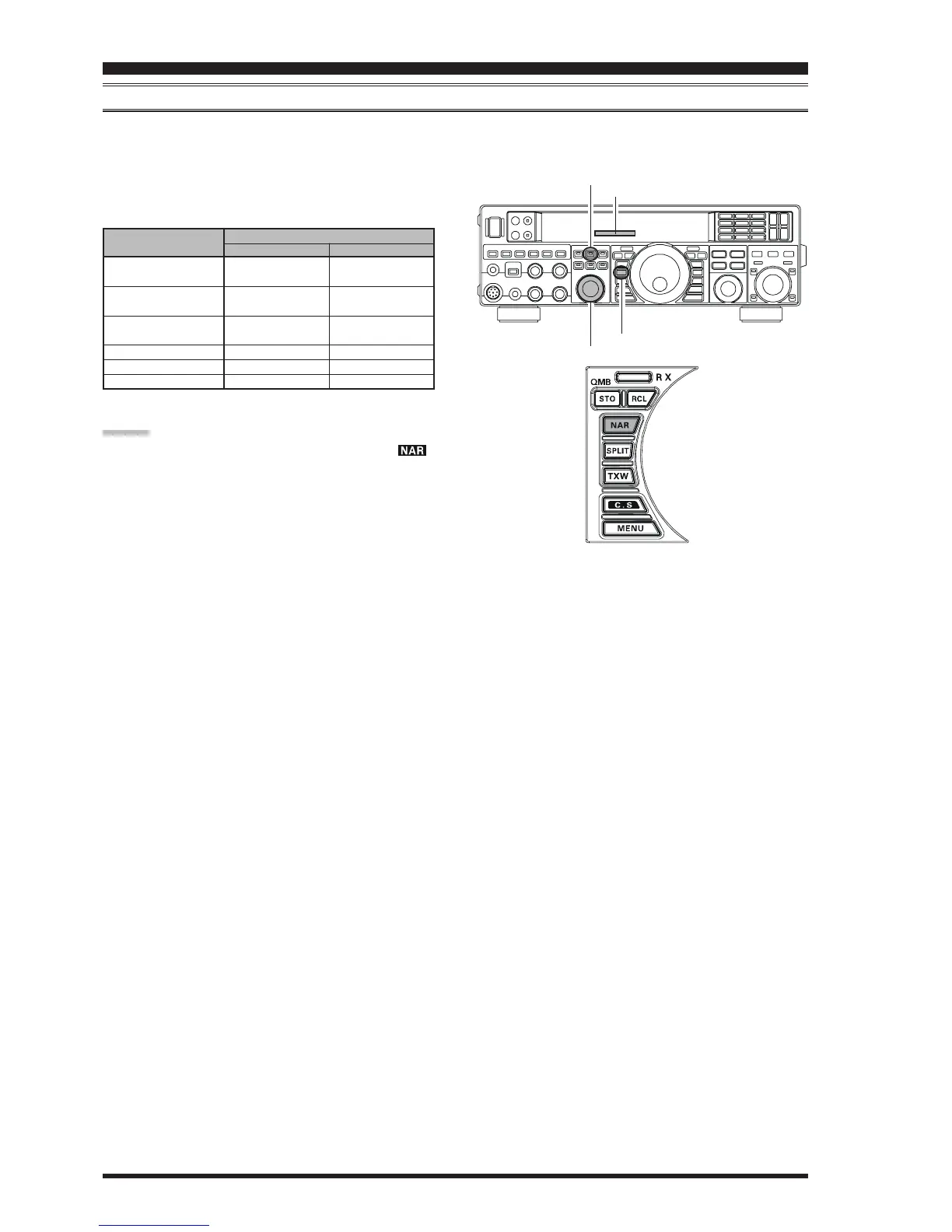
Pressing the
[
NAR
]
button provides one-touch, mode-specific, selection of a narrow IF DSP filter setting that does not
require resetting the
[
SELECT
(
WIDTH
)]
knob.
Pressing the
[
NAR
]
button once more returns the band-
width control to the WITDH/SHIFT system. The factory
default bandwidths are:
Ú
: Depends on the
[
WIDTH
]
knob
( )
: Default Bandwidth
OPERATING MODE
SSB
CW
RTTY/PKT-L/PKT-U
PKT-FM
AM
FM
(
28/50 MHz Bands
)
“ON”
200 Hz ~ 1.8 kHz
Ú
(
1.8 kHz
)
100 ~ 500 Hz
Ú
(
500 Hz
)
100 ~ 300 Hz
Ú
(
300 Hz
)
9 kHz
6 kHz
9 kHz
“OFF”
1.8 ~ 3.0 kHz
Ú
(
2.4 kHz
)
500 Hz ~ 2.4 kHz
Ú
(
2.4 kHz
)
500 Hz ~ 2.4 kHz
Ú
(
500 Hz
)
16 kHz
9 kHz
16 kHz
[
NAR
]
S
WITCH
[
WIDTH
]
Button
[
SELECT
]
Knob
WIDTH Indicator
[
NAR
]
Button
ADVICE:
When the narrow bandwidth is selected, the “ ”
icon will appear in the display.
Even if the
[
NAR
]
button has been pressed to engage
the narrow filter, you may adjust the narrow IF band-
width by rotating the
[
SELECT
(
WIDTH
)]
knob (re-
quires pressing the
[
WIDTH
]
button). The IF SHIFT
still is operational (requires pressing the
[
SHIFT
]
but-
ton). For many applications, you may find that simply
pressing the
[
NAR
]
button instead of adjustment of
the
[
SELECT
(
WIDTH
)]
knob, may be satisfactory for
interference reduction.
When you press the
[
NAR
]
button in the FM mode,
both transmit and receive bandwidths are narrowed.













 To Next Page