Page 85FT-950 OPERATING MANUAL
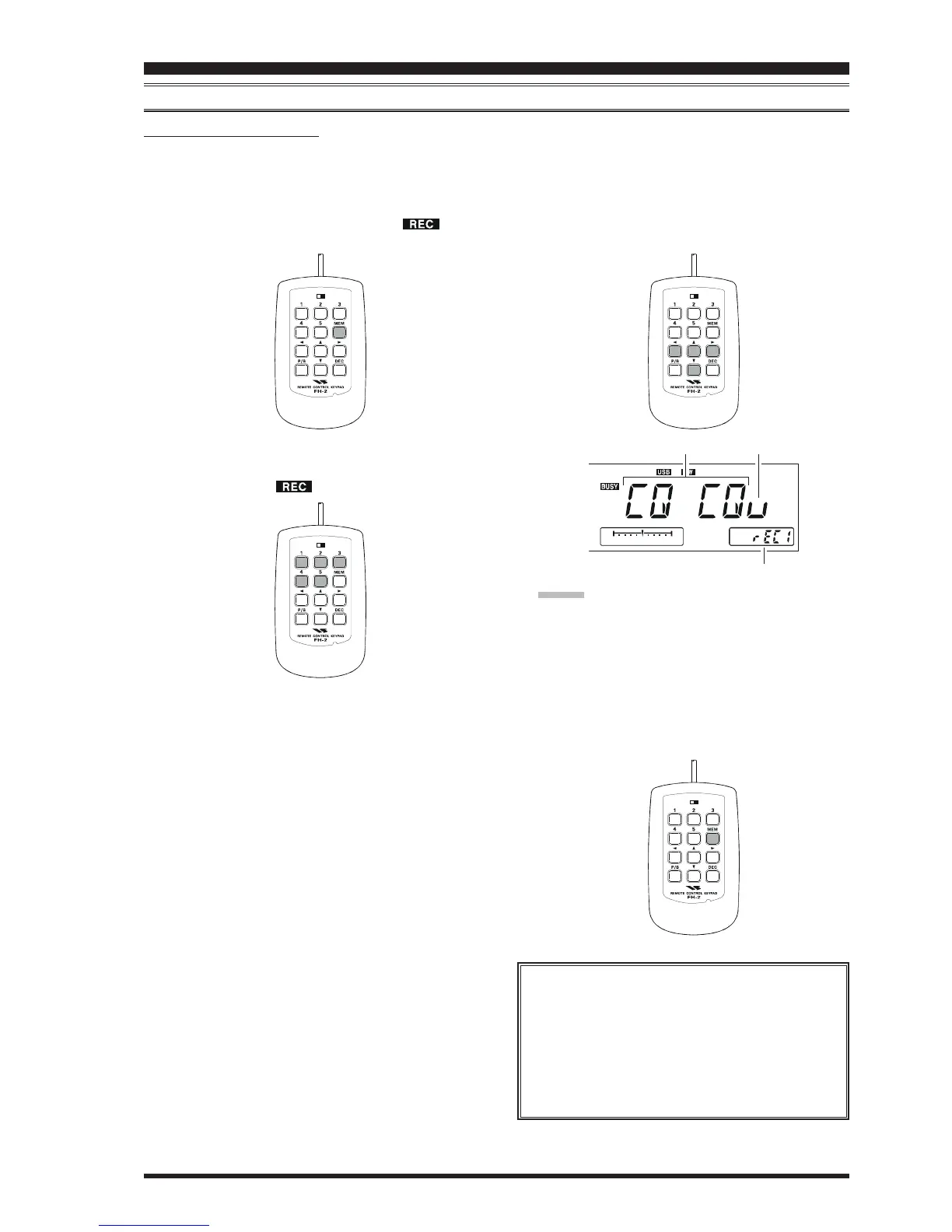
5. Use the FH-2’s
[
W
]
and
[
X
]
keys to set the cursor
position and use the FH-2’s
[
S
]
and
[
T
]
keys to choose
the letter/number to be programmed in each slot of the
memory. In the case of the second example above, the
“#” character designates the slot where the Contest
Number will appear.
ADVICE:
You may also use the Main Tuning Dial knob and the
[
CLAR/VFO-B
]
knobs to program the message char-
acters.
6. When the message is complete, add the “}” character
at the end to signify the termination of the message.
7. Press and hold in the FH-2’s
[
MEM
]
key for one sec-
ond to exit, once all characters (including “}”) have
been programmed.
TEXT MESSAGE PROGRAMMING
1. Press the
[
CW
]
button to set the operating mode to
CW.
2. Be sure that Break-in is “Off” by pressing the
[
BK-IN
]
button, if necessary.
3. Press the FH-2
[
MEM
]
key. A blinking “ ” icon
will appear in the display.
4. Press an FH-2
[
1
]
~
[
5
]
key to select the desired CW
Memory Register into which you wish to program the
text, the blinking “ ” icon will be disappeared.
CONTEST MEMORY KEYER
(
USING THE OPTIONAL FH-2 REMOTE CONTROL KEYPAD
)
LOCK
OFFON
CW CONVENIENCE FEATURES
LOCK
OFFON
LOCK
OFFON
LOCK
OFFON
Deleting Previously-stored Characters
Use the FH-2’s
[
W
]
and
[
X
]
keys or Main Tuning
Dial knob to select the last correct letter in the
message. Now use the FH-2’s
[
S
]
and
[
T
]
keys
or rotate the
[
CLAR/VFO-B
]
knob to select the
“}” character; everything after the “}” character will
be deleted.
CW Memory Register Number
Message Cursor













 To Next Page