INPUT PATCH function
282 PM5D/PM5D-RH V2 / DSP5D Owner’s Manual Reference section
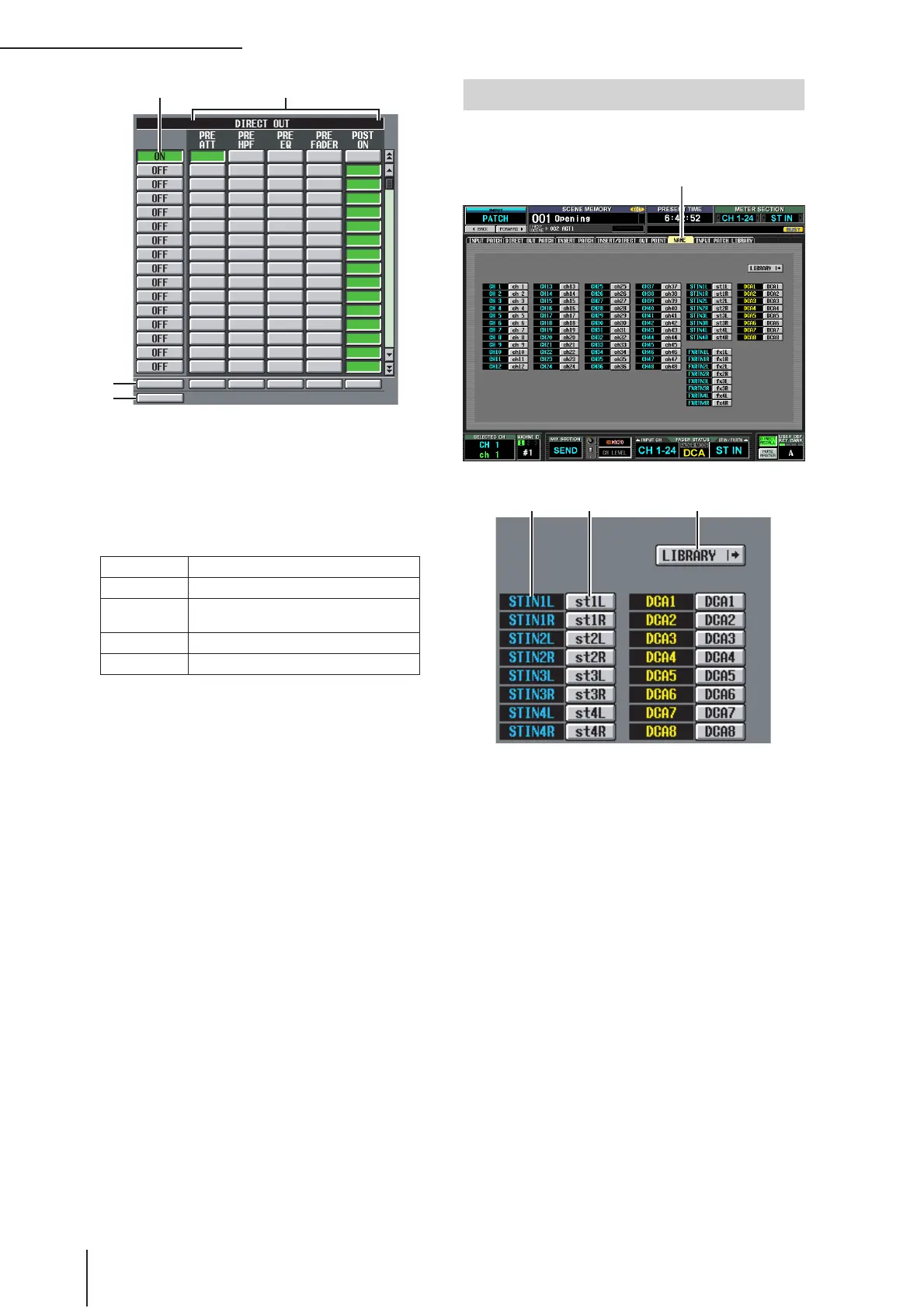
G DIRECT OUT ON/OFF
These buttons switch direct output on/off for each
channel.
H DIRECT OUT
Here you can select one of the following as the direct
output location for each channel.
I SET ALL
Turns on the corresponding item (direct out or the
direct out point) for all channels (including channels
not currently shown in the screen).
J CLEAR ALL
Turns direct out off for all channels (including chan-
nels not currently shown in the screen).
Here you can assign a name to each input channel and
DCA group.
A Channel
This area indicates the input channel (input channel,
ST IN channel) and DCA group numbers.
B Name
This area indicates the names currently assigned to
each input channel and DCA group. If you click the
name, a window will open allowing you to assign a
name to the channel.
C LIBRARY
This button accesses the INPUT PATCH LIBRARY
screen (➥ p.283), where you can store/recall input
channel patch (and name) library settings.
PRE ATT Immediately before the attenuator
PRE HPF Immediately before the high-pass filter
PRE EQ
Immediately before the EQ (immediately
after the PRE EQ of the INSERT I/O)
PRE FADER Immediately before the fader
POST ON Immediately after the CH [ON] key
9
J
NAME screen
NAME


 To Next Page