112
Feature Reference — Utility Mode
Y
A
M
A
H
A
D
R
U
M
T
R
I
G
G
E
R
M
O
D
U
L
E
D
T
X
Utility Mode
This mode sets the general parameters which affect the entire DTX system.
○○○○○○○○○○○○○○○○○○○○○○○○○○○○○○○○○○○○○○○○○○○○○○○○○○○○○○○○○○○○○○○○○
Entering Utility Mode
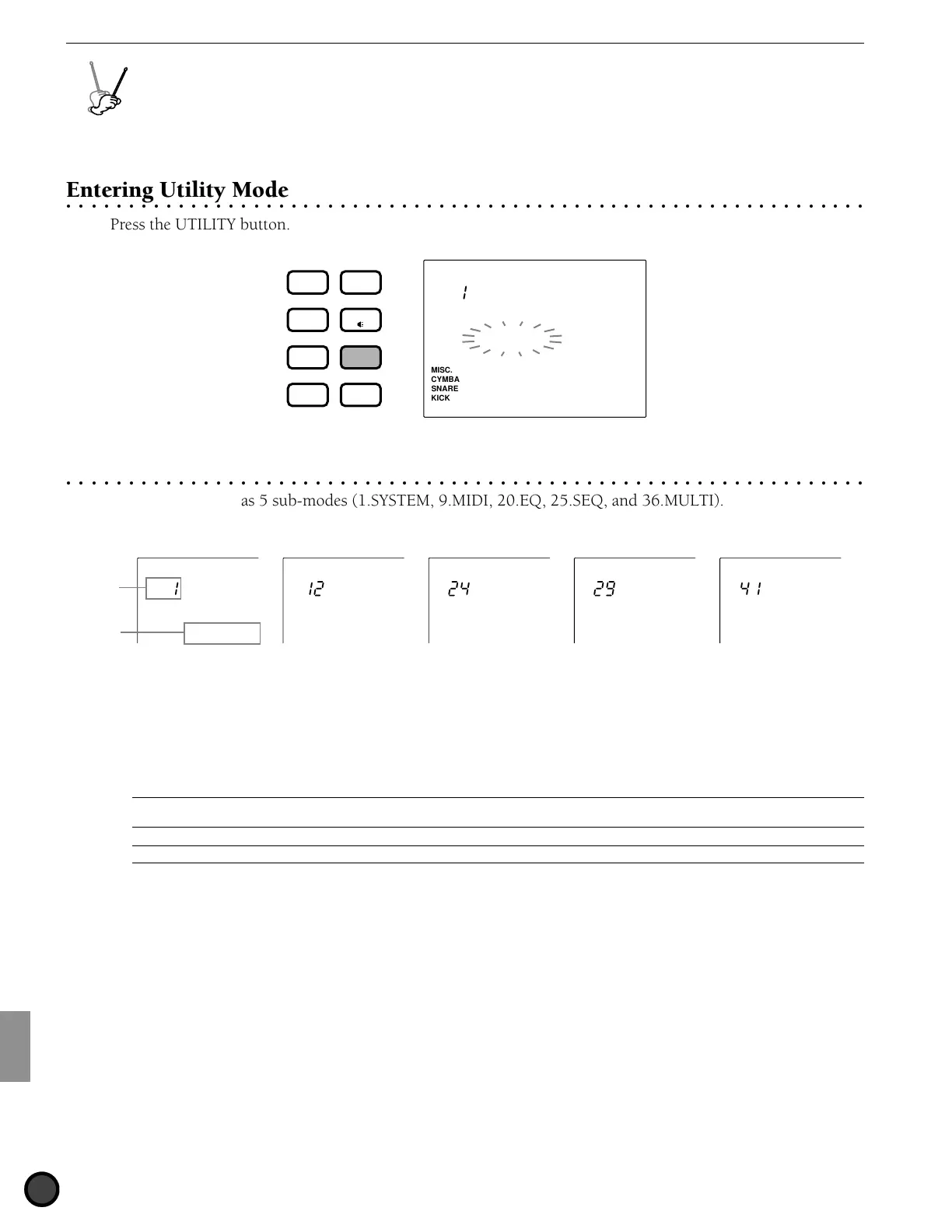
Press the UTILITY button.
MISC.
SNARE
KICK
CYMBAL
UTILITY
[SYSTEM]
DRUM
KIT
VOICE
TRIGGER
UTILITY
STORE
PATTERN
SONG
CHAIN
○○○○○○○○○○○○○○○○○○○○○○○○○○○○○○○○○○○○○○○○○○○○○○○○○○○○○○○○○○○○○○○○○
The Utility Mode (page structure and operation)
The Utility Mode has 5 sub-modes (1.SYSTEM, 9.MIDI, 20.EQ, 25.SEQ, and 36.MULTI). Each sub-mode
contains multiple display pages of parameter settings.
UTILITY
[SYSTEM]
UTILITY
[ MIDI ]
UTILITY
[ EQ ]
UTILITY
[ SEQ ]
UTILITY
[ MULTI]
Parameter
Sub-mode
number
! Select the sub-mode by rotating the Data Scroll Wheel or using the +1/YES and -1/NO buttons.
" Use the PAGE¡ or PAGE⁄ buttons to move the cursor to the display page within the sub-mode you have
selected.
# Set the parameter by rotating the Data Scroll Wheel or using the +1/YES and -1/NO buttons.
A
Use the
Q
cursor buttons to move the cursor to the appropriate focus area if there are multiple parameter focus areas on the diplay
page.
A
Any revision in Utility mode will directly change the settings of the DTX. There is no confirmation process or Store function in this mode.
$ Press the PAGE¡ or PAGE⁄ buttons and return to the 1st display page of the sub-mode (title page) and
rotate the Data Scroll Wheel or use the +1/YES and -1/NO buttons to select a different sub-mode. Display
pages for sub-modes 1.SYSTEM, 12.MIDI, 24.EQ, 29.SEQ, and 41.MULTI are the title pages that
represent 5 sub-modes with the multiple display pages listed on the next page.Furthermore, you can
return to the title page of the current category by pressing the UTILITY button.



 To Next Page