70
Feature Reference — Store Mode
○○○○○○○○○○○○○○○○○○○○○○○○○○○○○○○○○○○○○○○○○○○○○○○○○○○○○○○○○○○○○○○○○
Storing Procedures
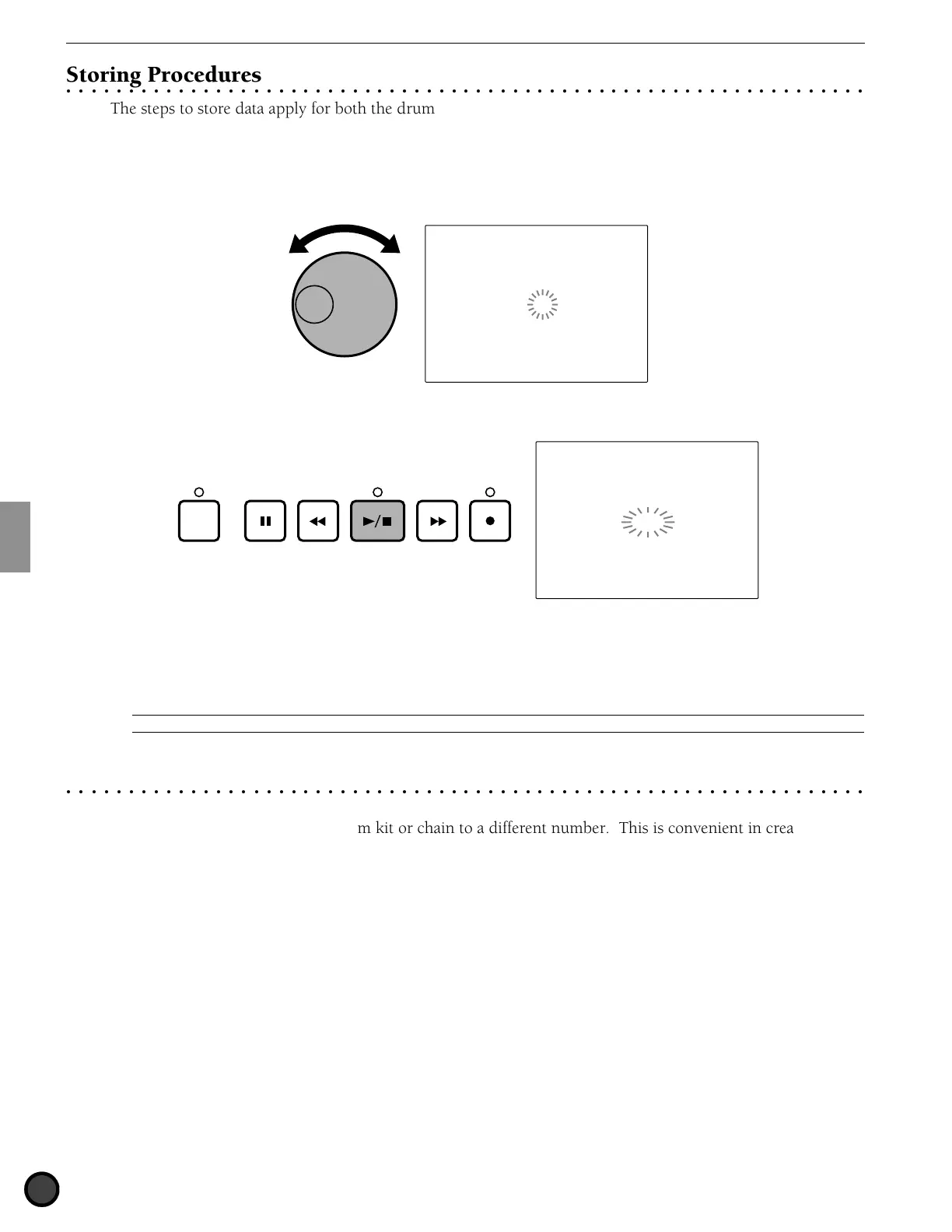
The steps to store data apply for both the drum kit and chain. Here the drum kit display will be used as an
example.
! Choose the drum kit (or chain) number for the destination by rotating the Data Scroll Wheel or using the
+1/YES and -1/NO buttons.
DRUM KIT
MISC.
SNARE
KICK
CYMBAL
Store DK
to 10
" Press the START/STOP button and the LCD will display “Sure? y/n.”
DRUM KIT
MISC.
SNARE
KICK
CYMBAL
Store DK
Sure?y/n
CLICK
# Press the +1/YES button to store the drum kit (or chain) to the specified destination drum kit (or chain
number). The LCD will flash “complete” momentarily and the display will return to the Drum Kit (or
Chain) Play mode.
Press the -1/NO button to cancel. The display will return to the Drum Kit (or Chain) Play mode.
A
To enter a different mode without storing the data, simply press the DRUM KIT, CHAIN, SONG, or PATTERN buttons.
○○○○○○○○○○○○○○○○○○○○○○○○○○○○○○○○○○○○○○○○○○○○○○○○○○○○○○○○○○○○○○○○○
Copying the Drum Kit or Chain
Use the store function to copy a drum kit or chain to a different number. This is convenient in creating a
new drum kit or chain based on an existing drum kit or chain.
! Select the drum kit (or chain) number of the copy source in Drum Kit Play (or Chain Play) mode.
" Press the STORE button to enter Store mode.
# Select the number (copy destination) and execute the store operation. This will copy the drum kit (or
chain).



 To Next Page