15
Getting Started
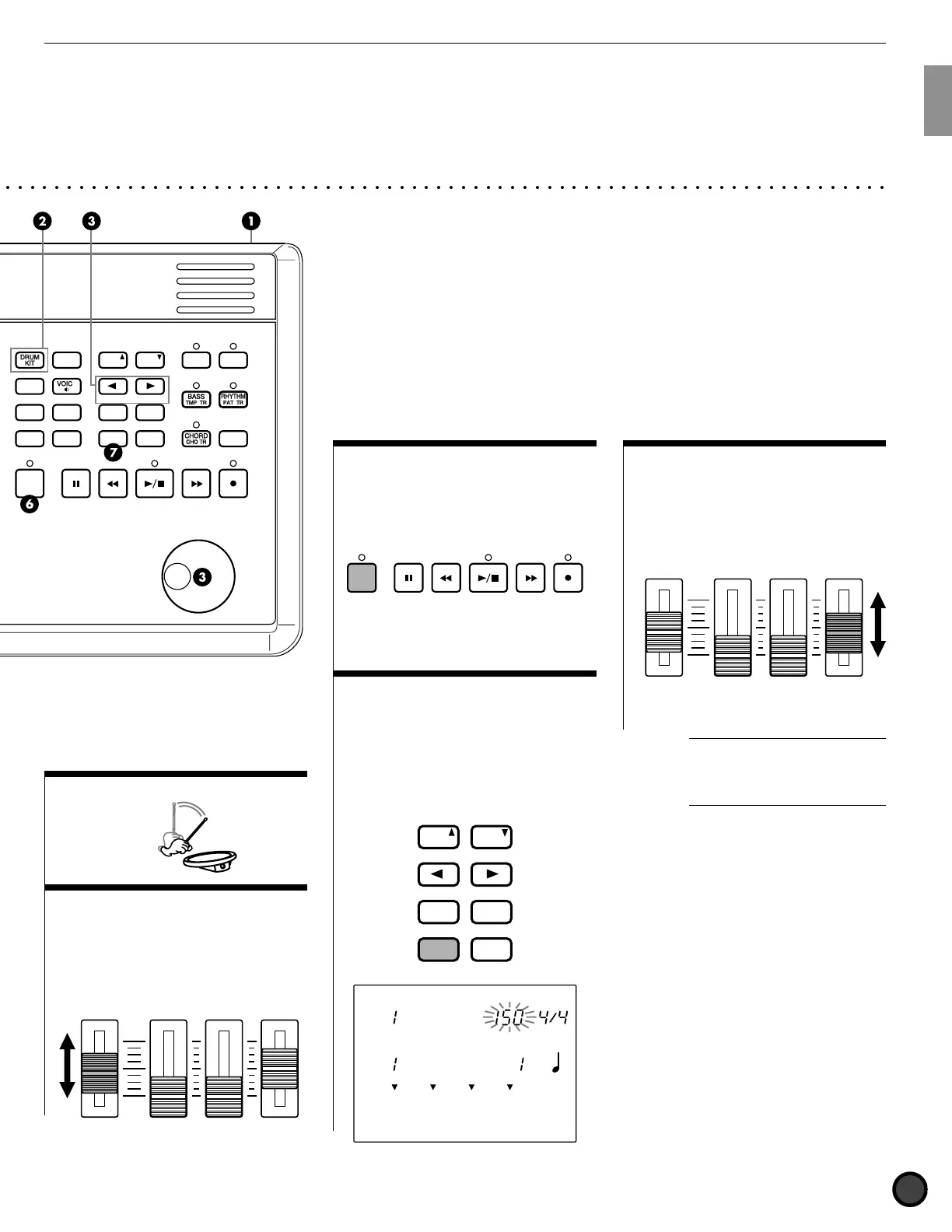
$ Play the pads
% Adjust the volume
Use the MASTER Volume Slider to
adjust the volume of the entire drum
kit.
CLICK
KICK/MISC.
ACCOMP
SNARE/CYMBAL
AUX IN
MIN
MAX
MASTER VOL.
& Play to the Click
Press the CLICK button to start the
metronome. Press the CLICK button
again to stop the metronome.
CLICK
' Change the Tempo of the
Click
Press the TEMPO button to move the
cursor to TEMPO on the LCD. Rotate
the Data Scroll Wheel or use the +1/
YES and -1/NO buttons to set the
click tempo between [=30 to 299.
MISC.
SNARE
KICK
CYMBAL
DRUM KIT
SONG
TEMPO BEAT
MEASURE
CLICK
Acoustic
CityDogs
PAGE
ERASE
SHIFT
+
1/YES
−
1/NO
TEMPO
MAIN B
FILL BA
ENDING
MAIN A
FILL AB
INTRO
PAGE
( Change the Volume of the
Click
Use the CLICK volume slider to adjust
the volume of the metronome click.
CLICK
KICK/MISC.
ACCOMP
SNARE/CYMBAL
AUX IN
MIN
MAX
MASTER VOL.
A
You can also adjust the beat or
quantization by moving the cursor to the
BEAT or CLICK focus area and using
the Data Scroll Wheel or the +1/YES and
-1/NO buttons.
○○○○○○○○○○○○○○○○○○○○○○○○○○○○○○○○○○○○○○○○○○○○○○○○○○○○○○○○○○○○○○○○○○○○○○○○
DRUM
KIT
BASS
TMP TR
CHORD
CHO TR
RHYTHM
PAT TR
VOICE
TRIGGER
UTILITY
STORE
PATTERN
SONG
CHAIN
CLICK
PAGE
ERASE
SHIFT SOLO
TR1 TR2
+
1/YES
−
1/NO
TEMPO
CYMBAL
MISC.
SNARE
MAIN B
FILL BA
ENDING
MAIN A
FILL AB
INTRO
KICK
PAGE
ACCOMP
SNARE/CYMBAL
AUX IN
MIN
MAX
MASTER VOL.



 To Next Page