56
Feature Reference — Drum Kit Voice Edit Mode
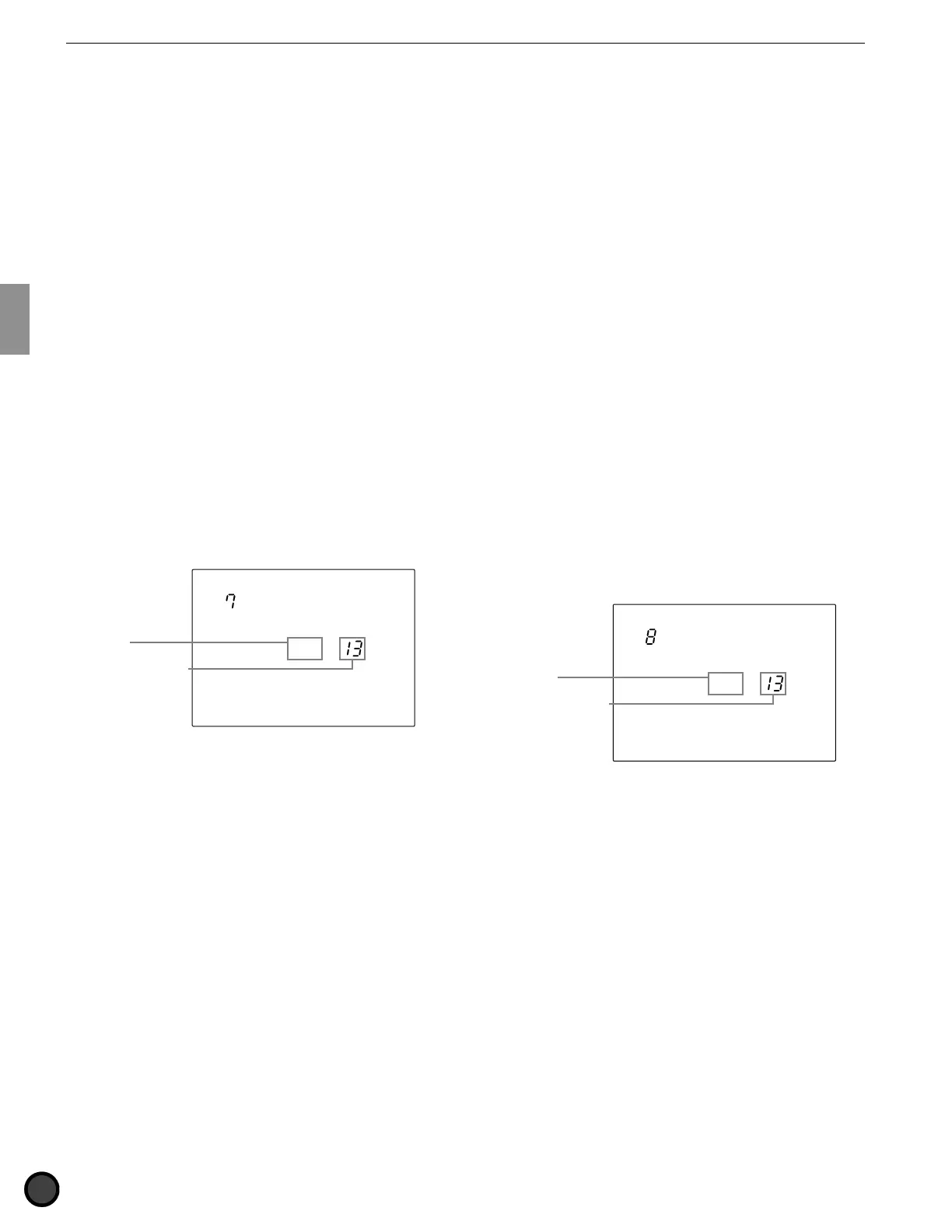
7 Filter
This sets the Filter of each voice assigned to
each MIDI note number. The filter affects the
sound by passing a specific frequency
bandwidth and eliminating the others. The
filter you set will sharpen or muffle the sound.
! Move the cursor to the MIDI note number
focus area and rotate the Data Scroll Wheel
or use the +1/YES and -1/NO buttons to
choose the MIDI note number.
You can also enable the Learn mode (P.115)
to automatically select the MIDI note
number by hitting each pad or drum.
" Move the cursor to the Filter focus area and
rotate the Data Scroll Wheel or use the +1/
YES and -1/NO buttons to set the filter.
Press the VOICE button to audition the
sound. The Filter function is a low-pass type
which eliminates the bandwidth higher than
the cut-off point.
# Repeat steps ! and " to set the filter for
each note number.
MISC.
SNARE
KICK
CYMBAL
Filter
= 0
Filter
MIDI note number
Settings:
The following parameters can be set for MIDI note
numbers 13 to 84.
-64 to 0 (standard) to +63
8 Decay
This sets the decay of each voice assigned to
each MIDI note number. The decay function
controls the fading of a voice wave pattern. You
can increase or decrease the fading effect of a
voice. For example, increase the decay value if
you want to extend the lingering sound of a
cymbal.
! Move the cursor to the MIDI note number
and select the MIDI note number using the
Data Scroll Wheel or the +1/YES and -1/NO
buttons.
You can also enable the Learn mode (P.115)
to automatically select the input jack number
by hitting each pad or drum connected to
the DTX.
" Move the cursor to the Decay focus area and
set the decay by using the Data Scroll Wheel
or the +1/YES and -1/NO buttons. Press the
VOICE button the audition the sound. The
fading effect is longer when the value (either
negative or positive) is increased.
# Repeat steps ! and " and set the decay for
each note number.
MISC.
SNARE
KICK
CYMBAL
Decay
= 0
Decay
MIDI note number
Settings:
The following parameter can be set for MIDI note
numbers 13 to 84.
-64 to 0 (standard) to +63



 To Next Page