95
Feature Reference — Song Play Mode
○○○○○○○○○○○○○○○○○○○○○○○○○○○○○○○○○○○○○○○○○○○○○○○○○○○○○○○○○○○○○○○○○
Playing a Song
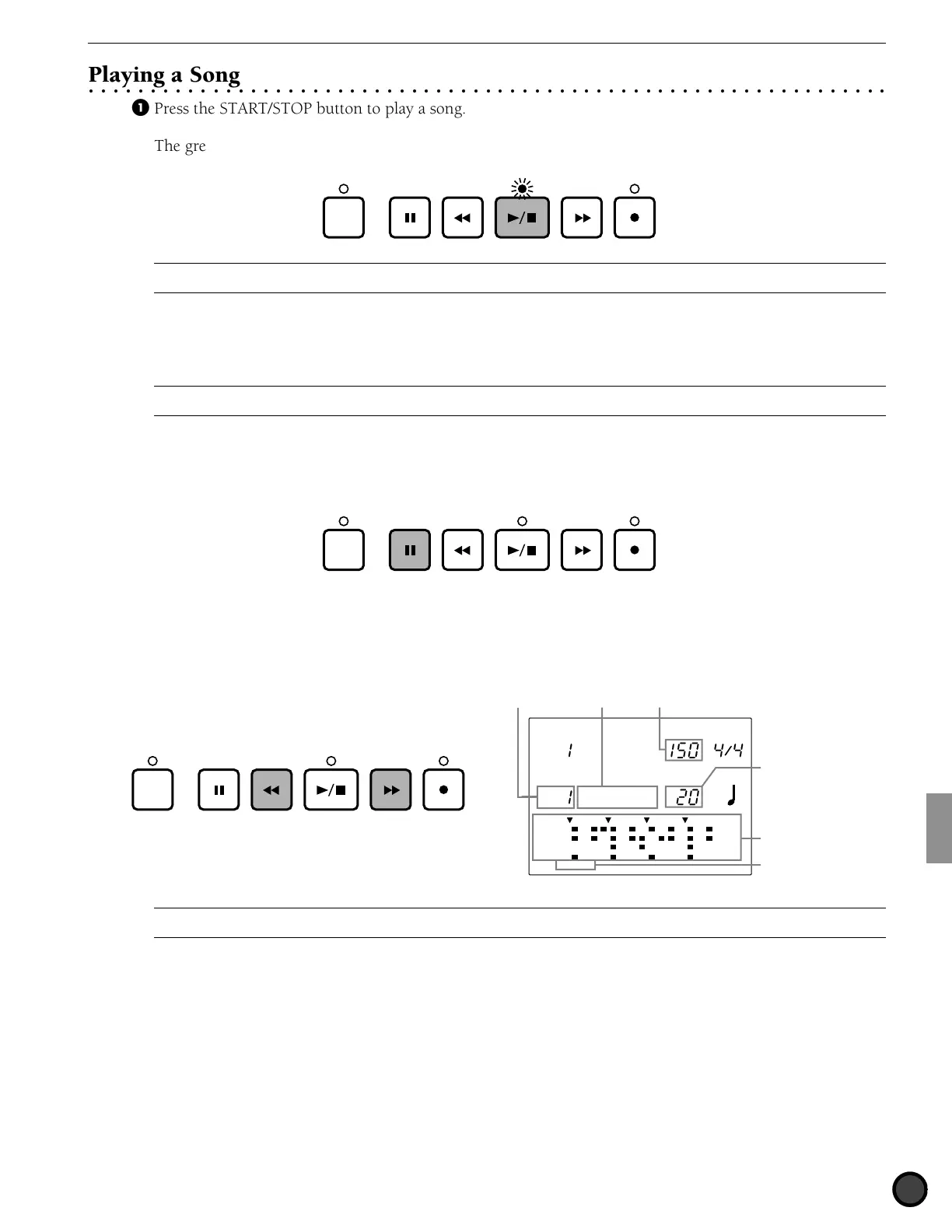
! Press the START/STOP button to play a song.
The green LED above the START/STOP button will flash to the tempo of the song that is playing.
CLICK
A
When the "Count" parameter on the 36th page of the Count screen (P. 123) in Utility mode is "on," the metronome sound of the click will also
play.
" Press the START/STOP button again to stop playing the song. The song will automatically return to the
beginning of the song.
A
The “Beat” indicator will flash to the tempo (P.74) while the song is playing. The MEASURE focus area will show the measure number currently
playing.
PAUSE button
Press the PAUSE button to pause the song. The LED above the START/STOP button will turn off. The song
will start where it stopped when the PAUSE or the START/STOP button is pressed again.
CLICK
FORWARD and REWIND Buttons
The FORWARD and REWIND buttons move the cursor to the measure where you want to start the song.
The FORWARD and REWIND buttons move the indicator forward or backward by a measure when the song
is not playing . The LCD will show the style, section, and tempo of the first measure.
MAIN A
DRUM KIT
SONG
MISC.
SNARE
KICK
CYMBAL
TEMPO BEAT
MEASURE
CLICK
GM std 1
CityDogs
Song number Song name Tempo
Measure numbe
CLICK
Section
Data focus area
A
You can also change the measure number by moving the cursor to the MEASURE focus area and by rotating the Data Scroll Wheel or using the
+1/YES and -1/NO buttons.



 To Next Page