66
Feature Reference — Chain Edit Mode
○○○○○○○○○○○○○○○○○○○○○○○○○○○○○○○○○○○○○○○○○○○○○○○○○○○○○○○○○○○○○○○○○
The Chain Edit Mode (Page structure and operation)
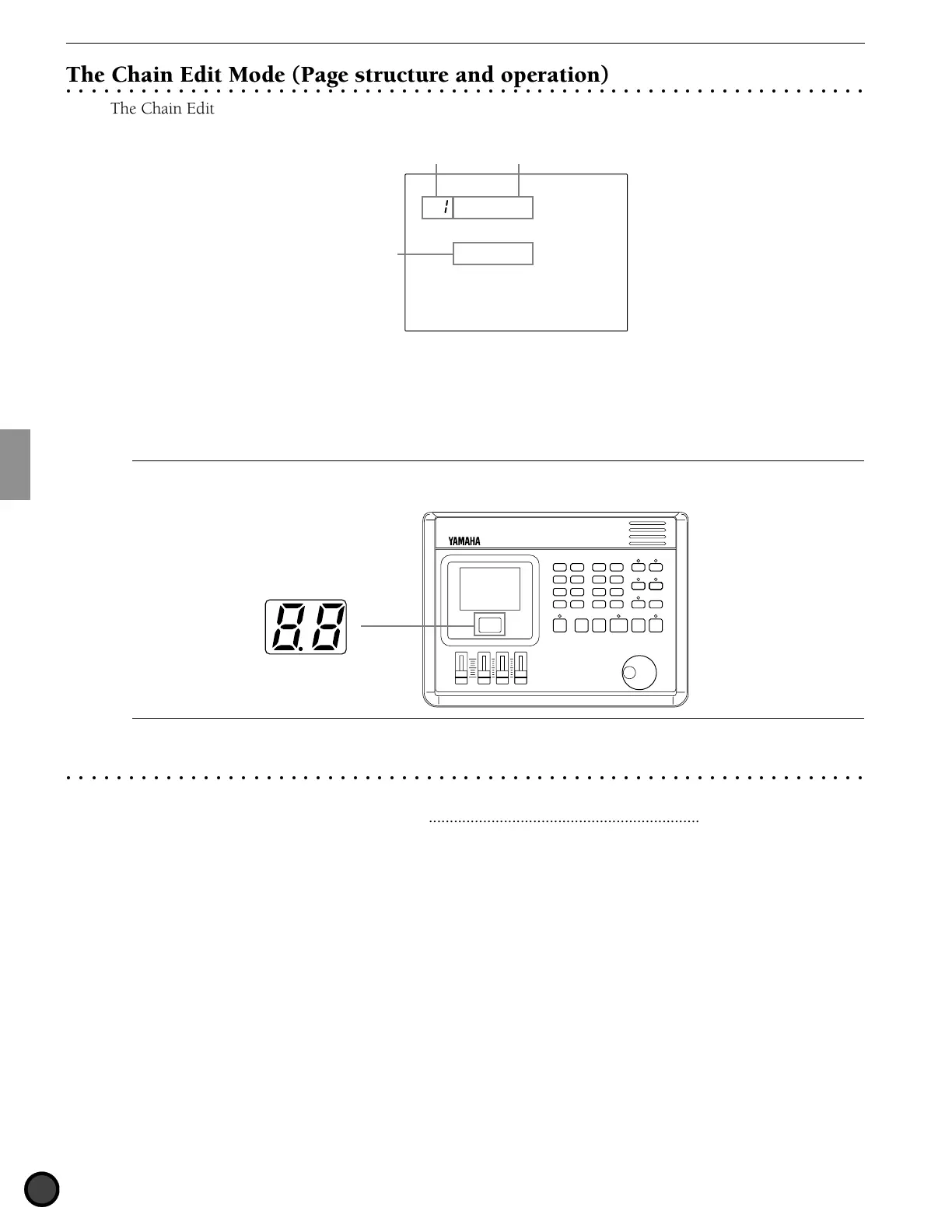
The Chain Edit mode consists of the following 3 display pages:
MISC.
SNARE
KICK
CYMBAL
Name =
Chain 2
Function namePage number
Parameter
Example:
1st display page
! Select the page using the PAGE¡ or PAGE⁄ buttons.
" Select the parameter using the Q cursor buttons.
# Set the value by rotating the Data Scroll Wheel or using the +1/YES and -1/NO buttons.
A
Once you have edited in this mode, a small dot lights on the lower right-hand corner of the drum kit number displayed on the LED to indicate
that the edit results have not been stored. See P.69 on how to store your edit. The dot disappears when you go to Chain Play mode during an edit to
select a different chain. The edited settings will return back to the default settings, but you can recall the edited data using the Recall function (P.68).
Indicates you have not saved
the edited settings.
○○○○○○○○○○○○○○○○○○○○○○○○○○○○○○○○○○○○○○○○○○○○○○○○○○○○○○○○○○○○○○○○○
Functions of Each Page
1 Name (chain name) ................................................................................................ (P.67)
2 Chain create or revise............................................................................................. (P.67)
3 Edit recall ............................................................................................................... (P.68)



 To Next Page