67
Feature Reference — Chain Edit Mode
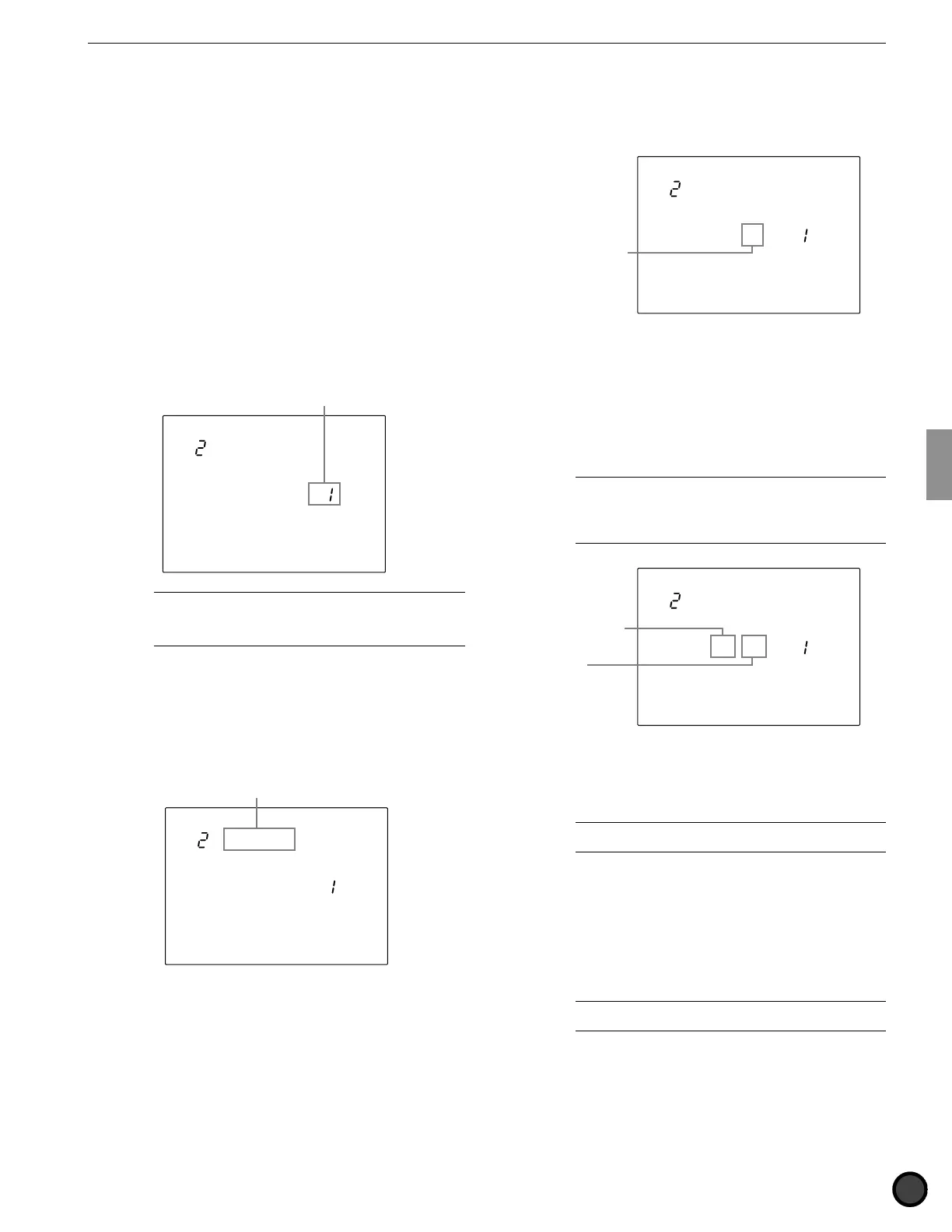
1 Name (chain name)
Use up to 8 letters to name the chain.
Refer to the Drum Kit Name section (P.35) for
details on which letters can be used and how to
enter them.
2 Chain create or revise
This function is used to create or revise a chain.
! Move the cursor to the chain step number
focus area and rotate the Data Scroll Wheel
or use the +1/YES and -1/NO buttons to
select the 1st chain step.
If you are revising an existing chain, select
the Step number you want to change.
MISC.
SNARE
KICK
CYMBAL
=DrumKit
num= 1
Chain step number
A
You can also select the next or previous chain step
number by pressing the TRIGGER or DRUM KIT button or by
pressing the PAGE
¡
or PAGE
⁄
buttons while holding SHIFT,
even if the cursor is not in the chain step number focus area.
" Move the cursor to the drum kit or pattern
focus area and rotate the Data Scroll Wheel
or use the +1/YES and -1/NO buttons to
select the drum kit or pattern for this chain
step.
MISC.
SNARE
KICK
CYMBAL
=DrumKit
num= 1
Drum kit or pattern focus area
# Move the cursor to the drum kit or pattern
number focus area and select the necessary
number.
Drum Kit:
Select from drum kit numbers 1 to 64 for each
chain step.
MISC.
SNARE
KICK
CYMBAL
=DrumKit
num= 1
Drum kit number
Pattern:
1) Select from style or pattern numbers 1 to
110 for each chain step.
2) If you have selected from the preset styles
(pattern styles 1 to 110), move the cursor to
the section focus area and specify a section.
A
User patterns do not have sections. Therefore, if you
have selected from the user patterns (style number 111 on), the
display will show “--” on the section focus area and you will not
be able to select a section. See P.71for further details on
section.
MISC.
SNARE
KICK
CYMBAL
=Pattern
= 1 MA
Section
Style (pattern)
number
$ Repeat steps !, ", and # to specify the
drum kit or pattern for the necessary chain
steps (up to 32 chain steps).
A
You can mix a drum-kit-specified chain step and a
pattern-specified chain step within one chain.
% Upon editing the necessary steps of the
chain, move the cursor to the drum kit or
pattern focus area and rotate the Data Scroll
Wheel or use the +1/YES and -1/NO buttons
to display END to end the chain at the
current chain step number.
A
If you forward the chain step during Chain Play mode,
the chain step will end at the END setting.



 To Next Page