14
Getting Started
! Turn the power ON.
POWER
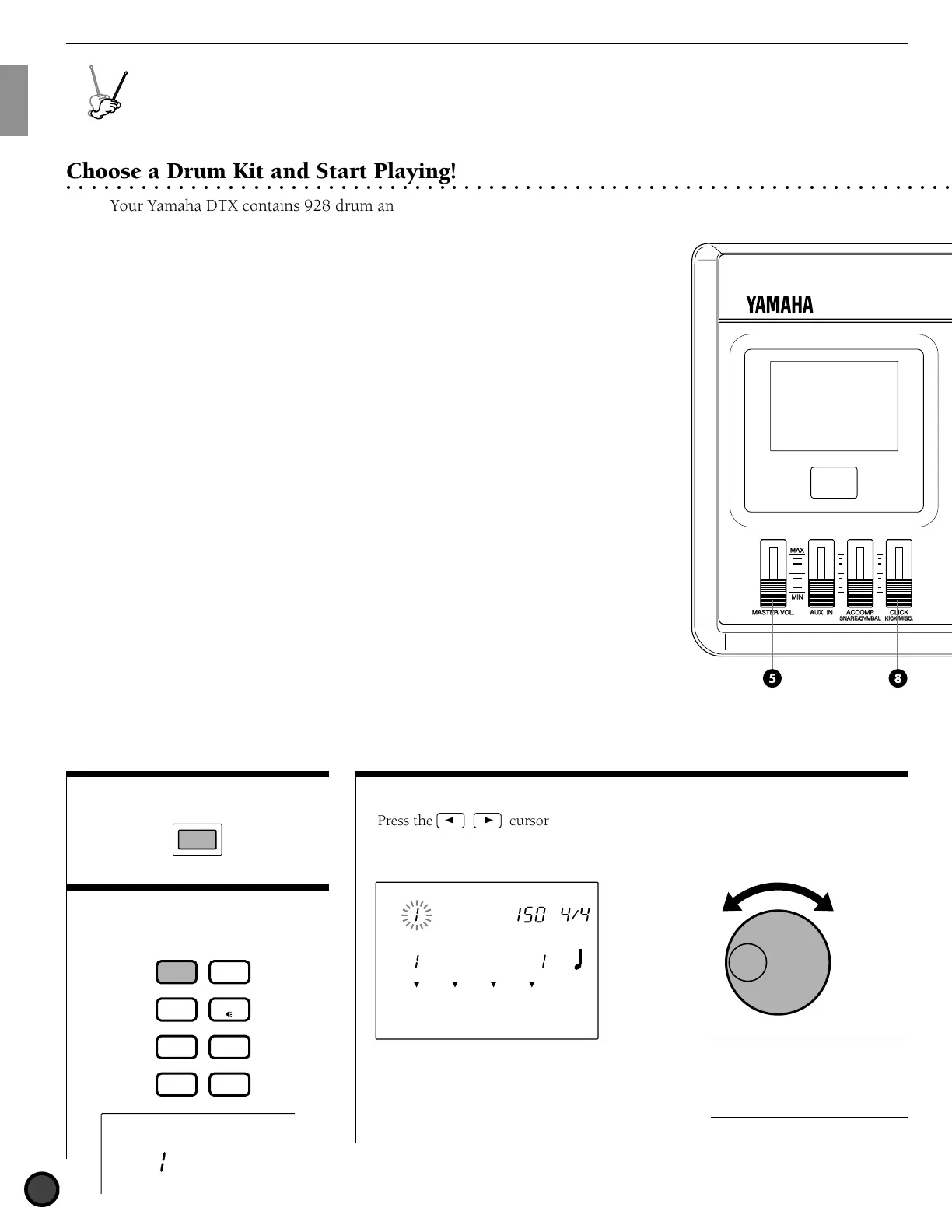
" Enter Drum Kit Play mode
by pressing the DRUM KIT
button.
DRUM KIT
Acoustkt
DRUM
KIT
VOICE
TRIGGER
UTILITY
STORE
PATTERN
SONG
CHAIN
Y
A
M
A
H
A
D
R
U
M
T
R
I
G
G
E
R
M
O
D
U
L
E
D
T
X
Getting Started
○○○○○○○○○○○○○○○○○○○○○○○○○○○○○○○○○○○○○○○○○○○○○○○○○○○○○○○○○○○○○○○○○○○○○○○○
Choose a Drum Kit and Start Playing!
Your Yamaha DTX contains 928 drum and percussion sounds. Drum
and percussion sounds make up a drum kit (drum voice) and the drum
kits are categorized by musical style. There are 64 drum kits: 32
preset drum kits and 32 user drum kits which enable you to enjoy
performances of various musical styles just by selecting a kit. You can
create your own drum kit (user drum kit) from scratch. (P.32)
A
The LCD illustrations in this manual are just examples used for the purpose of
explanation. The display is subject to change depending on the operation, mode, settings or
usage.
# Select a drum kit.
DRUM
KIT
BASS
TMP TR
CHORD
CHO TR
RHYTHM
PAT TR
VOICE
TRIGGER
UTILITY
STORE
PATTERN
SONG
CHAIN
CLICK
KICK/MISC.
KICK/MISC.
CLICK
PAGE
ERASE
SHIFT SOLO
TR1 TR2
+
1/YES
−
1/NO
TEMPO
CYMBALMISC.
SNARE
MAIN B
FILL BA
ENDING
MAIN A
FILL AB
INTRO
KICK
PAGE
ACCOMP
SNARE/CYMBAL
AUX IN
MIN
MAX
MASTER VOL.
Press the Q cursor buttons
and move the cursor to the drum kit
number.
DRUM KIT
SONG
MISC.
SNARE
KICK
CYMBAL
TEMPO BEAT
MEASURE
CLICK
Acoustkt
CityDogs
Rotate the Data Scroll Wheel to select
the drum kit you want to use.
A
The drum kit number is also
displayed on the LED. No. 1 to No. 32
are the user drum kits, and No. 33 to
No. 64 are the preset drum kits. The
user drum kits No. 1 to No. 32 contain
readily usable drumsounds.



 To Next Page