EasyManua.ls Logo

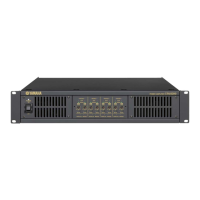
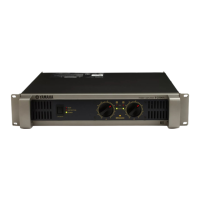
Yamaha IPA8200 - User Manual

Yamaha IPA8200
96 pages
Print Icon
To Next Page IconTo Next Page
Loading...
SERVICE MANUAL
POWER AMPLIFIER
PA
011943
CONTENTS
(目次)
SPECIFICATIONS ........................................................................................3
仕様
...............................................................................................................4
DIMENSIONS
(寸法図)
................................................................................5
PANEL LAYOUT
(パネルレイアウト)
...........................................................6
CIRCUIT BOARD LAYOUT
(ユニットレイアウト)
........................................7
SERVICE PRECAUTIONS
(サービス時の注意)
............................................8
DISASSEMBLY PROCEDURES
(分解手順)
............................................... 11
IC BLOCK DIAGRAM
(IC ブロック図)
.......................................................22
CIRCUIT BOARDS
(シート基板図)
.............................................................23
INSPECTIONS ...........................................................................................43
検査
.............................................................................................................45
ADJUSTMENT OF AMP circuit board
(AMP シートの調整)
....................46
PARTS LIST
IC & DIODE FIGURES
WIRING DIAGRAM
BLOCK DIAGRAM
CIRCUIT DIAGRAM
200910-265650
HAMAMATSU, JAPAN
Copyright (c) Yamaha Corporation. All rights reserved. YMW ´09.11
Question and Answer IconNeed help?

Do you have a question about the Yamaha IPA8200 and is the answer not in the manual?

Summary

WARNING (注意) - Component Safety

SPECIFICATIONS

DIMENSIONS (寸法図)

PANEL LAYOUT (パネルレイアウト)

Front Panel Controls and Indicators

Identifies front panel switches, indicators, attenuators, and mute buttons.

Rear Panel Connections

Details rear panel input/output connectors, mode/gain switches, and AC inlet.

SERVICE PRECAUTIONS (サービス時の注意)

Safety Measures and Discharging Method

Covers precautions for high voltage components and safe discharge procedures.

DISASSEMBLY PROCEDURES (分解手順)

1. Top Cover and L Angles

Procedure to remove the top cover and L-shaped side angles.

2. AMP Circuit Boards

2-3. Remove AMP circuit board (channel A).

Remove screw and then the AMP circuit board for channel A.

2-4. Remove remaining AMP circuit boards.

Remove AMP circuit boards for channels B through H following the same procedure.

3. POWER Circuit Boards

3-2. Remove POWER circuit board (A-B).

Remove screws, clip, spacer, and then the POWER circuit board (A-B).

3-3. Remove POWER circuit board (C-D).

Remove screws and spacer, then the POWER circuit board (C-D).

3-4. Remove remaining POWER circuit boards.

Remove POWER circuit boards for E-F and G-H following the same procedure.

4. MOTHER A-D circuit board

4-4. Remove [72 A] screw and insulation sheet F.

Remove the screw and insulation sheet F.

4-5. Remove [62 B] screw and bracket clip.

Remove screw and bracket clip to detach MOTHER A-D board.

5. MOTHER E-H circuit board

5-4. Remove [72 B] screw and insulation sheet E.

Remove the screw and insulation sheet E.

5-5. Remove [62 C] screws and bracket clips.

Remove screws and bracket clips to detach MOTHER E-H board.

6. INPUT POWER Circuit Board

6-3. Remove [72 A] screw and insulation sheet F.

Remove the screw and insulation sheet F.

6-4. Remove [72 B] screw and insulation sheet E.

Remove the screw and insulation sheet E.

6-5. Remove [43] screws.

Remove the two screws marked [43].

6-6. Disconnect connectors from INPUT POWER board.

Disconnect all connector assemblies to remove the INPUT POWER circuit board.

7. REAR Circuit Board

7-2. Remove [25] screws and [24] screws.

Remove the eight [25] screws and four [24] screws.

7-3. Disconnect connectors and remove REAR board.

Disconnect connectors and remove the REAR circuit board with spacers.

8. CONNECTOR Circuit Board

8-5. Remove [13] screws.

Remove the two screws marked [13].

10. Front Panel, Deco Panel Assembly and Power Switch Assembly

13. FRONT Circuit Board Assembly

INSPECTIONS

Test Conditions

Specifies voltage, temperature, humidity, load, and input signal conditions for tests.

Over Load Protection Test

Tests the overload protection circuit's response and indicator.

Electrical Characteristics

Lists performance specifications including output power, S/N ratio, THD, and frequency response.

ADJUSTMENT OF AMP circuit board

Adjustment Procedure

Procedure for adjusting amplifier circuit board trimmer potentiometer for DC voltage.

Summary

WARNING (注意) - Component Safety

SPECIFICATIONS

DIMENSIONS (寸法図)

PANEL LAYOUT (パネルレイアウト)

Front Panel Controls and Indicators

Identifies front panel switches, indicators, attenuators, and mute buttons.

Rear Panel Connections

Details rear panel input/output connectors, mode/gain switches, and AC inlet.

SERVICE PRECAUTIONS (サービス時の注意)

Safety Measures and Discharging Method

Covers precautions for high voltage components and safe discharge procedures.

DISASSEMBLY PROCEDURES (分解手順)

1. Top Cover and L Angles

Procedure to remove the top cover and L-shaped side angles.

2. AMP Circuit Boards

2-3. Remove AMP circuit board (channel A).

Remove screw and then the AMP circuit board for channel A.

2-4. Remove remaining AMP circuit boards.

Remove AMP circuit boards for channels B through H following the same procedure.

3. POWER Circuit Boards

3-2. Remove POWER circuit board (A-B).

Remove screws, clip, spacer, and then the POWER circuit board (A-B).

3-3. Remove POWER circuit board (C-D).

Remove screws and spacer, then the POWER circuit board (C-D).

3-4. Remove remaining POWER circuit boards.

Remove POWER circuit boards for E-F and G-H following the same procedure.

4. MOTHER A-D circuit board

4-4. Remove [72 A] screw and insulation sheet F.

Remove the screw and insulation sheet F.

4-5. Remove [62 B] screw and bracket clip.

Remove screw and bracket clip to detach MOTHER A-D board.

5. MOTHER E-H circuit board

5-4. Remove [72 B] screw and insulation sheet E.

Remove the screw and insulation sheet E.

5-5. Remove [62 C] screws and bracket clips.

Remove screws and bracket clips to detach MOTHER E-H board.

6. INPUT POWER Circuit Board

6-3. Remove [72 A] screw and insulation sheet F.

Remove the screw and insulation sheet F.

6-4. Remove [72 B] screw and insulation sheet E.

Remove the screw and insulation sheet E.

6-5. Remove [43] screws.

Remove the two screws marked [43].

6-6. Disconnect connectors from INPUT POWER board.

Disconnect all connector assemblies to remove the INPUT POWER circuit board.

7. REAR Circuit Board

7-2. Remove [25] screws and [24] screws.

Remove the eight [25] screws and four [24] screws.

7-3. Disconnect connectors and remove REAR board.

Disconnect connectors and remove the REAR circuit board with spacers.

8. CONNECTOR Circuit Board

8-5. Remove [13] screws.

Remove the two screws marked [13].

10. Front Panel, Deco Panel Assembly and Power Switch Assembly

13. FRONT Circuit Board Assembly

INSPECTIONS

Test Conditions

Specifies voltage, temperature, humidity, load, and input signal conditions for tests.

Over Load Protection Test

Tests the overload protection circuit's response and indicator.

Electrical Characteristics

Lists performance specifications including output power, S/N ratio, THD, and frequency response.

ADJUSTMENT OF AMP circuit board

Adjustment Procedure

Procedure for adjusting amplifier circuit board trimmer potentiometer for DC voltage.

Yamaha IPA8200 Specifications

General IconGeneral
Channels2
TypePower Amplifier
Power Output (8 ohms)200W per channel
Power Output (4 ohms)300W per channel
Frequency Response20 Hz - 20 kHz
Input Impedance20k ohms
Signal-to-Noise Ratio110dB
ConnectorsXLR
Dimensions390mm

Related product manuals