Edit Search Utility Live SetPerformance
Normal Part (AWM2) Drum Part Normal Part (FM-X) Common/Audio
MODX Reference Manual
Normal Part (FM-X) Edit
Common
Part Settings
General
Algorithm
Zone Settings
Zone Transmit
Pitch / Filter
Pitch
PEG/Scale
Filter Type
Filter EG
Filter Scale
Effect
Routing
Ins A
Ins B
EQ
Ins Assign
Arpeggio
Common
Individual
Advanced
Motion Seq
Common
Lane
Mod / Control
Part LFO
2nd LFO
Control Assign
Receive SW
Operator
Form / Freq
Level
Copy or Exchange
Operators
153
Reference
Pitch Modulation (2nd LFO Pitch Modulation Depth)
Determines the amount (depth) by which the 2nd LFO waveform varies (modulates) the pitch of the sound.
Settings: 0–99
Amplitude Modulation (2nd LFO Amplitude Modulation Depth)
Determines the amount (depth) by which the 2nd LFO waveform varies (modulates) the amplitude or
volume of the sound.
Settings: 0–99
Filter Modulation (2nd LFO Filter Modulation Depth)
Determines the amount (depth) by which the 2nd LFO waveform varies (modulates) the Filter Cutoff
frequency.
Settings: 0–99
Pitch Modulation Operator Depth Ratio
(2nd LFO Pitch Modulation Operator Depth Ratio)
Adjusts the amount (depth) which is determined in the “2nd LFO Pitch Modulation Depth” for each
Operator.
Settings: 0–7
Amplitude Modulation Operator Depth Ratio
(2nd LFO Amplitude Modulation Operator Depth Ratio)
Adjusts the amount (depth) which is determined in the “2nd LFO Amplitude Modulation Depth” for each
Operator.
Settings: 0–7
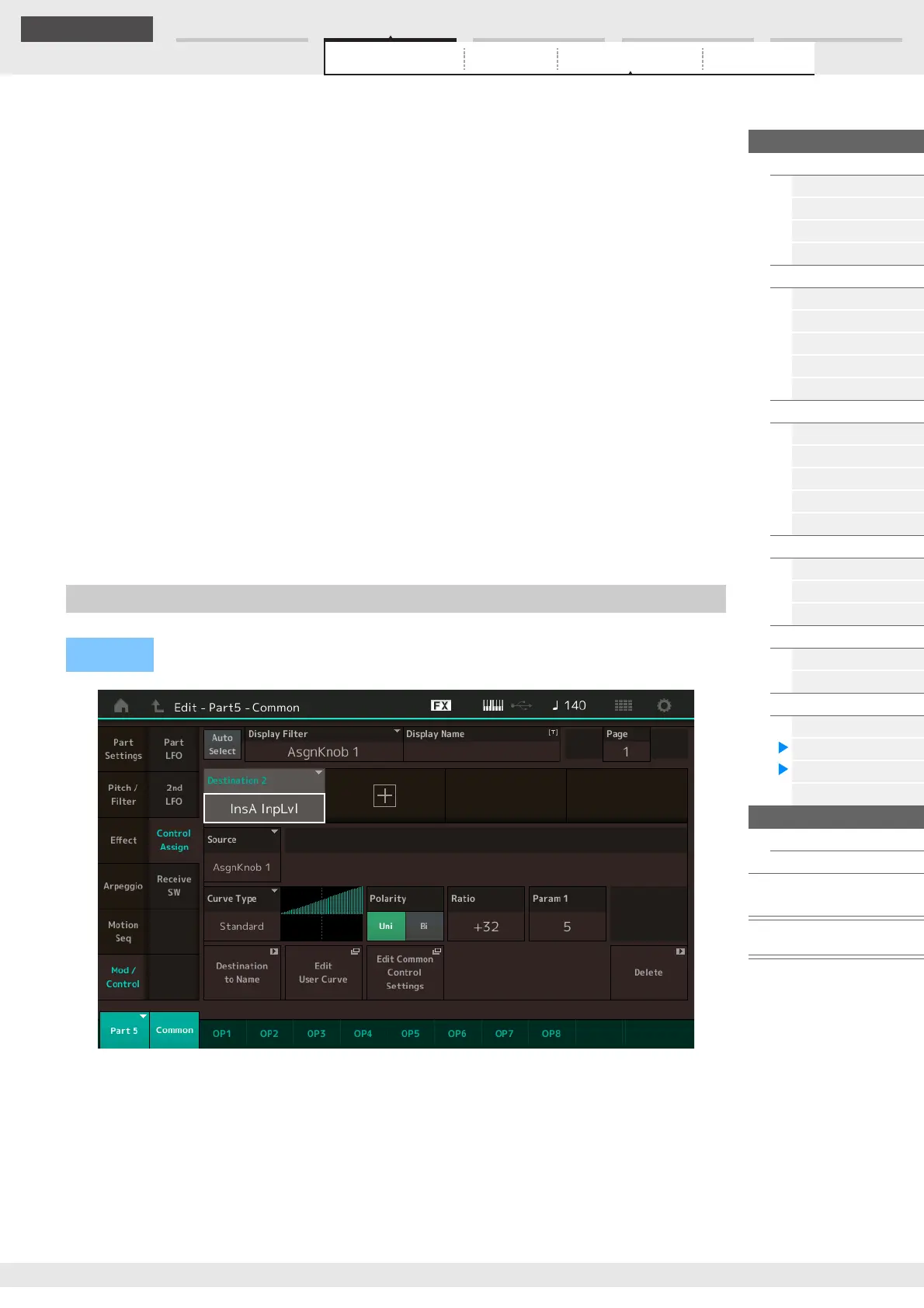
Same as the Element Common Edit parameters for Normal Parts (AWM2) (page 100), except for the
different setting values in the Destination parameter. For details on the setting value, see the Data List PDF
document.
Also the following parameter is shown on this display.
Operator SW (Operator Switch)
Selects whether the controller will affect each individual Operator (On) or not (Off). This is available only
when an Operator-related parameter is set in “Destination.”
Settings: Off, On
Control Assign
Operation
[PERFORMANCE (HOME)] [EDIT] Part selection Operator [Common] [Mod/Control]
[Control Assign]



 To Next Page