Getting Started
17
Installing the Battery
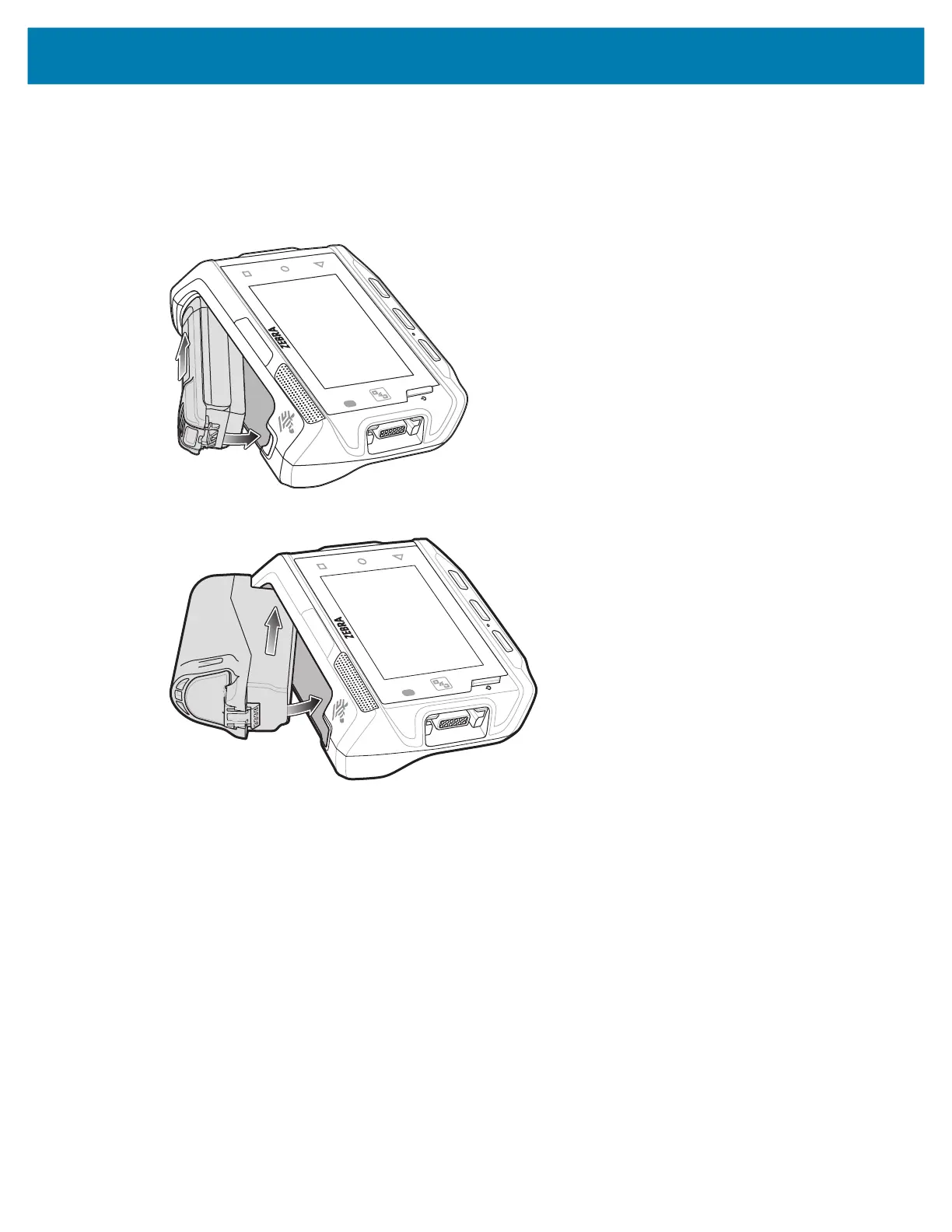
To install the battery:
1. Insert the end of the battery into the battery well.
Figure 3 Standard Battery Installation
Figure 4 Extended Battery Installation
2. Press the battery down until it snaps into place.
Charging the Battery
Before using the device for the first time, charge the battery using a cable or a cradle with the appropriate
power supply. For information about the accessories available for the device, see Accessories.
The standard 3350 mAh battery fully charges in approximately four hours at room temperature. The
extended 5000 mAh battery fully charges in approximately five hours and 30 minutes at room temperature.
To charge the main battery:
1. Connect the charging accessory to the appropriate power source.
2. Insert the device into a cradle or attach to a cable. The device turns on and begins charging. The
Charging/Notification LED blinks amber while charging, then turns solid green when fully charged.
Charging Indicators
The following table describes the LED states and what they indicate.



 To Next Page