Applications
47
• Network Tone:
• Three increasing pitch beeps. Plays when PTT Express acquires the WLAN connection and the
service is enabled.
• Three decreasing pitch beeps. Plays when PTT Express loses the WLAN connection or the service
is disabled.
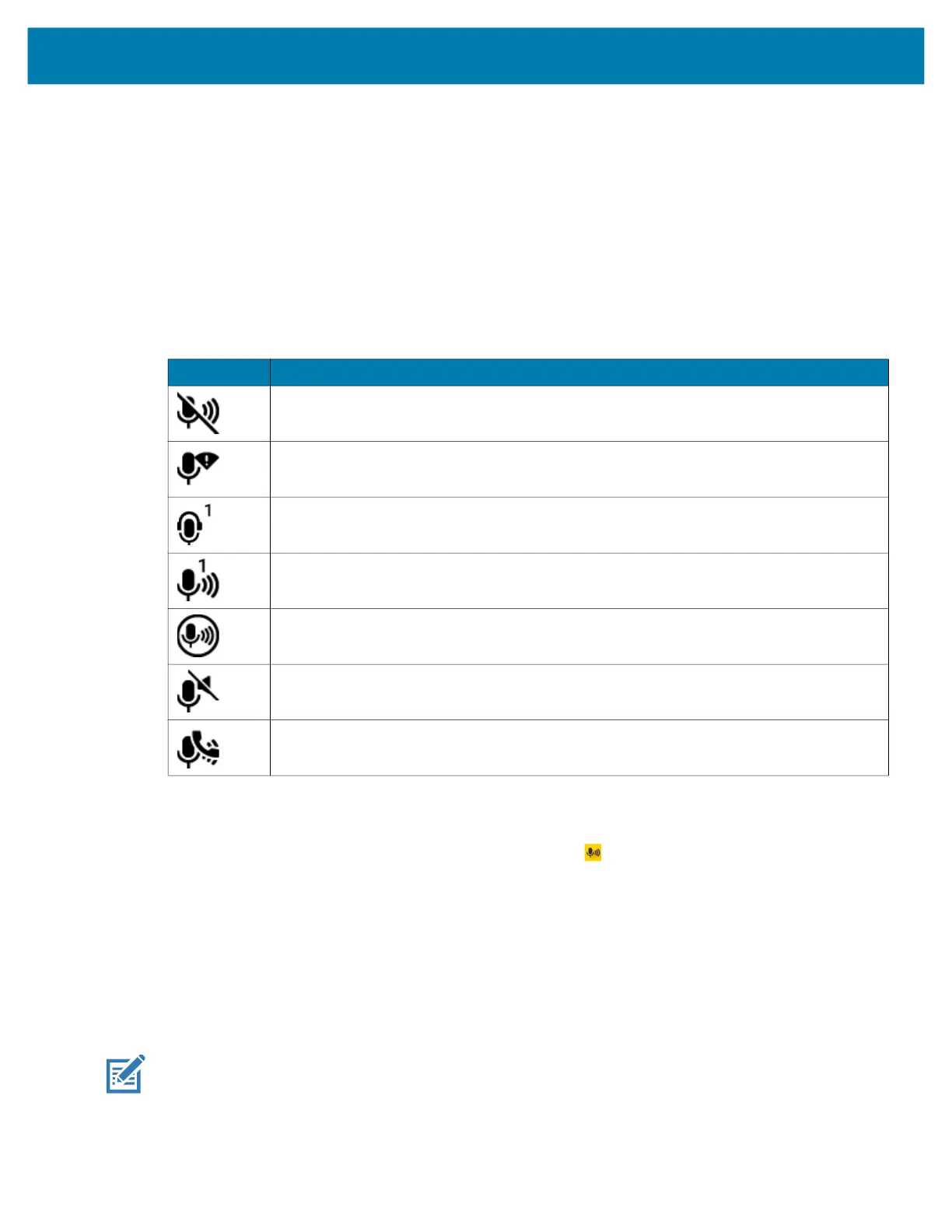
PTT Notification Icons
Notification icons indicate the current state of the PTT Express Voice client.
Enabling PTT Communication
1. Swipe up from the bottom of the Home screen and touch .
2. Slide the Enable/Disable Switch to the ON position. The button changes to ON.
Selecting a Talk Group
One of 32 Talk Groups can be selected by PTT Express users. However, only one talk group may be
enabled at a time on the device. Touch one of the 32 Talk Groups. The selected Talk Group is highlighted.
PTT Communication
NOTE: This section describes the default PTT Express client configuration. Refer to the PTT Express V1.2
User Guide for detailed information on using the client.
PTT communication may be established as a Group Call.
Table 11 PTT Express Icon Descriptions
Status Icon Description
The PTT Express Voice client is disabled.
The PTT Express Voice client is enabled but not connected to a WLAN.
The PTT Express Voice client is enabled, connected to a WLAN, and listening on the
Talk Group indicated by the number next to the icon.
The PTT Express Voice client is enabled, connected to a WLAN, and communicating on
the Talk Group indicated by the number next to the icon.
The PTT Express Voice client is enabled, connected to a WLAN, and in a private
response.
The PTT Express Voice client is enabled and muted.
The PTT Express Voice client is enabled but it is not able to communicate due to a VoIP
telephony call in progress.



 To Next Page