Settings
34
Remapping a Button
Buttons on the device can be programmed to perform different functions or as shortcuts to installed apps. For
a list of key names and descriptions, refer to: techdocs.zebra.com
.
1. Go to Settings.
2. Touch Key Programmer. A list of programmable buttons displays.
3. Select the button to remap.
4. Touch the BUTTON REMAPPING, the SHORTCUT, or the TRIGGERS tabs to list the available functions,
applications, and triggers.
5. Touch a function or application shortcut to map to the button.
NOTE: If you select an application shortcut, the application icon appears next to the button on the Key
Programmer screen.
6. Touch the Home button.
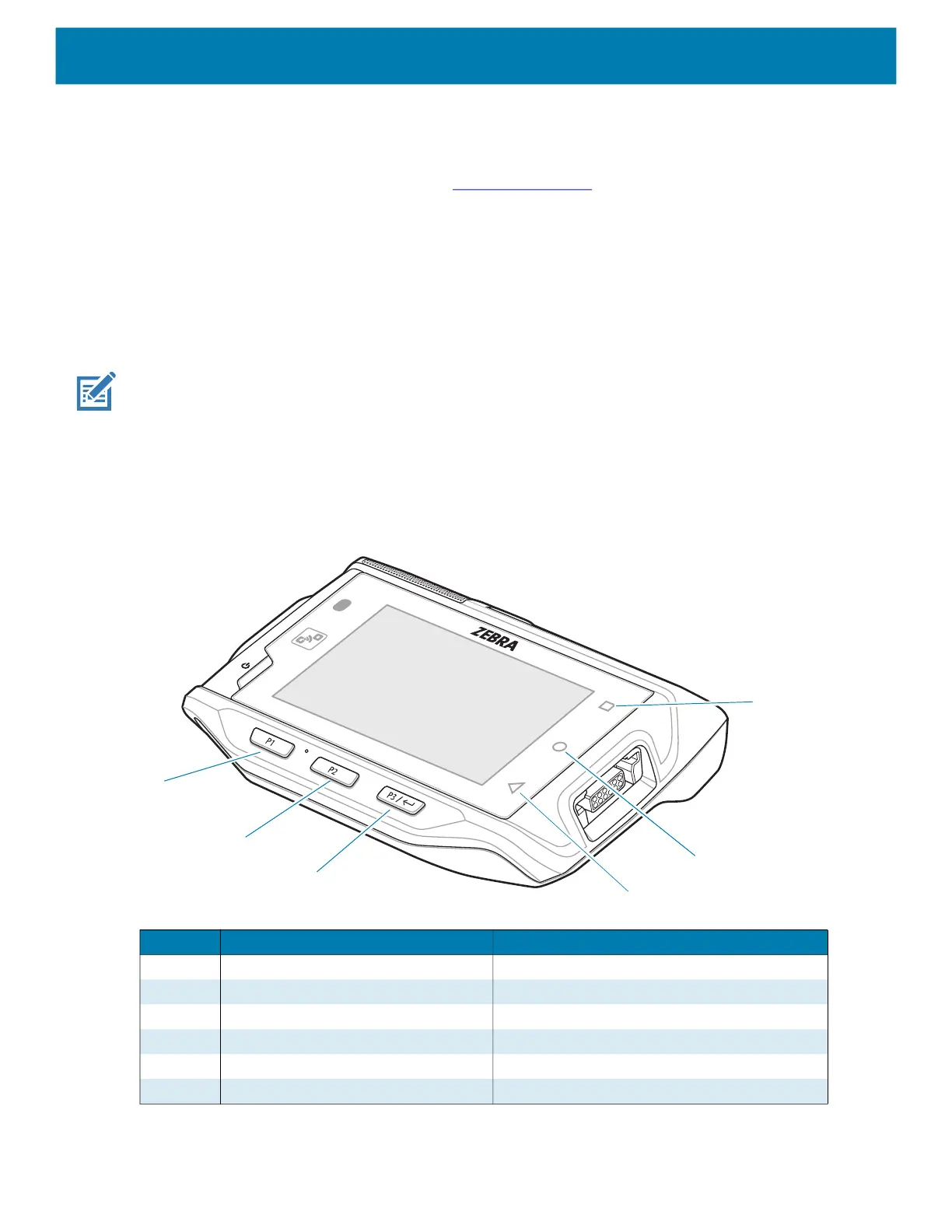
Remappable Keys
Figure 14 Key Positions
Number Button Description
1 RECENT Recent Button
2 HOME Home Button
3 BACK Back Button
4 P3 Enter Button
5 P2 Volume Up Button
6 P1 Volume Down Button
6
5
4
1
3
2



 To Next Page