INSTALLATION
Carl Zeiss Connecting Auto Focus Auto Focus equipment
20 425131-7044-001 06/2013
Switch off the power supply of the stand
and the PC before connecting the
controller to the microscope.
Ensure that the cable from the
Auto
Focus sensor to the controller and
from the
controller to the microscope
stand is not too tight, thereby permitting
the Z-axis drive and the focusing
objective turret to function correctly.
• Convert the standard camera deflection left
port with the Auto Focus installation set
(425131-9030-000) or successor.
• Fasten the Auto Focus to the left side camera
deflection.
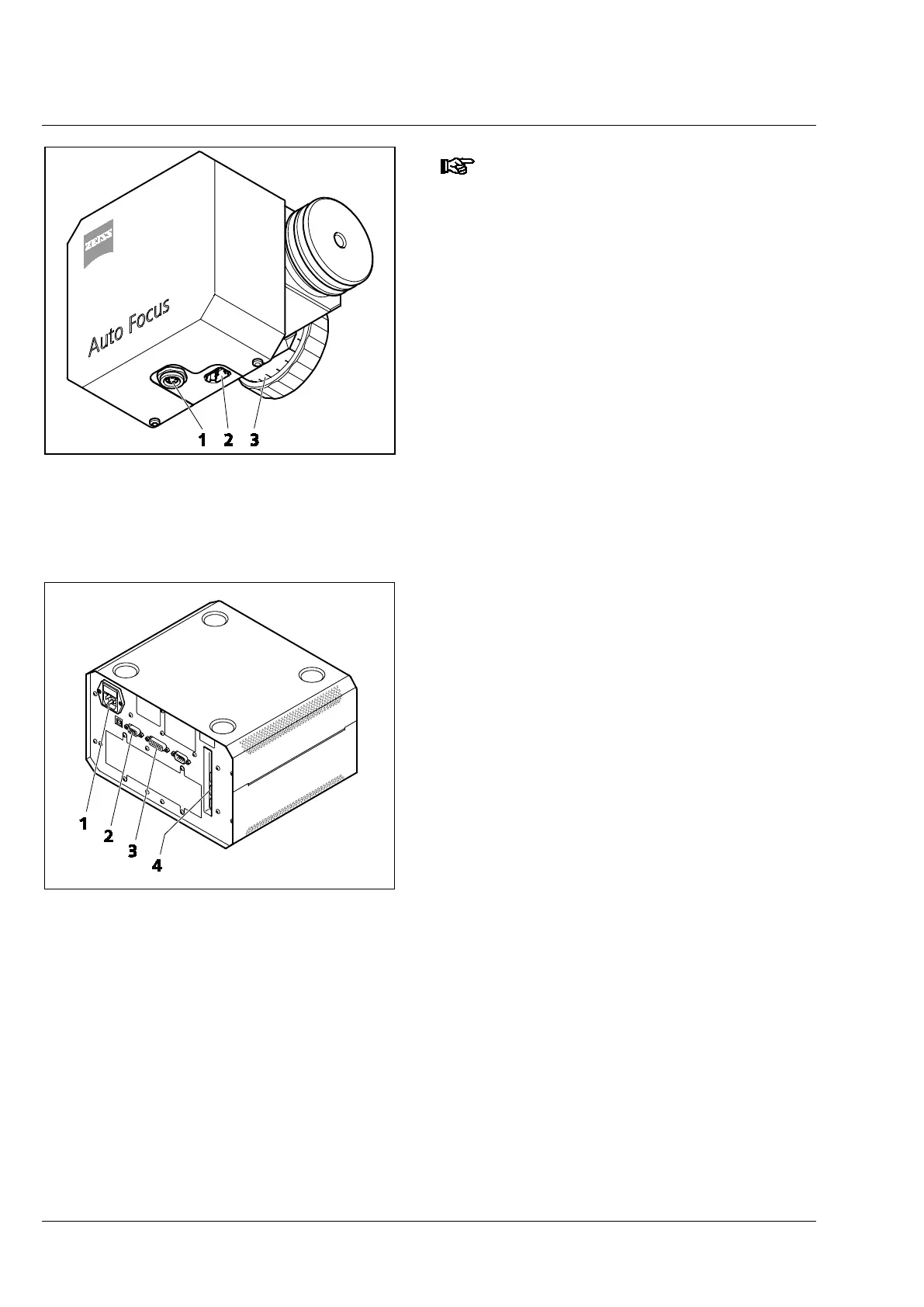
• Connect the Auto Focus to the controller. To do
so, insert the Firewire cable into the connections
of the Auto Focus (Fig. 6/2) and the controller
(Fig. 7/4). Then insert the control cable into the
connections on the Auto Focus (Fig. 6/1) and
the controller (Fig. 7/3).
• Connect the controller to the microscope stand
using the CAN cable. To do so, insert the CAN
cable into the connection on the controller
(Fig. 7/2) and on the microscope.
• Connect the controller to the power supply
(Fig. 7/1).
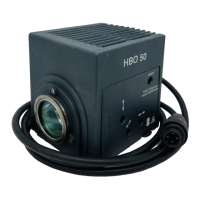
1 Control cable connection
2 Signal cable connection (Firewire)
3 Scale for manual adjustment
Fig. 6 Auto Focus sensor module
1 Power connection
2 CAN connection
3 Control cable connection
4 Signal cable connection (Firewire)
Fig. 7 Rear view of controller and
connections




 To Next Page