OPERATION
Carl Zeiss Switching on/off Auto Focus equipment
22 425131-7044-001 06/2013
4 OPERATION
The Auto Focus can be set up and activated via the software interface of the Axio Imager 2 / Axio Imager
Vario with the aid of the TFT and / or by imaging software, e.g. AxioVision Version 4.9.1 or higher.
4.1 Switching on/off
The following switching on/off sequence must be
followed each time:
• Switch Auto Focus on or off by briefly pressing
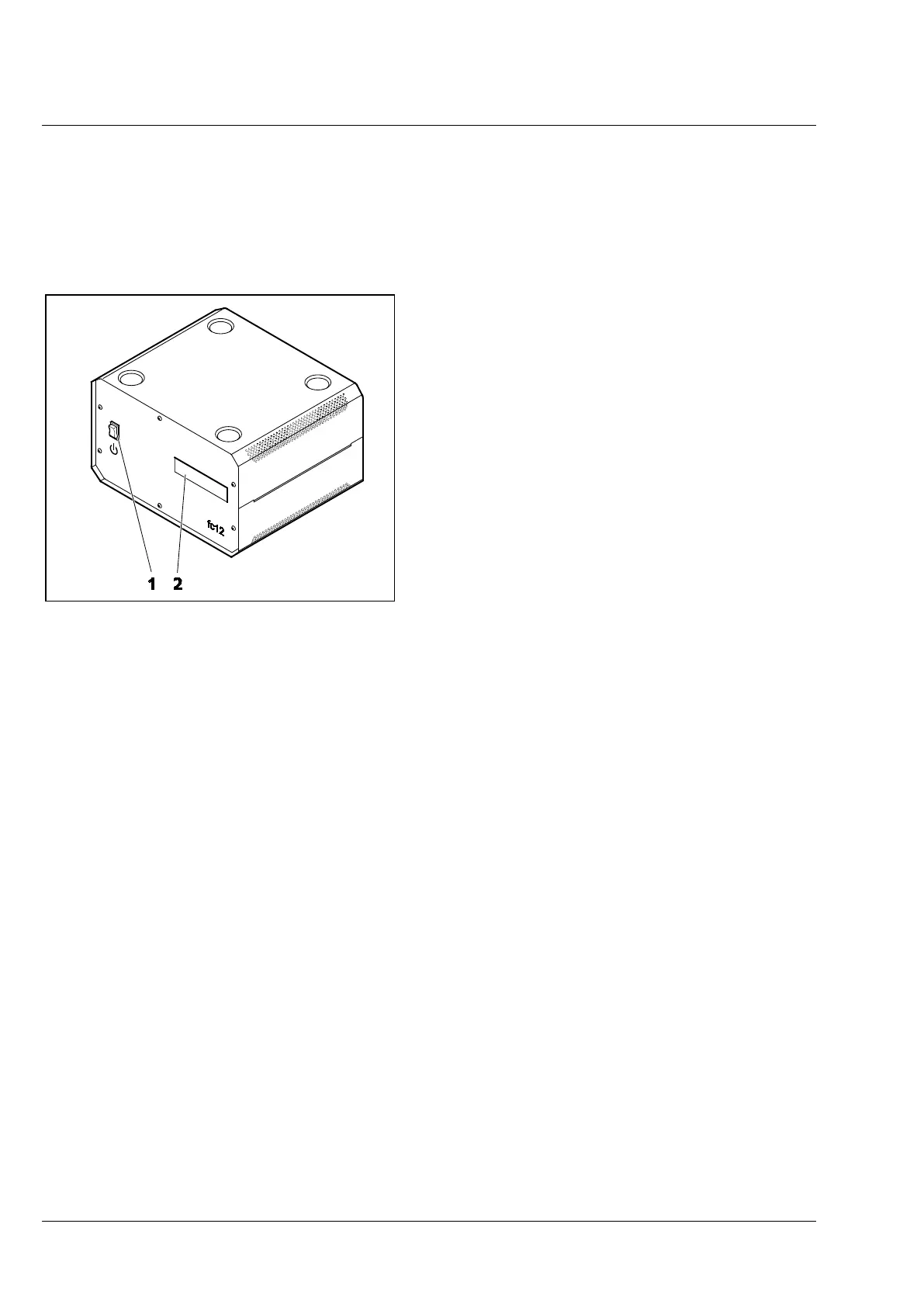
the on/off button (Fig. 9/1) on the front panel
of the controller.
• Switch the Axio Imager, Axio Imager Vario
microscope on or off (see also microscope
operating manual)
If the microscope and the focus controller are
switched on and off via a main switch, e.g. a
switchable multiple extension socket, the focus
controller will start automatically or should be shut
down in a controlled manner using the on/off
button (Fig. 9/1) and then turned off at the
multiple extension socket.
Once power is available, the control programs of the Auto Focus and the microscope will start
automatically and communication between the two programs will be established via the CAN port.
The initialization state of Auto Focus will be shown on the display (Fig. 9/2) of the controller:
• "Starting System" - System starts
• "System Ready" - Auto Focus controller is fully up and running
• "Detecting Stand" - Searching for microscope stand
• "Standby" - Auto Focus ready, not activated
• "Shutdown" - Shutting down Auto Focus controller
The status (On / Standby / working / working 'xx' s, see page 29) of Auto Focus can be viewed on
the Home screen of the graphic user interface of the TFT of the Axio Imager 2 / Axio Imager Vario
(Fig. 10).
• If the work station is equipped with a PC, do not start the imaging software (e.g. AxioVision version
4.9.1 or later) until the microscope has fully booted.
• The shutdown procedure may take several seconds. Appearance of the "shutdown" message on the
LCD screen may be delayed depending on the status of the controller.
1 On/off button
2 Status display
Fig. 9 Front view of controller




 To Next Page