OPERATION
ZEISS Operating and function controls - description Axio Observer
94 431004-7244-001 12/2016
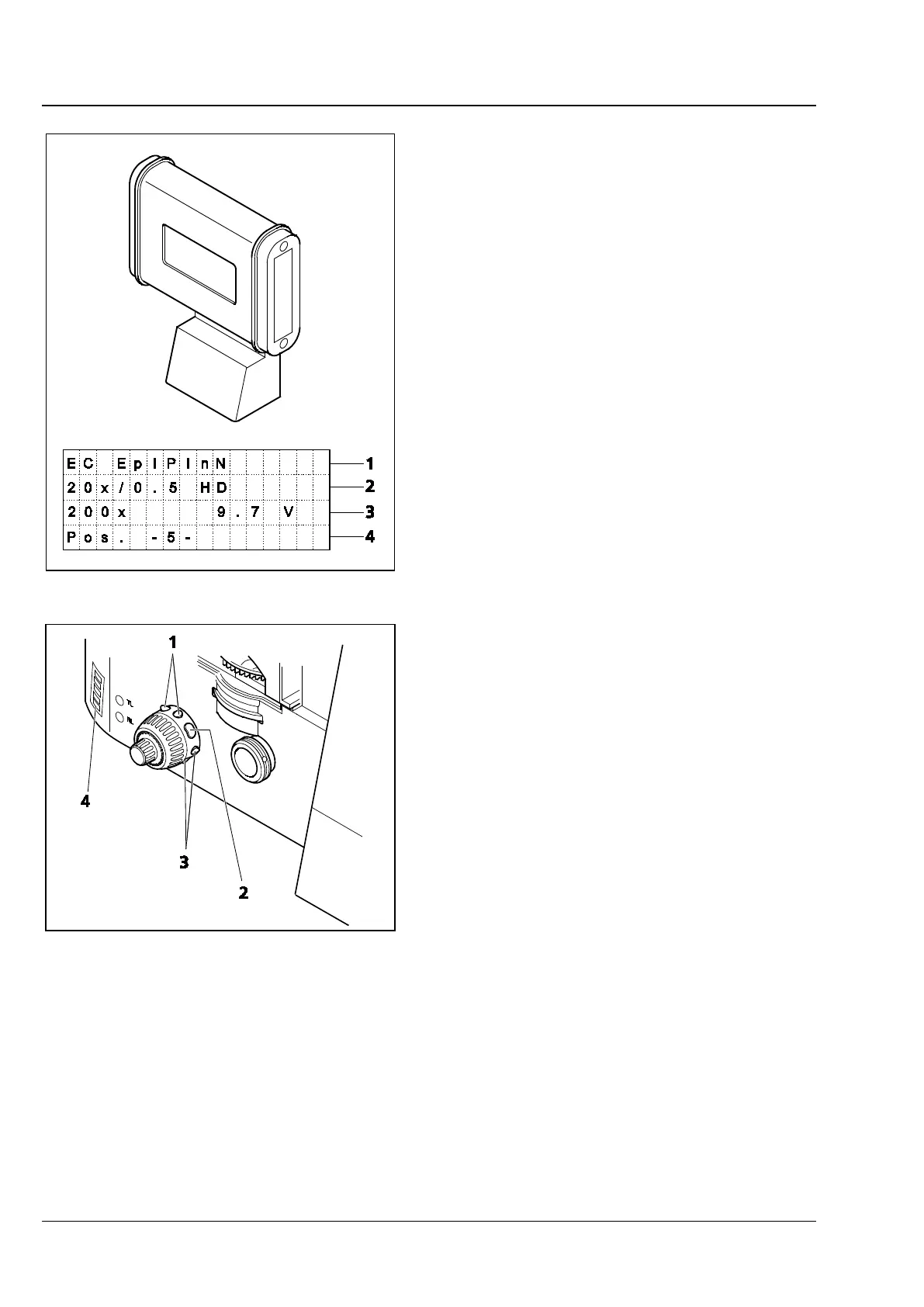
Holder with LCD display (Fig. 61/8)
− Use on 5, 5 materials stand only
− LCD display with four-line display, each line
with 16 characters
Main information displayed:
− Line 1 (Fig. 76/1):
Name of the objective
− Line 2 (Fig. 76/2):
Objective magnification / aperture and
possible contrast techniques
− Line 3 (Fig. 76/3):
Overall magnification, lamp voltage details,
status display of reflected light shutter
− Line 4 (Fig. 76/4):
Information on contrast techniques (position
of reflector turret)
Control ring, right (Fig. 58/29)
− On 5, 5 materials and 7, 7 materials stand only
− Two pairs of buttons (Fig. 77/1 and 3) and one
single button (Fig. 77/2) for operating
motorized components or illumination settings
The factory set default button configuration is
shown on the adhesive label (Fig. 77/4) affixed to
the stand.
5, 5 materials stand:
− If a motorized condenser is used, pressing the
middle button will display the current condenser
settings on the LCD display
− If the button allocation is changed, the adhesive
label affixed to the stand should be updated
using the additional adhesive labels supplied
7, 7 materials stand:
− Changes to the default button allocation can be
made using the TFT display
− If the button allocation is changed, the adhesive
label affixed to the stand should be updated
using the additional adhesive labels supplied
Fig. 76 Holder with LCD display
Fig. 77 Control ring, right (view from rear)








 To Next Page