OPERATION
Axio Observer Operating and function controls - description ZEISS
12/2016 431004-7244-001 95
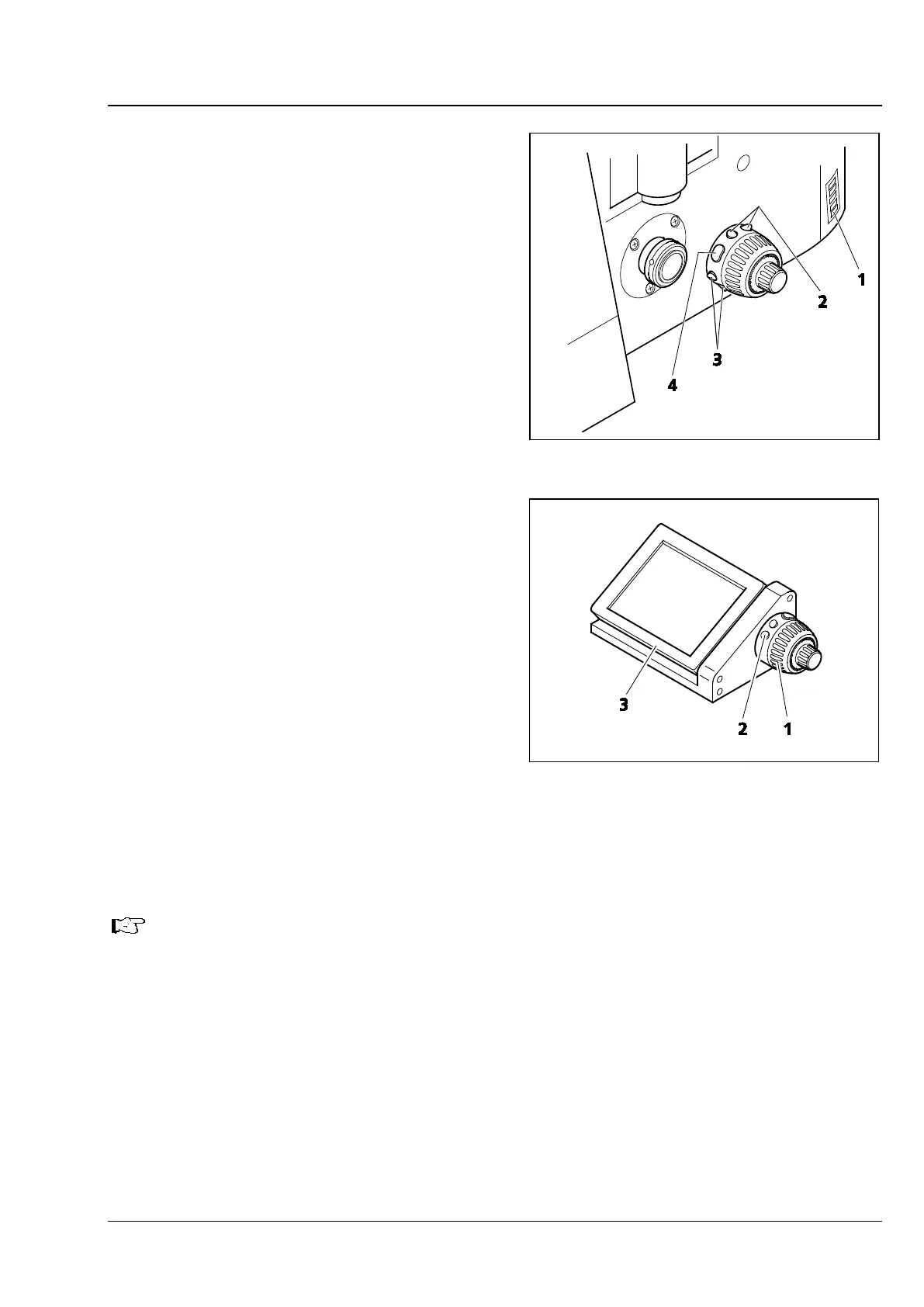
Control ring, left (Fig. 59/4)
− On 7, 7 materials stand only
− Two pairs of buttons (Fig. 78/2 and 3) and one
single button (Fig. 78/4) for operating
motorized components or illumination settings
− The factory set default button configuration is
shown on the adhesive label (Fig. 78/1) affixed
to the stand
− Changes to the default button allocation can be
made using the TFT display
− If the button allocation is changed, the adhesive
label affixed to the stand should be updated
using the additional adhesive labels supplied
Docking station
− For use with the 7, 7 materials stands only
− If it is inconvenient to operate the microscope
stand from the right side, the functions of the
touchscreen TFT display (Fig. 79/3 on the
docking station), the right control ring
(corresponds to Fig. 79/2 on the docking
station) and the focus drive on the right
(corresponds to Fig. 79/1 on the docking
station) can be performed using the docking
station detached from the stand
− Changes to the default button allocation can be
made using the TFT display
− The angle of the TFT display can be adjusted
using the two knurled screws (see also
Fig. 42/4) on the rear of the docking station
When using the XLmulti S1 incubator, the docking station must be used
display cannot be mounted on the stand.
Fig. 78 Control ring, left (view from rear)
Fig. 79 Docking station with TFT display,
control ring and focusing drive








 To Next Page