Care and Maintenance | 6.3 Maintenance Work
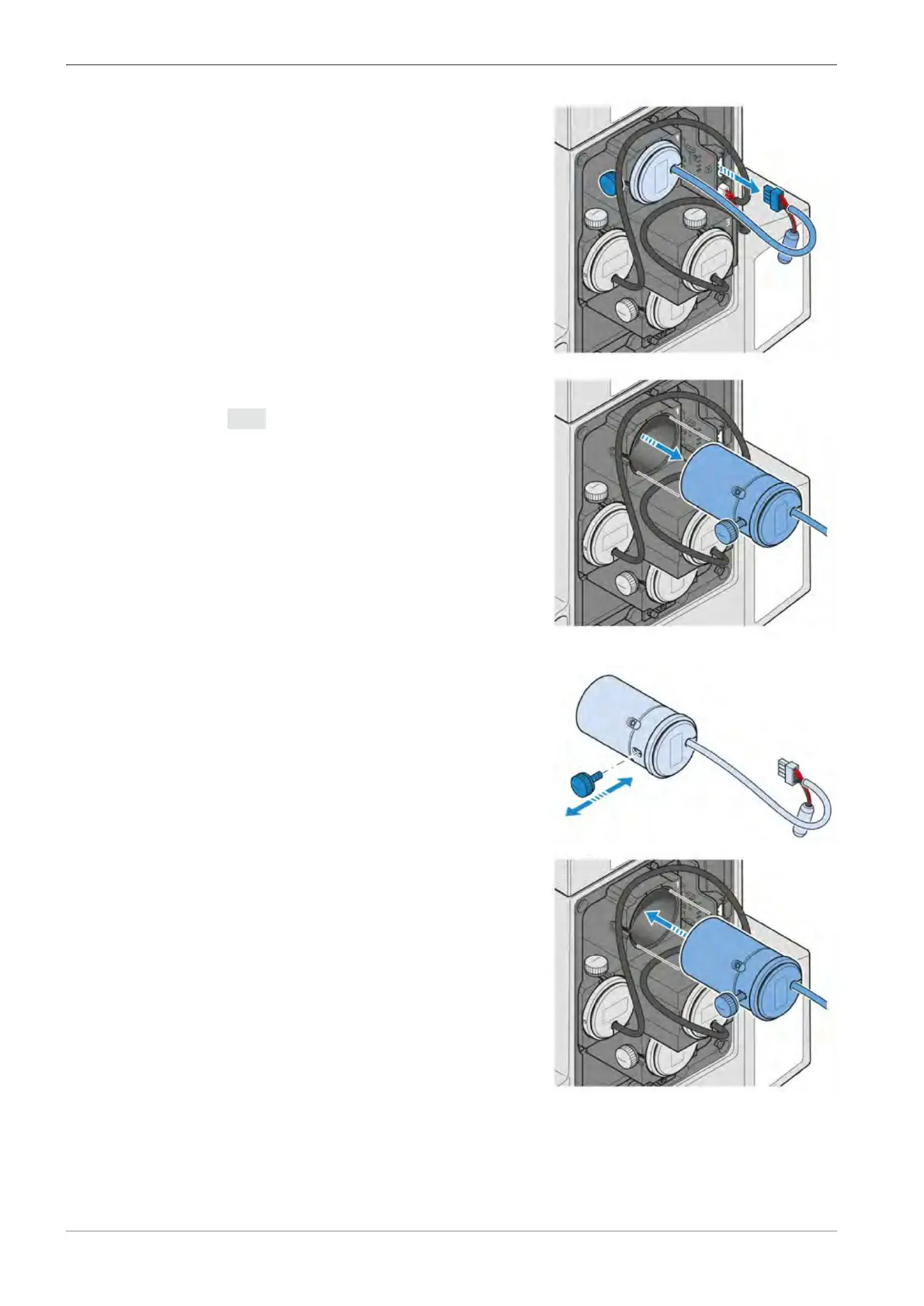
. Unplug the connector of the defective LED
. Loosen the knurled screw of the defective LED
module.
Info If LED module 1 is to be replaced,
the knurled screw of LED module 3 must
be removed first. Otherwise LED module 1
cannot be removed due to limited space.
. Remove the defective LED module.
. Loosen the knurled screw from the defective
LED module and keep it for later use.
. Insert the new LED module.
. Tighten the knurled screw to fix the LED module.
Instruction Manual ZEISS Axiovert 5 digital | en-US | Rev. 1 | 431030-7021-101









 To Next Page