Product and Functional Description | 3.2 Controls and Functional Elements on Components
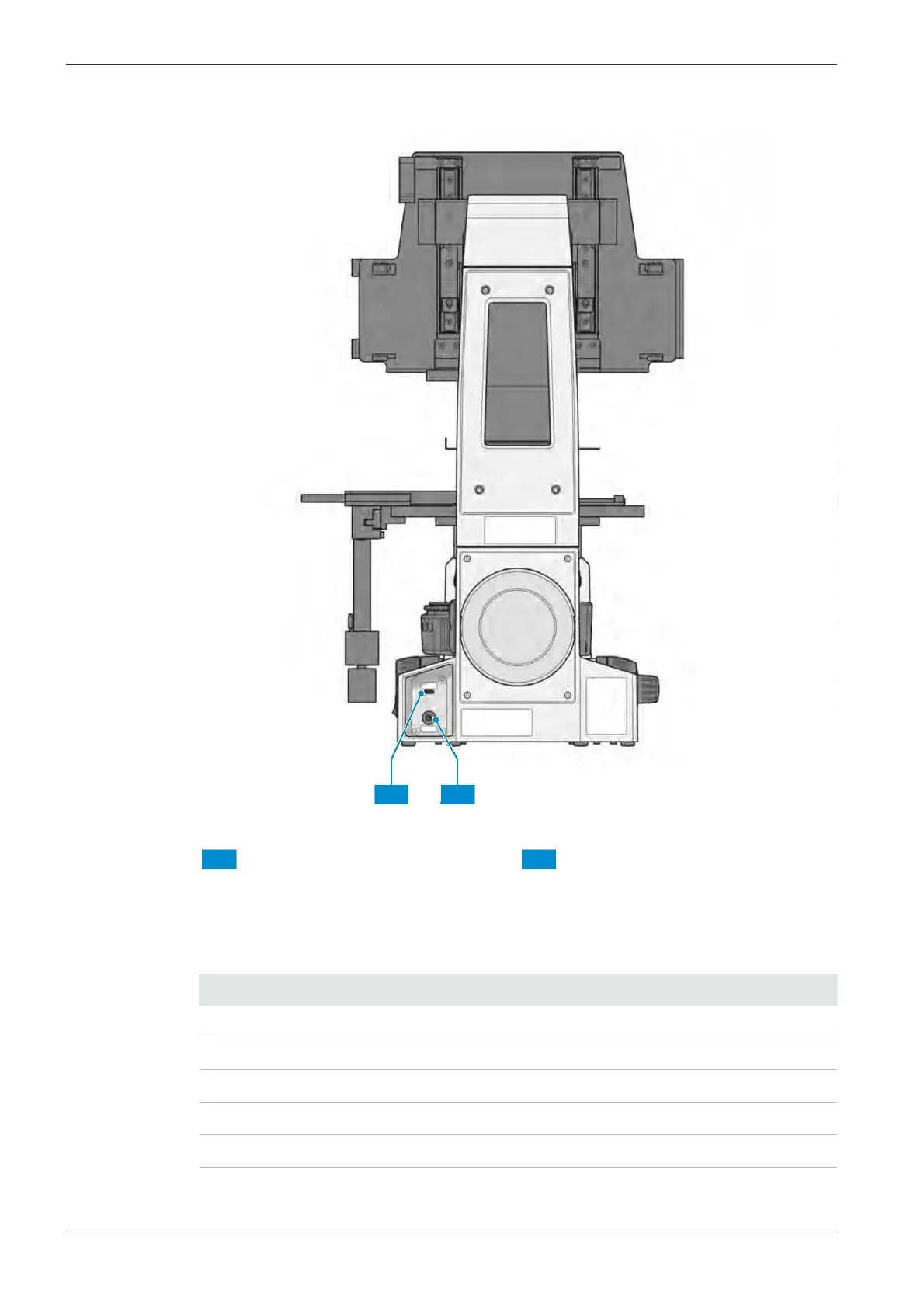
.2.2 Rear Side of the Stand
Fig. 4: Controls and functional elements on the rear side
Tablet socket (USB 3.0 Type C socket) Power socket
Function The power indicator indicates the current state of the microscope with the following states:
continuously
continuously
continuously
flashing
The microscope is being initialized.
The microscope is ready for operation.
An error has occurred during update or initialization.
An update of the smartbox is running.
The microscope is powered off.
Instruction Manual ZEISS Axiovert 5 digital | en-US | Rev. 1 | 431030-7021-101









 To Next Page