Smart Connect Single Loop Touch Screen Panel
Doc: GLT-229-7-1 40
Issue: 3
Date: 12/05/2017
6.8 FIELD DEVICE TERMINATION
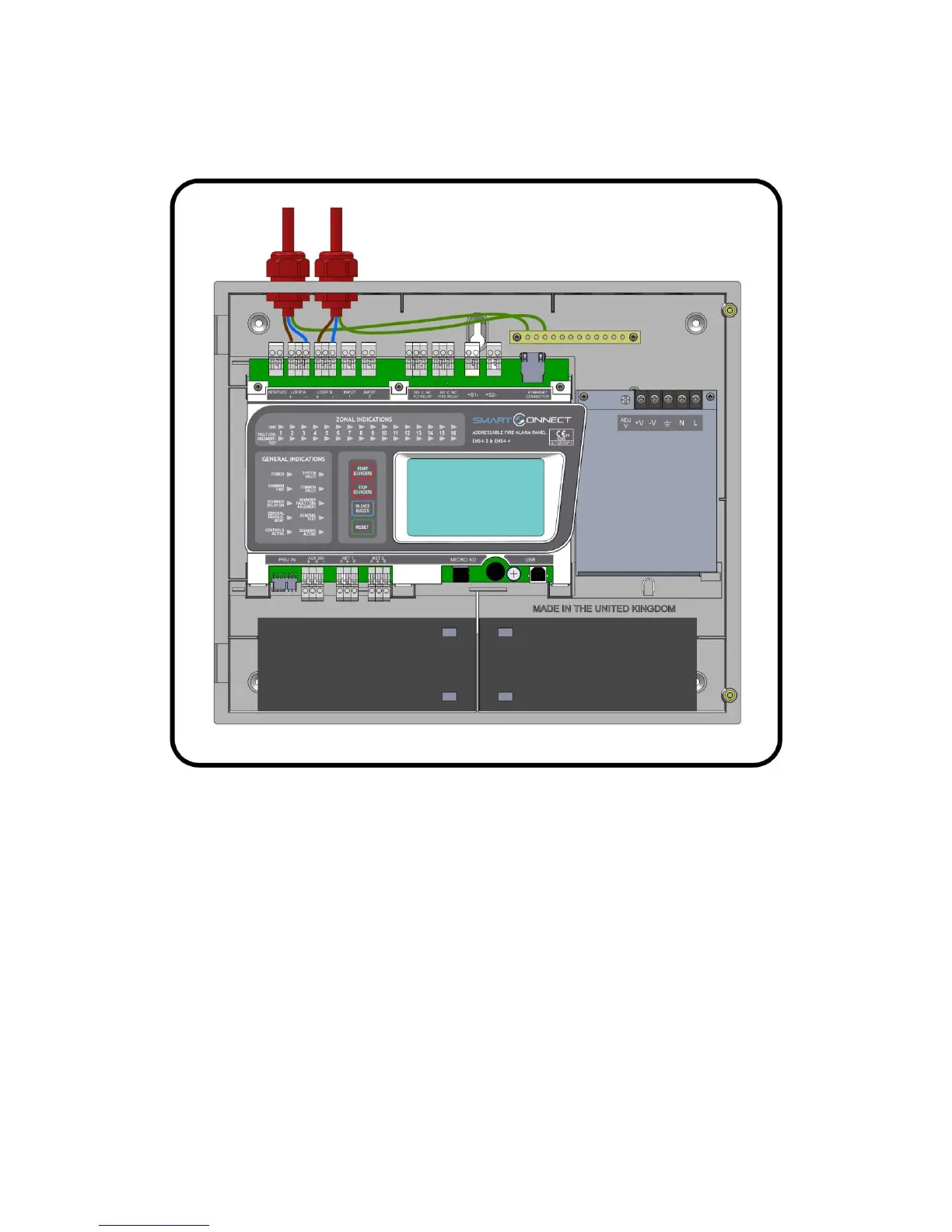
Figure 4: Connecting cables to the Smart Connect panel.
All cables should enter the enclosure via a cable gland, and the cable shields must be connected to the earth bar.
Figure 4 illustrates how the mains cable and an addressable loop cable are connected to the panel. All other screens must be
terminated at the brass earthing strip.
MAKE SURE ANY UNUSED ENTRY HOLES ARE COVERED.


 To Next Page