Smart Connect Single Loop Touch Screen Panel
Doc: GLT-229-7-1 54
Issue: 3
Date: 12/05/2017
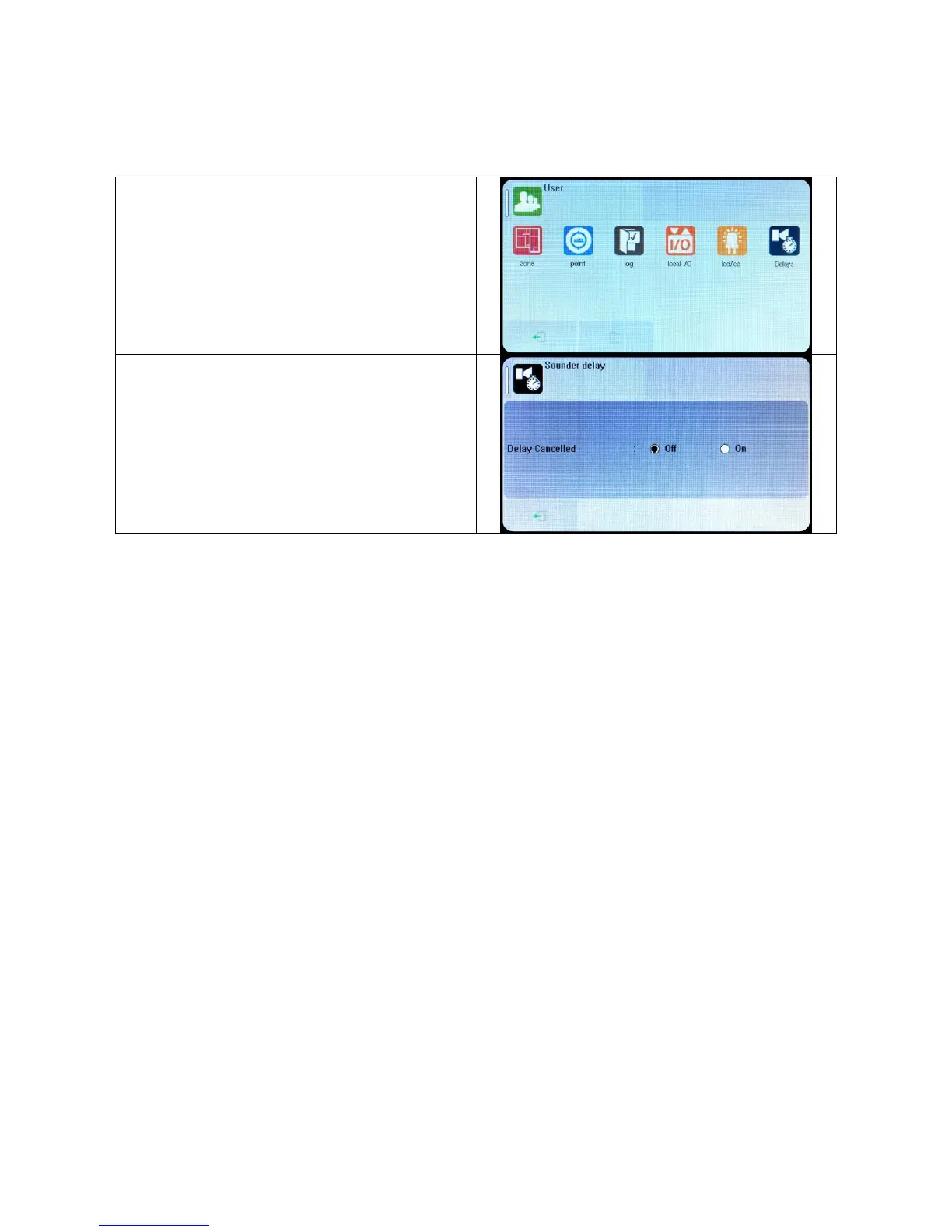
8.2.4 Switching off Delays at Access Level 2
The panel allows the delays to be turned off by the user, as this may be required as part of the normal operation of the panel.
Enter the user menu in the usual way.
(This option is also available in the Access level 3 Engineer
menu)
The panel shows Delay cancelled with Off & On options.
Select ON to cancel the delay, or select OFF to keep the delay.
Press Exit icon and save changes as prompted.
NOTE: As the delays can be toggled on & off via the user menu. If the delay is not working as expected, check in the user menu if
the delays have been turned off.


 To Next Page