Recording
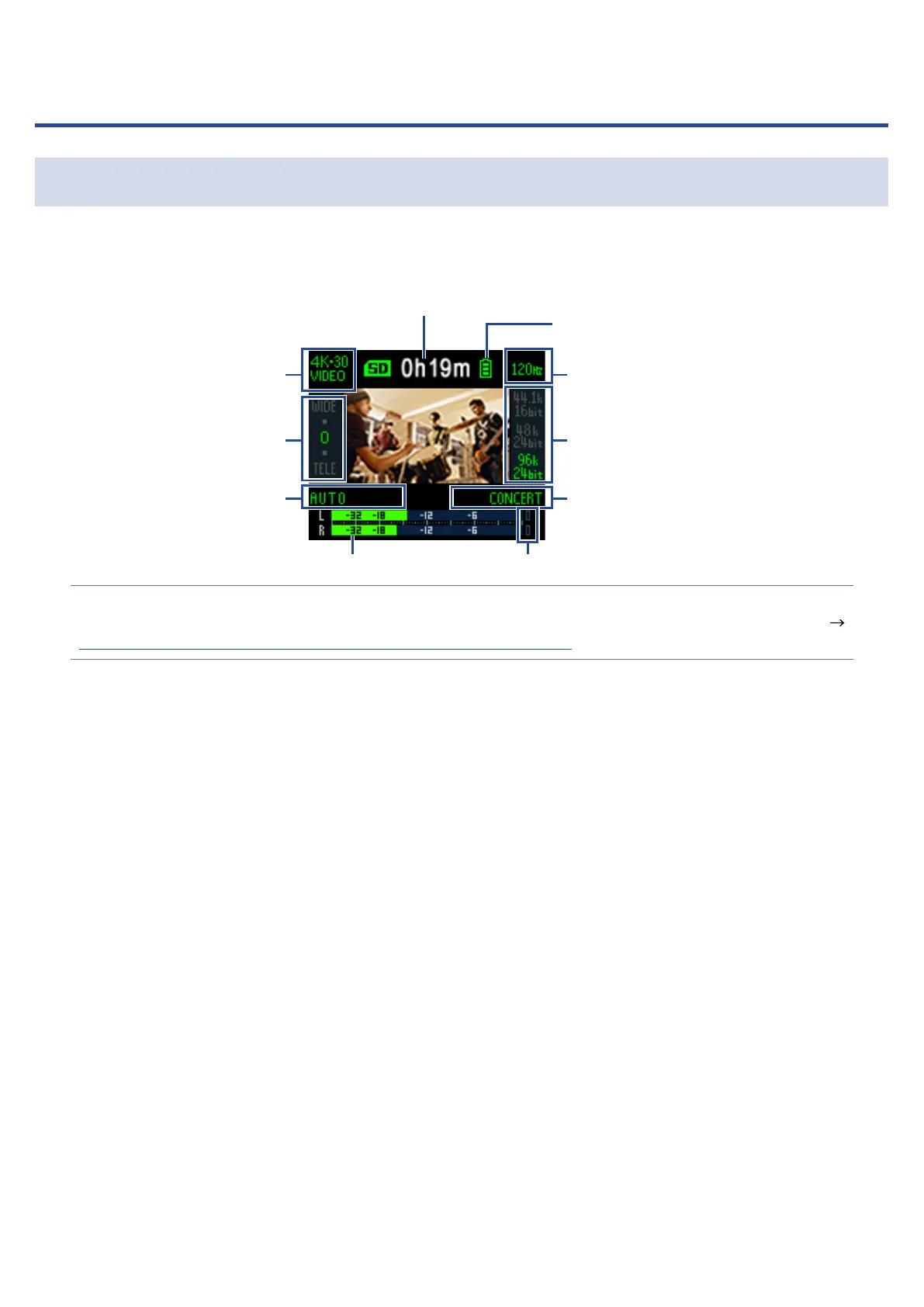
Recording Screen overview
The Recording Screen opens when the power is turned on.
Level meters Peak indicators
When recording: recording time
In recording standby: available recording time
Remaining battery charge
VIDEO setting
FOV setting
LO CUT setting
AUDIO setting
AUTO GAIN setting
HINT
If the power is turned on when connected to a computer, the USB function selection screen will open. (
“Turning the power on when connected to a computer” on page 37)
16



 To Next Page